Very Good Afternoon Sir, I have enough money in my Dhan Account. But not able to Subscribe for Dhan API.
It is generating token but, its showing the following error sir.
C:\Users\LENOVO PC\Desktop\RP\Dhan Algo\DHAN Advanced Algo Trading Series\Session 9\Session 9\Dhan Option Chain\Dhan Option Chain>py "1. Download_Historical_data.py"
Codebase Version 3
-----Logged into Dhan-----
reading existing file all_instrument 2025-04-29.csv
Got the instrument file
Exception in Getting OHLC data as {'status': 'failure', 'remarks': {'error_code': 'DH-902', 'error_type': 'Invalid_Access', 'error_message': 'HTTP Status 451. User has not subscribed to Data APIs or does not have access to Trading APIs. Kindly subscribe to Data APIs to be able to fetch Data.'}, 'data': {'errorType': 'Invalid_Access', 'errorCode': 'DH-902', 'errorMessage': 'HTTP Status 451. User has not subscribed to Data APIs or does not have access to Trading APIs. Kindly subscribe to Data APIs to be able to fetch Data.'}}
Traceback (most recent call last):
  File "1. Download_Historical_data.py", line 31, in <module>
    ATM_time_data = index_data[index_data['timestamp']==start_time]
TypeError: 'NoneType' object is not subscriptable
Subscription Completed, now getting th same old error. I have downloaded the Dhan_Tradehull_V2 file in this folder and tried. StarT_Date is not available in Dhan_Tradehull file. But it’s available only in Dhan_tradehull_V2 file. This si the reason , I got this file in my Current Folder of Session-9 of Advanced Series sir. Still Getting the same error.
C:\Users\LENOVO PC\Desktop\RP\Dhan Algo\DHAN Advanced Algo Trading Series\Session 9\Session 9\Dhan Option Chain\Dhan Option Chain>py "1. Download_Historical_data.py"
Codebase Version 3
-----Logged into Dhan-----
reading existing file all_instrument 2025-04-29.csv
Got the instrument file
Traceback (most recent call last):
  File "1. Download_Historical_data.py", line 38, in <module>
    ATM_Strike = round(ATM_close/step)*step
NameError: name 'ATM_close' is not defined
Hi @Dhan team,
FYI,
In continuation to previous thread,
There was no greeks PE data between the following window (Nifty).
Wed Apr 30 14:08 2025
Wed Apr 30 14:44 2025
~ 40 minutes.
Whereas it was showing valid data for CE between this window…
Sir, I am a new trader and went through Session 3. tried installing the libraries and executed file Dhan_codebase usage with my client id and Token. Following error appears: ModuleNotFoundError: No module named ‘talib’
Download the matching .whl file for your Python version from this unofficial site: Christoph Gohlke If you’re using Python 3.10 (64-bit), download TA_Lib‑0.4.0‑cp310‑cp310‑win_amd64.whl
2. Install via pip:
Open your terminal or command prompt where the file is downloaded and run:
while using tsl.ATM_Strike_Selection() or tsl.ITM_Strike_Selection(), i get strike in 50s… what shud I do to get these strikes only in 100s… like 24000, 24100, 24200, 24300 and likes and NOT like 24050, 24150,24250,.. and likes…
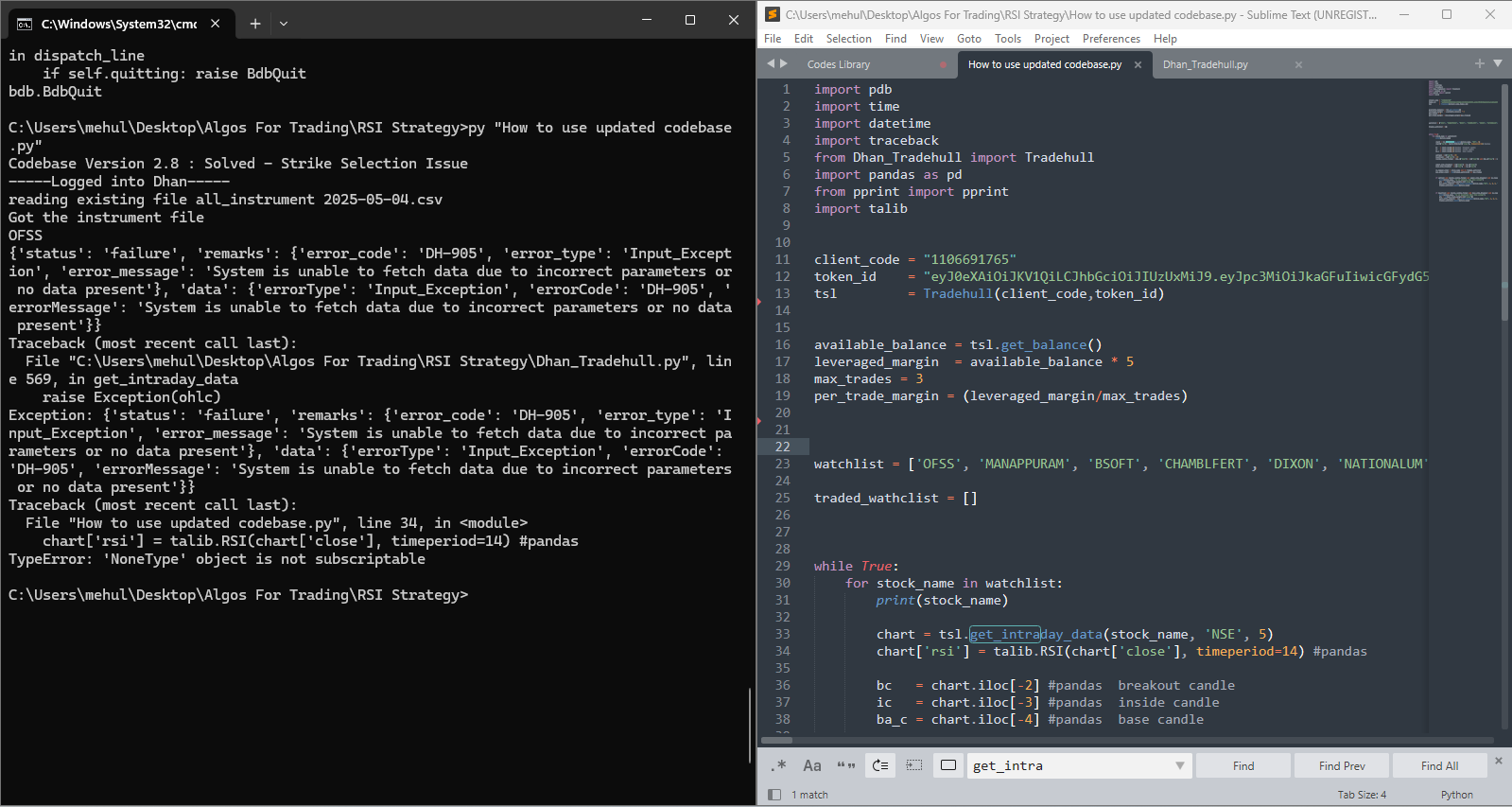
tsl.get_intraday_data was a old method to get historical data… it gives data only for today, which makes problem if we want to create indicators on it.
Dhanhq was upgraded and now we can use get_historical_data which gives data for last 5 working days.
tradingsymbol (str): The trading symbol for the instrument you want to fetch data for (e.g., ‘NIFTY’, ‘ACC’).
exchange (str): The exchange where the instrument is traded (e.g., ‘NSE’, ‘INDEX’).
timeframe (str): The timeframe for the data. It can be:
‘1’ for 1-minute candles
‘5’ for 5-minute candles
‘15’ for 15-minute candles
‘25’ for 25-minute candles
‘60’ for 60-minute candles
‘DAY’ for daily candles
debug (optional, str): Set to “YES” to enable detailed API response logging. Default is “NO”.
Sample Code:
data = tsl.get_historical_data(tradingsymbol='NIFTY', exchange='INDEX', timeframe="DAY")
data = tsl.get_historical_data(tradingsymbol='ACC', exchange='NSE', timeframe="1")