My primary trading account is with Zerodha, and I recently signed up for Dhan. I noticed that a small but useful feature is currently missing: an amount-to-quantity converter on the order screen like in zerodha.
For example, if a stock’s current market price is ₹200, I would like to enter an investment amount of ₹1,00,000 and tap an icon to automatically calculate the applicable quantity—in this case, 500 shares.
Although this can be calculated separately, adding this simple feature would make order placement faster and more convenient. Please consider including it in a future update.
Dhan has this feature for “Park idle funds in Liquid ETFs“ but not sure what are they thinking to bring it to Buy and Sell.
Hi @gopikrish2000
Dhan has that feature but a little different way.
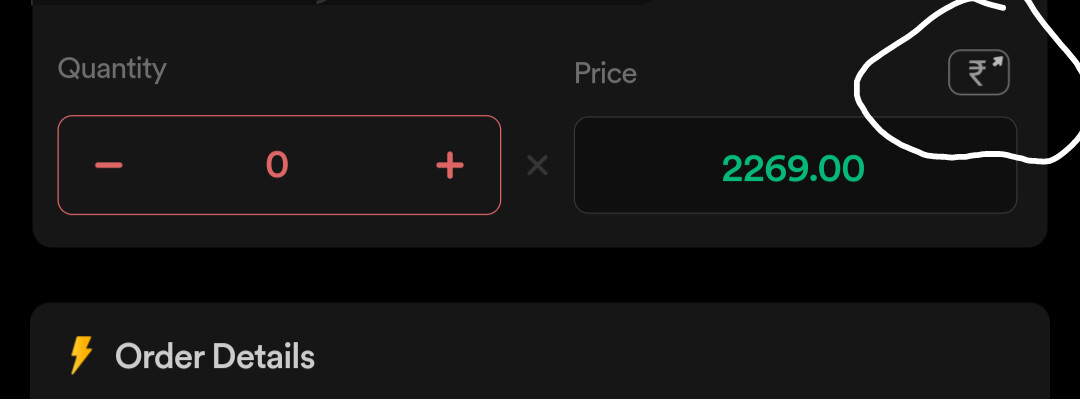
This button if you press it will calculate the quantity automatically based on your trading balance. So like you said, you keep 1L in trading balance and enter limit price or market order, then click this button it will calculate the quantity for you.
@Pradumya This icon is max quantity which ideally Groww shows by default when the quantity goes above the limit(No clicks needed). We can still use it by first going to the max and then adjust the quantity but better to have a feature which does it quickly. The requirement is slightly different i.e. if I have 5 lacs in the trading account and I want to just purchase 1lac worth of shares or every entry into a stock is say 50k. Hence having a mechanism which converts 1lac or 50k to the appropriate quantity by default instead of specifically calculating or going to max and then adjusting is what is needed.
@gopikrish2000 An Alternative is open up Google Sheets and use GoogleFinance function to get the LTP for a ticker. Just put the calc there and get the quantity needed.
1 Like