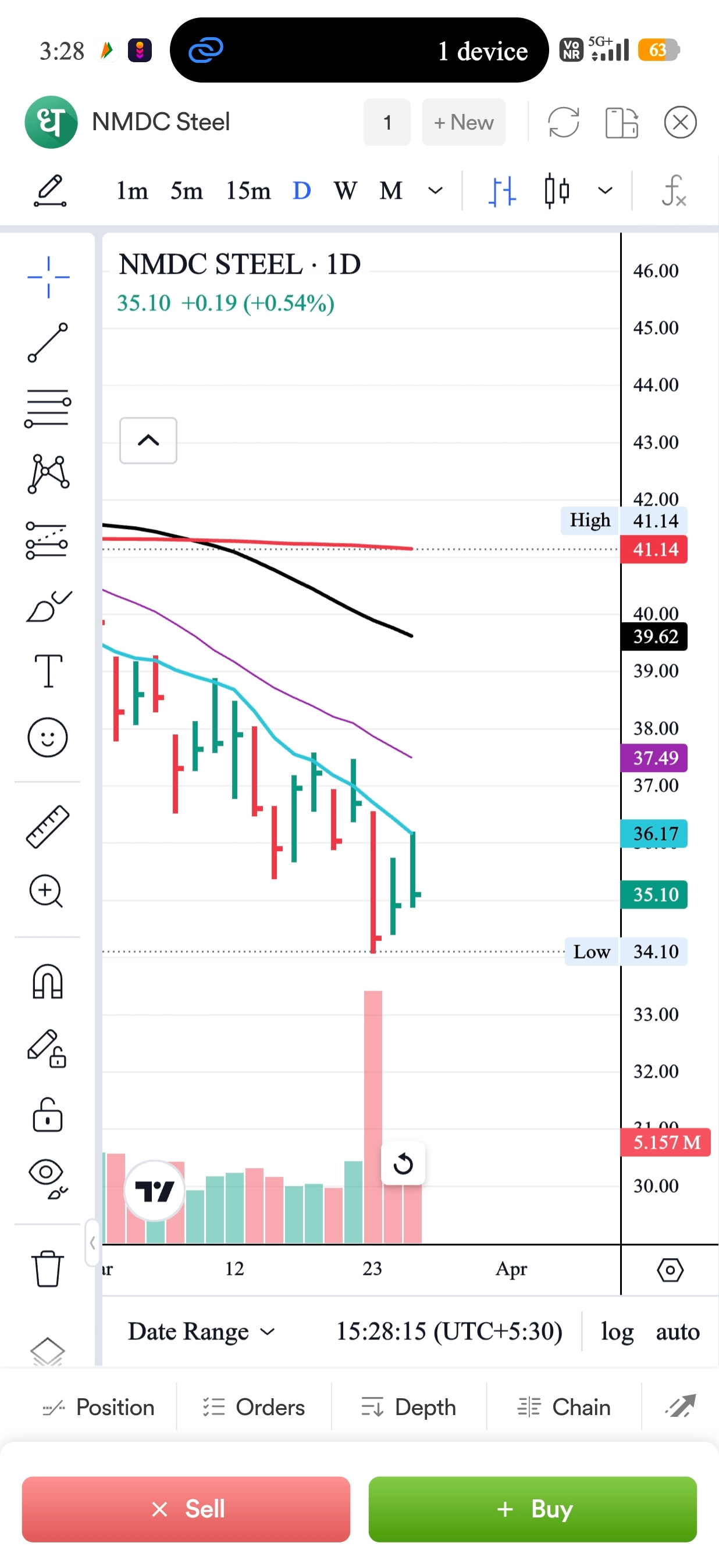
Sir , I attached a screenshot please check it on the upper side of the chart how many charts are open are showing as number 1 , 2 or more, we can add new charts by clicking on new button
my humble suggestion is that where you provided that numbering or new button you should provide that current watch list instead of these number and new button so easily shuffle between stocks.
I mean when we click on 1 or New as of current app view , current watchlist should be open.
Thanks, it’s a all appreciation update, I believe
I talk about area of Script Name right side
@Radhika @Dhan @PravinJ
You absolutely implement this feature if you understand my thought, I promise
1 Like
Hi @Rami_Devi, sorry for missing this out!
We do have this feature, just click on the number icon and select stocks from your watchlist. PFA screenshot below for reference.
1 Like
Yes , you are right a bit , but I am talking about few step ahead,
I mean as you mentioned, click on number then click on new chart and then select a stock, it’s a lengthy process,
I just asked you that when I click on number, recent watchlist’s stocks should be shown as drop-down and we click on a name and chart is open , it’s more appropriate @Mohseen_Usmani @Dhan
And further more it’s a very tiny coding update on system to implement this ,
In above sentence Recent watchlist’s mean for as now it’s act when I add a stock from search option, it’s go to recent watchlist .
Although Thanks for response