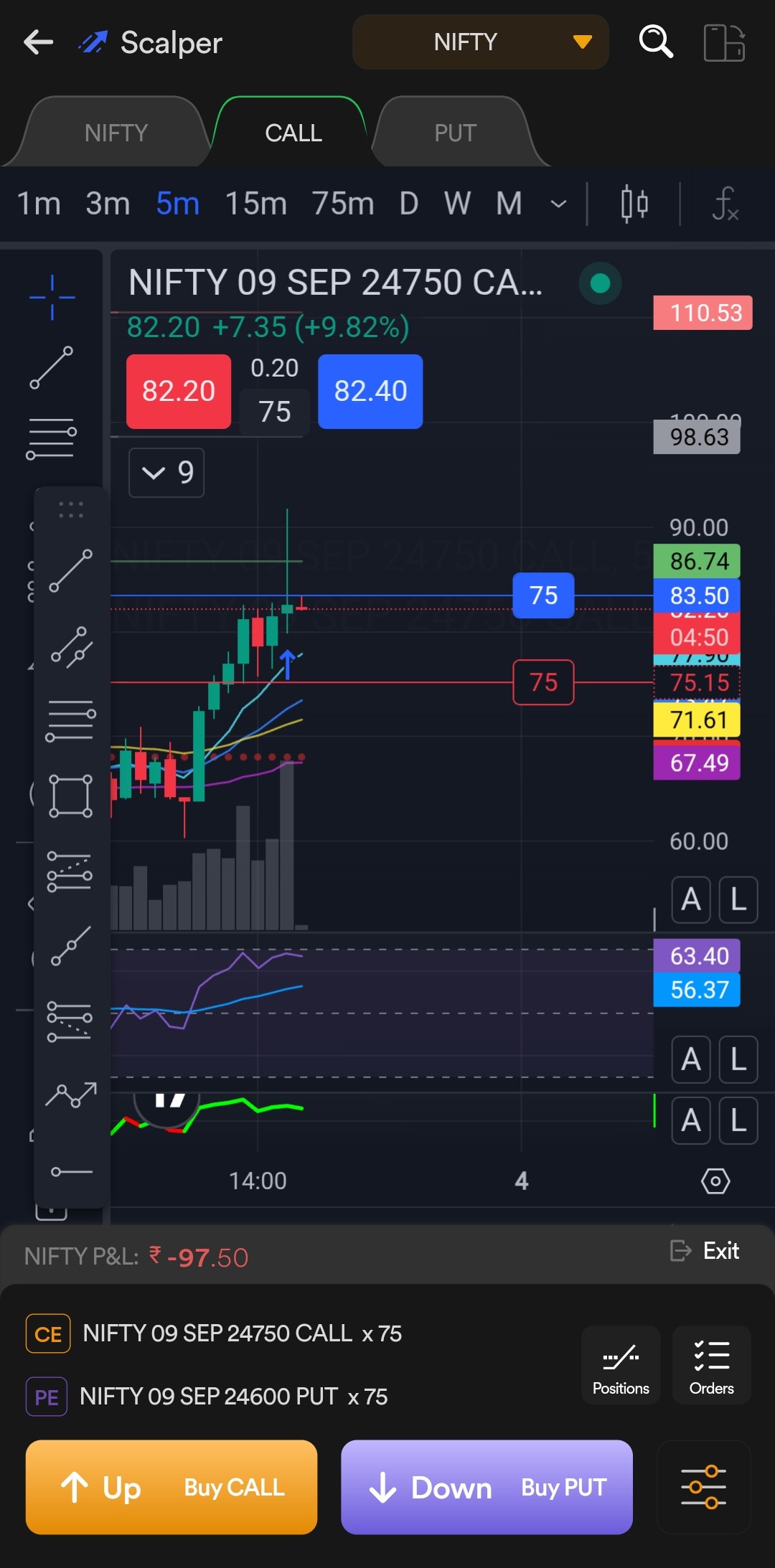
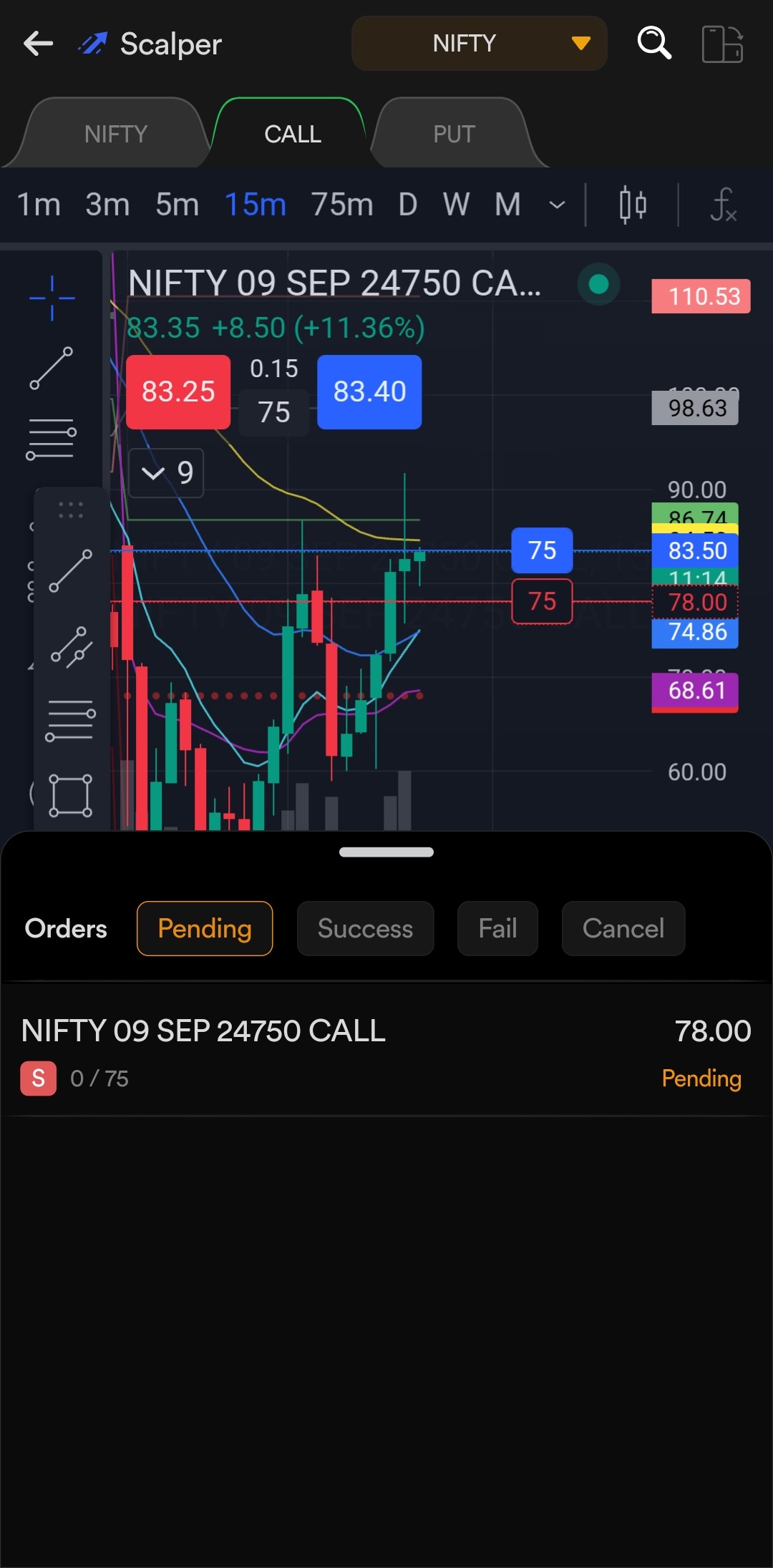
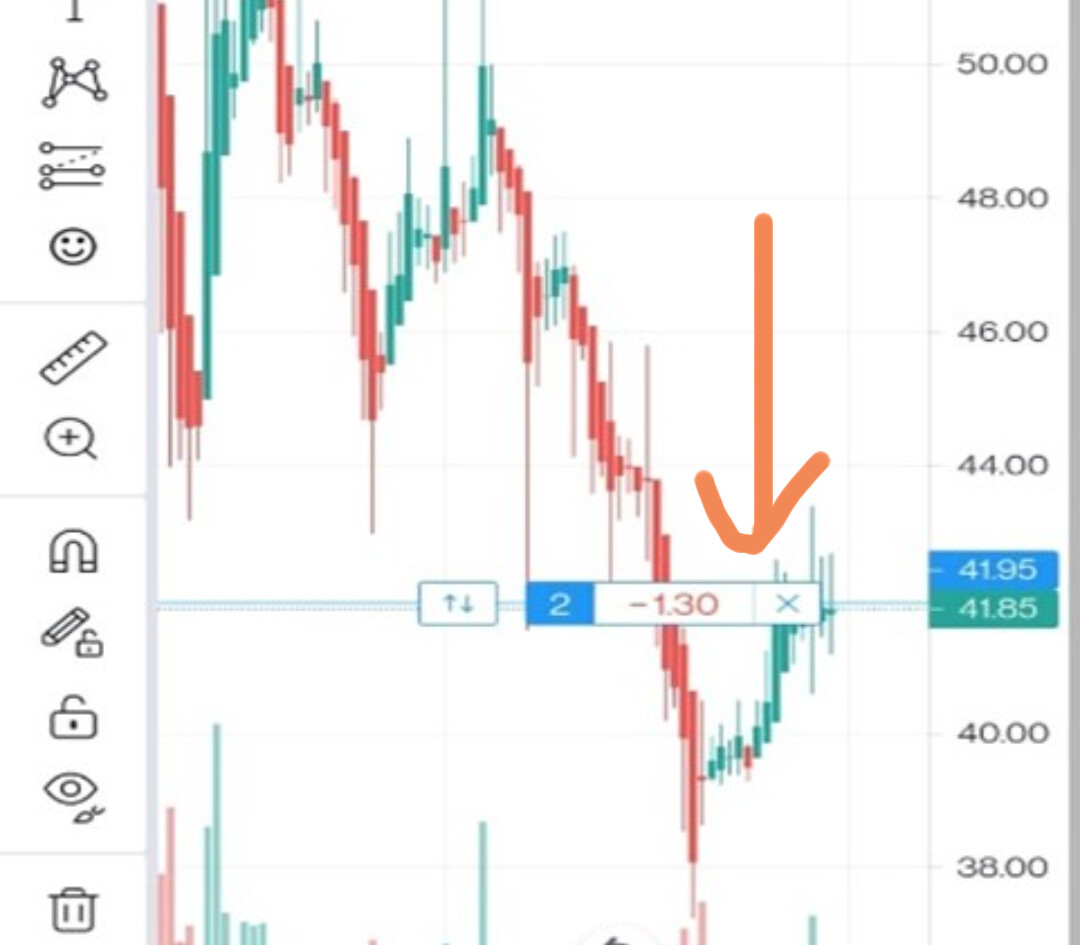
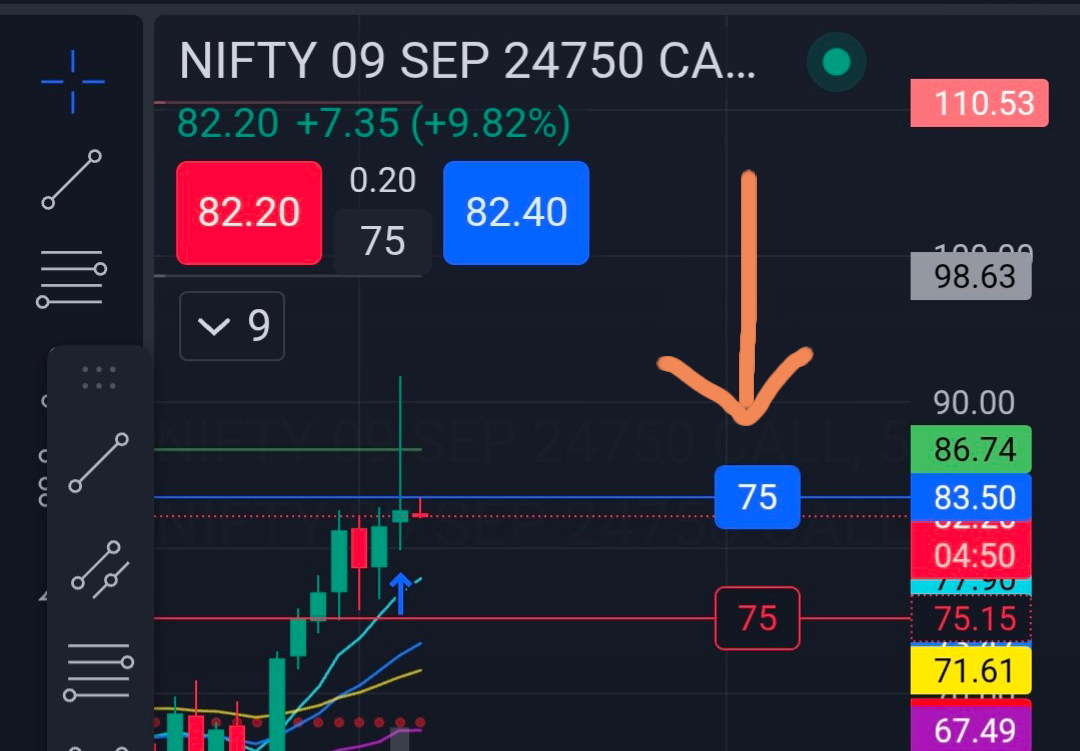
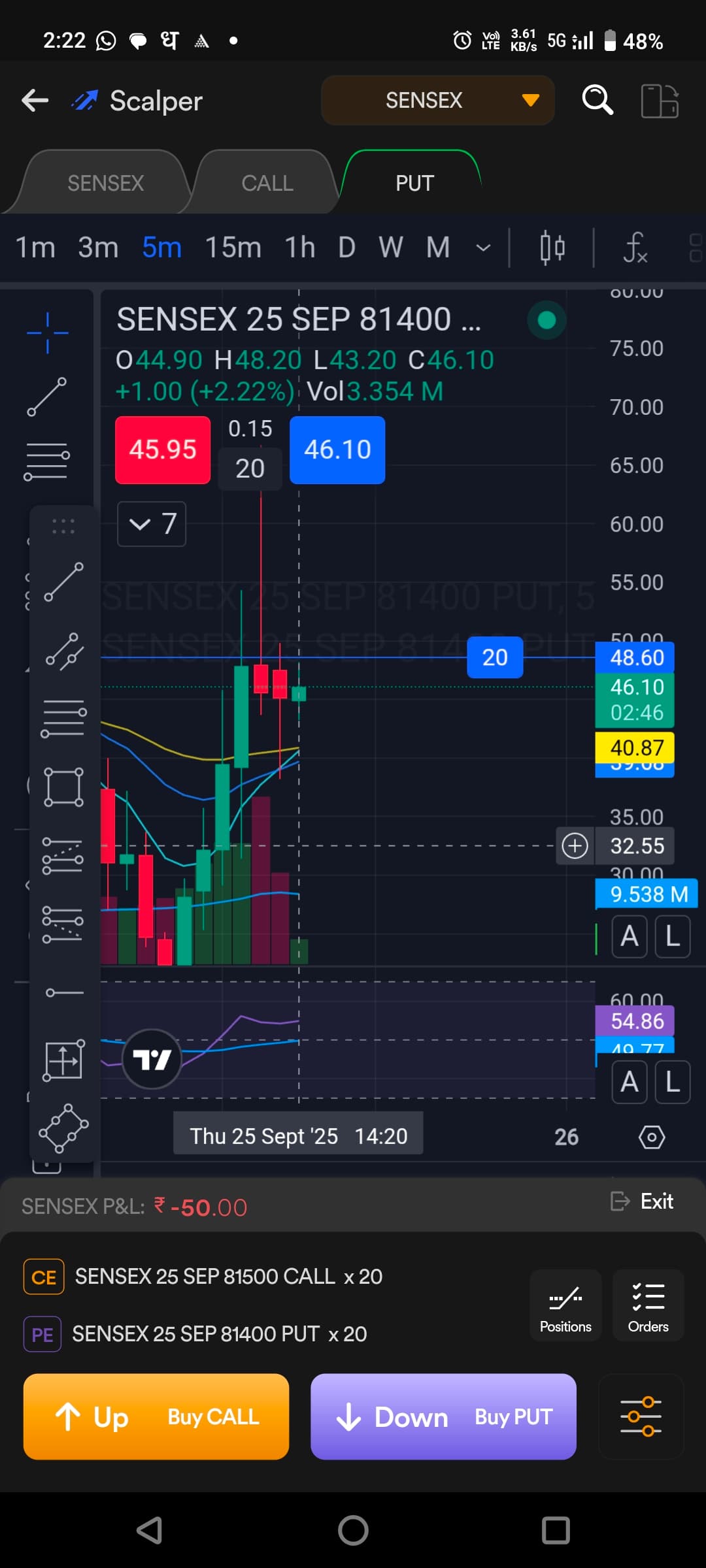
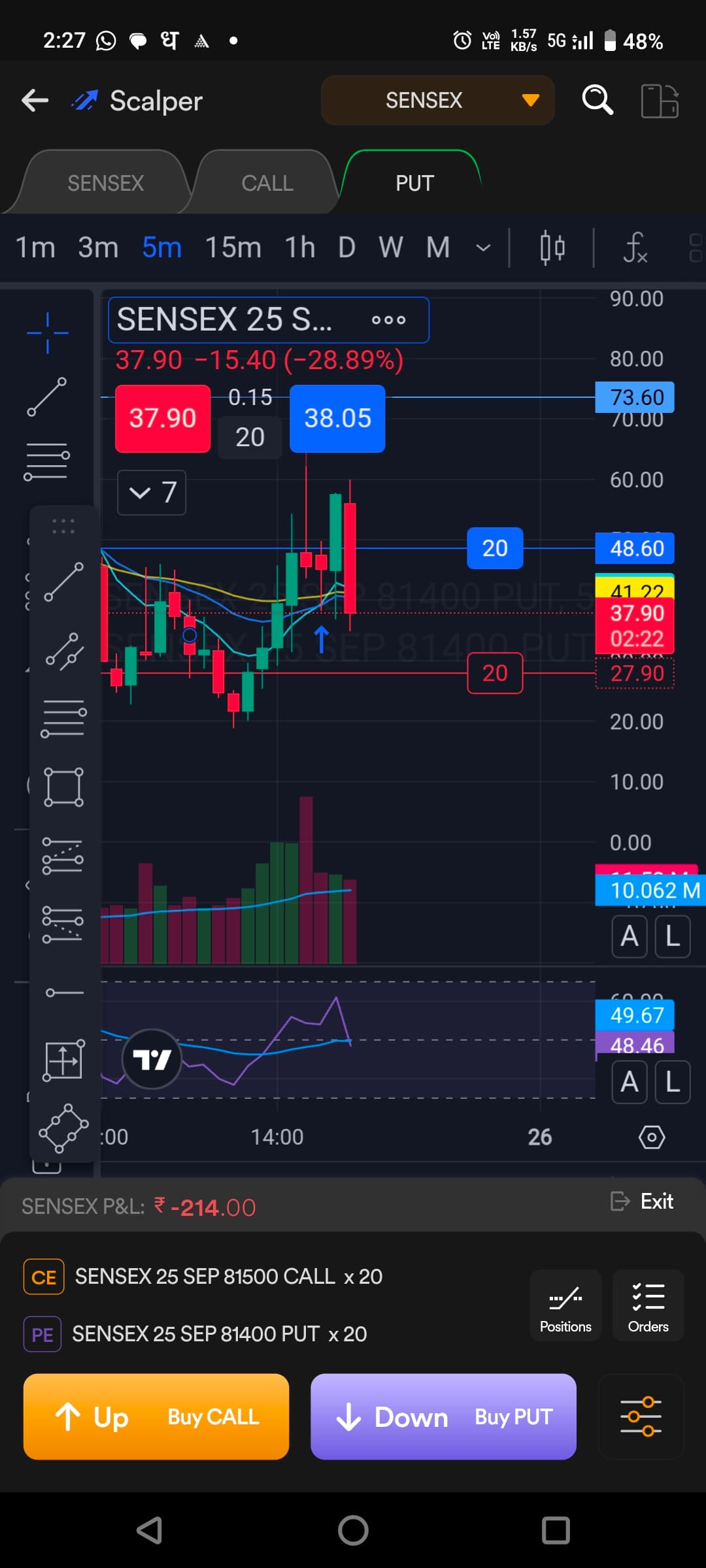
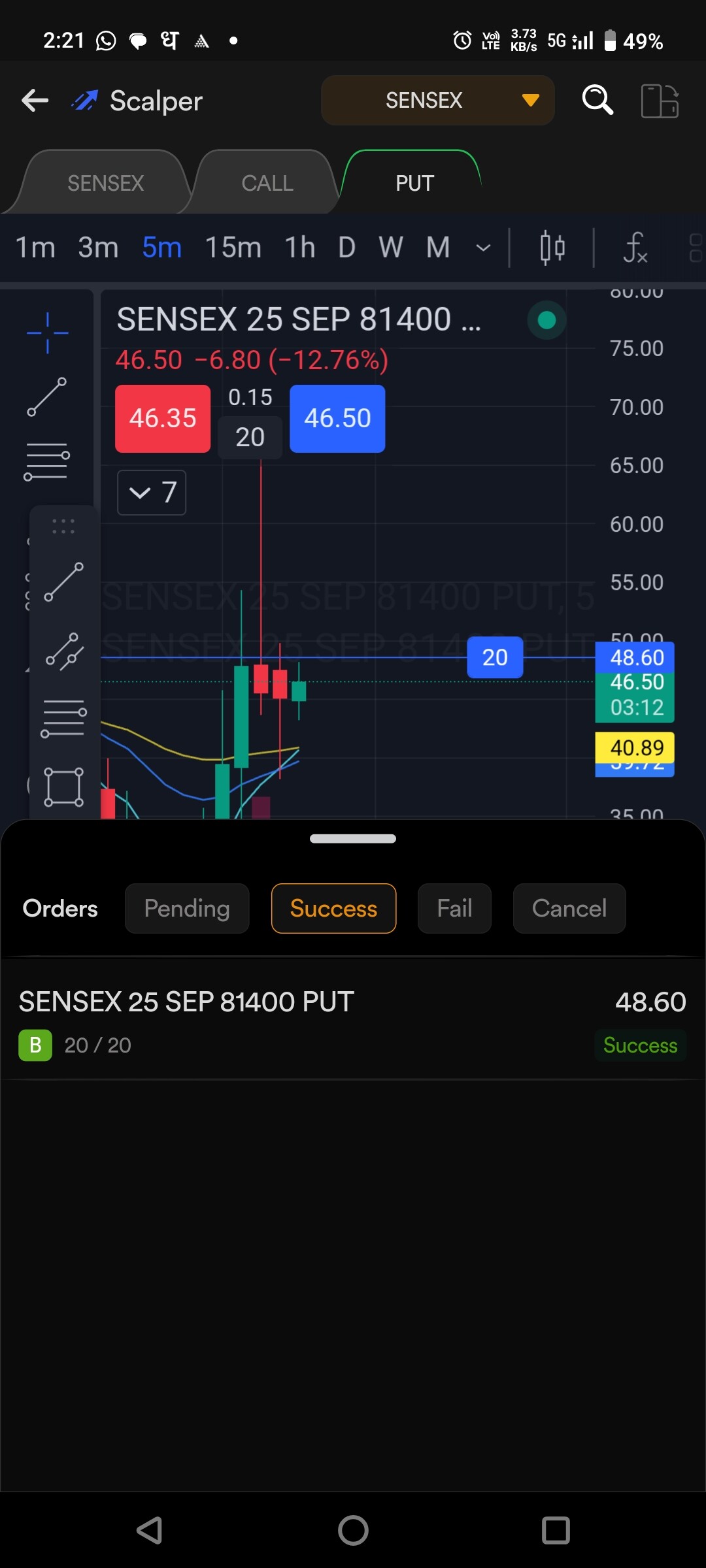
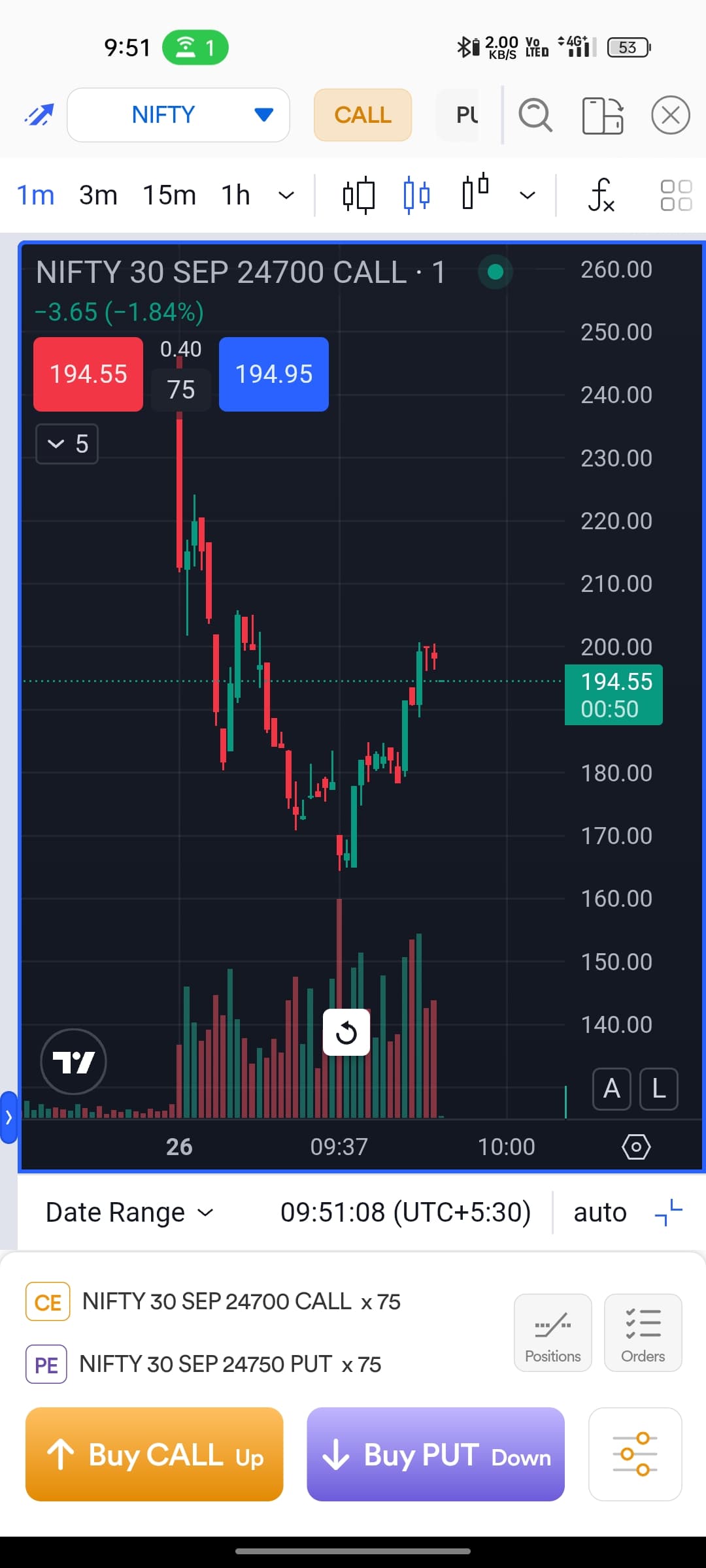
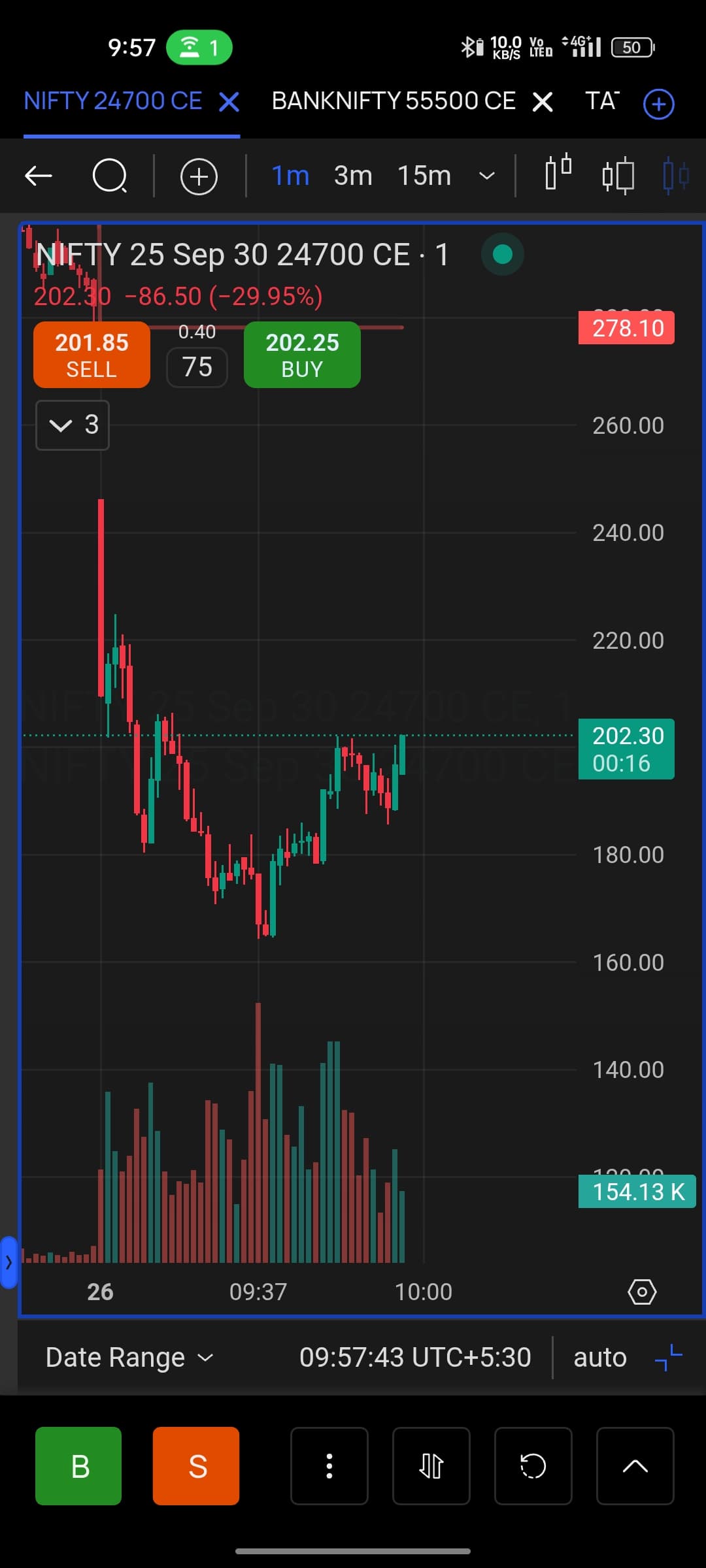
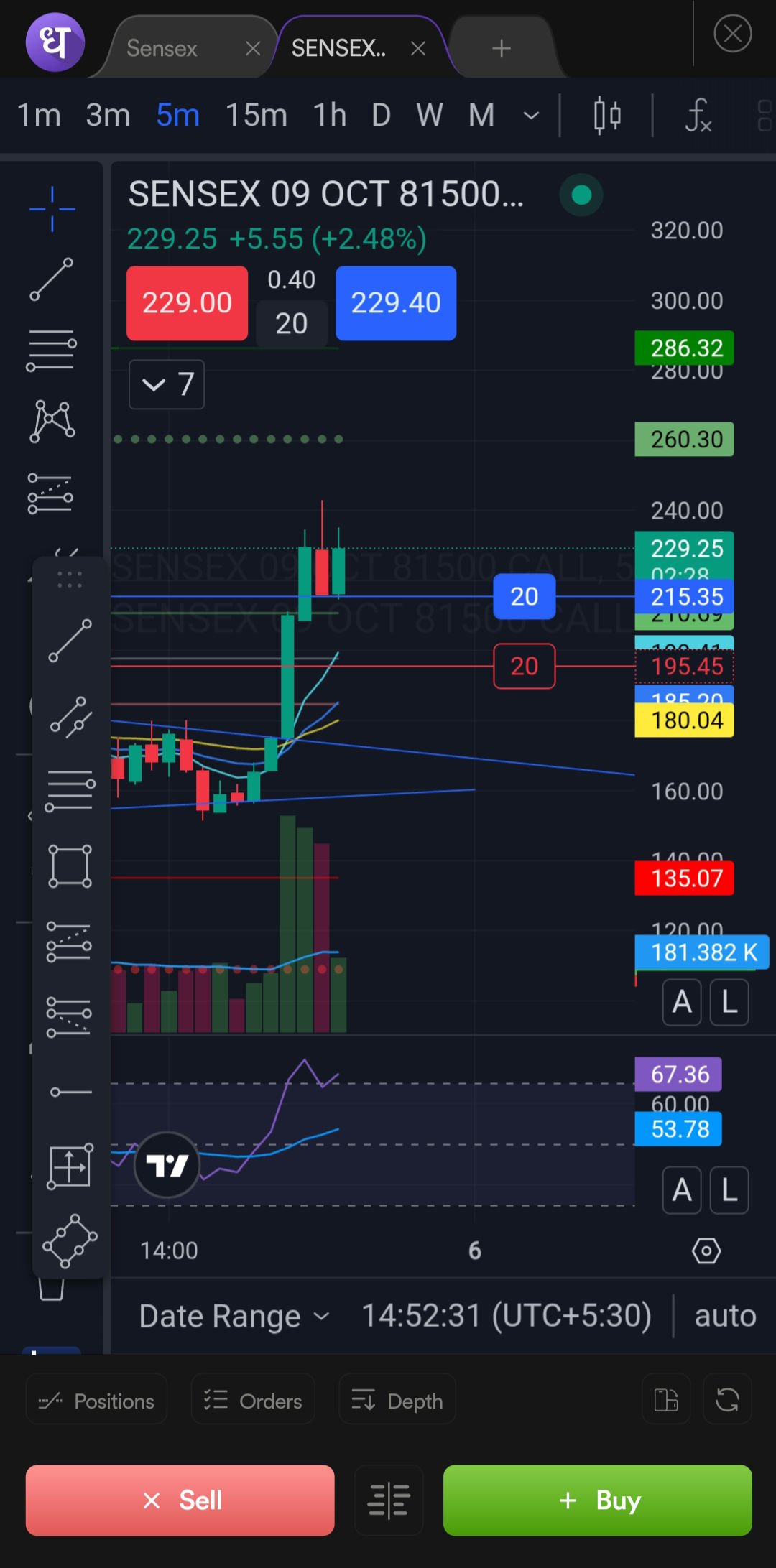
This has been observed in Dhan as well as OT app under the scalper section.
Idea scenario-
When position is created, the postion is displayed with horizontal line on the chart along with the P&L value and a cross button to close the position. Similarly, SL & TP line with the button to close/cancel the orders.
No visibility of live P&L and no option to close/cancel order/position.
While toggling between spot and option charts, sometimes it flashes expected output for a jiffy.
It’s cumbersome to modify the order as it requires closing scalper section, go to orders and do the required changes. As there is no option to alter the orders from the Scalper section itself.
Ideally, this should not have happened, and it’s working fine at our end. As basic troubleshooting, we suggest trying Scalper in horizontal mode, removing the drawing tool, and re-logging in to check again.
Also, please note that the MadeForTrade community is not an official support channel. For real-time assistance, you can reach us via call or email here: We would Love to Answer All your Questions | Dhan
I am not seeking any real time assistance. I am only highlighting the possible config errors / bugs which I feel need attention.
To elaborate more on my initial thread -
The mentioned issue is intermittent
I reinstalled dhan and ot apps multiple time, the app behaviour is same
There is no option to cancel the SL or TP leg (snippet shared earlier)
Live PnL is not visible (snippet shared earlier)
Under the positions, tapping on the order not working
While switching between spot chart and option chart, order notification and PnL is visible but as soon as chart is repositioned, cross button and PnL vanishes.
Apart from this, I have one suggestion -
Only buy PE and buy CE buttons are provided. Along with that, two more buttons can be added - sell PE and sell CE. In this way, true scalping can be achieved.
Also @Dhan should introduce ticketing tool for better tracking of email communications.
We understand your query, @khulsat. As mentioned earlier, we request you to kindly connect with us through our official support channels so that we can assist you immediately via GMeet, as your community email is not registered with Dhan.
Regarding your suggestion: our intent is to keep Scalper as simple as possible. It is generally designed for option buyers rather than sellers. If you are referring to exiting a buy position, you can manage this directly from the Positions tab or through on-screen lines on charts.
Also, just to share, we do have an internal ticketing system to track and resolve user queries raised via our support channels.
I don’t mind connecting over a GMeet but as the glitch is for app, it will be difficult juggling on a phone during the trade. This issue is specific to the Dhan app & OT app. You can get this validated by yourself. This isn’t something user-specific that you need my involvement.
Still if you need any clarification, do let me know.
While we couldn’t replicate the scenario at our end, this usually happens when the screen width is less, which results in the chart hiding the P&L and close option.
As you mentioned this is intermittent, have you noticed any pattern when this happens on your device? Also, if you could check in landscape mode, to confirm this is because of the width adjustment.
It is extremely painful to alter the orders.
If SL order is placed and I want cancel it and exit at the market price, I have to chose the charts > go to orders > cancel pending order > come back to chart > review the chart > exit the position.
 button to close/cancel the orders.