Hi @PravinJ
I observed few UI issues :
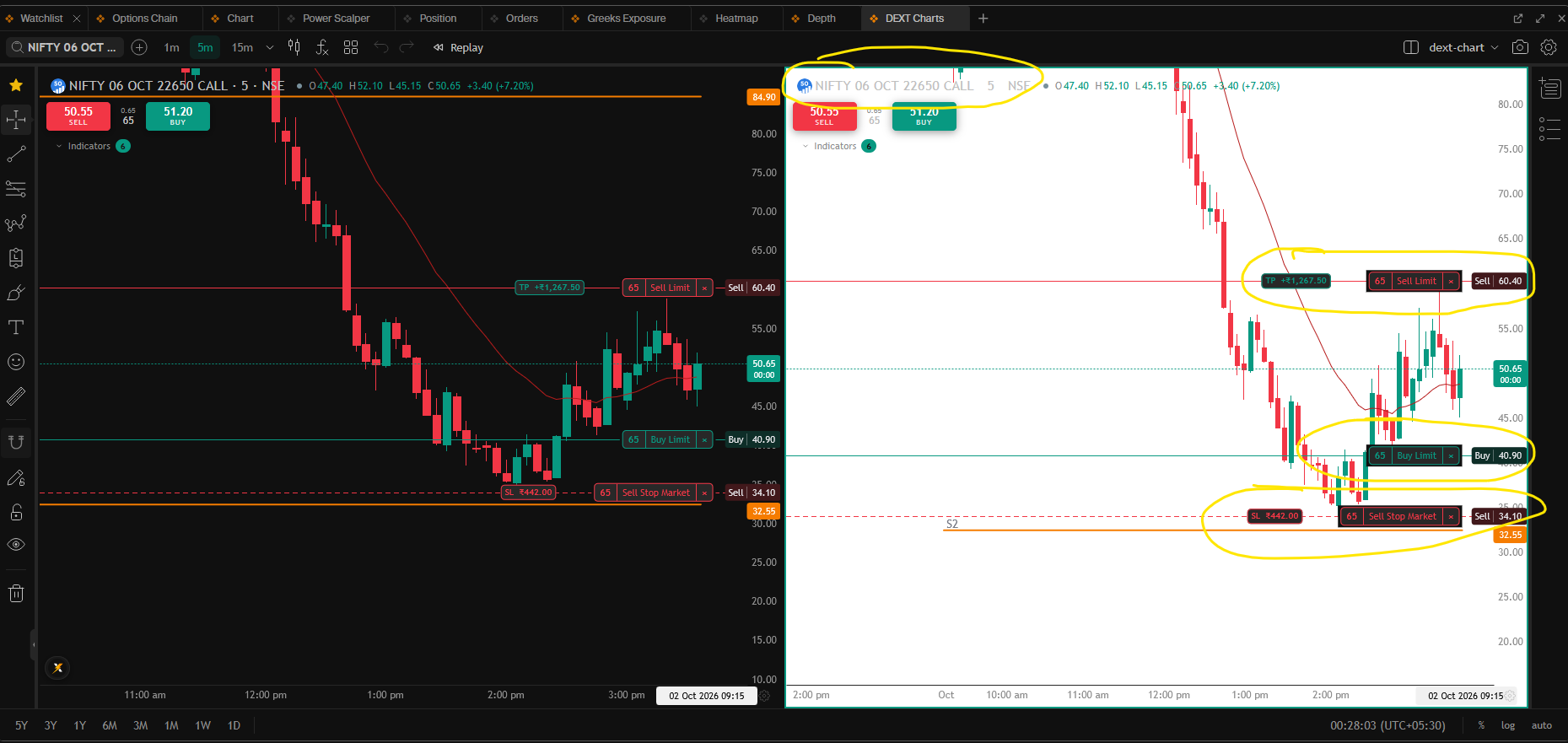
Theme and Layout Saving Bug: I am using the Dext Prime theme and manually changing the DEXT Chart background color from black to white and saving it. However, after a page refresh, the background reverts to black.
Additionally, the background colors for the limit order, SL, and TP lines, as well as the symbol text color, do not update to match the light theme.This functionality works perfectly fine on the standard Chart widget. I have attached screenshots of both charts for your reference to highlight the discrepancy.
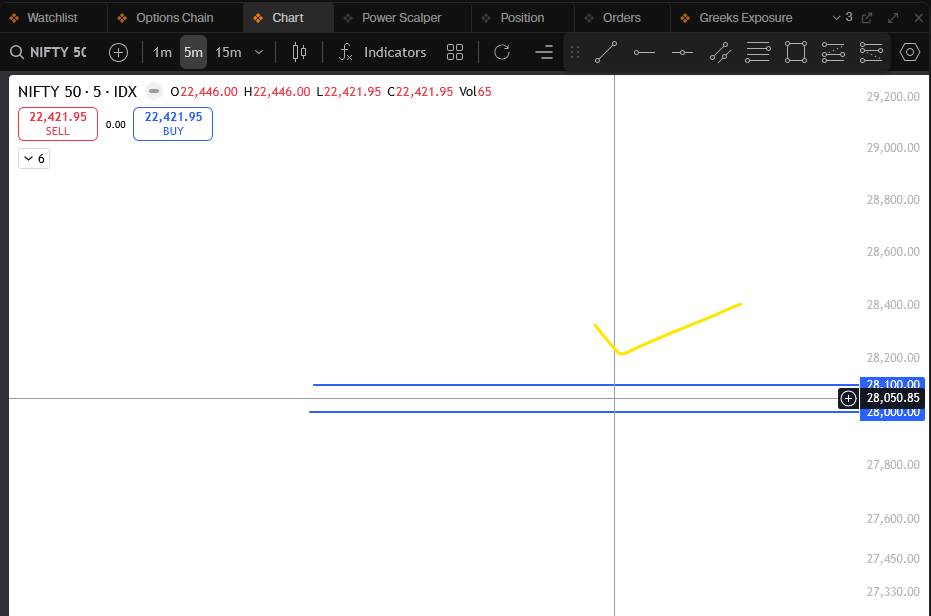
Chart Widget image
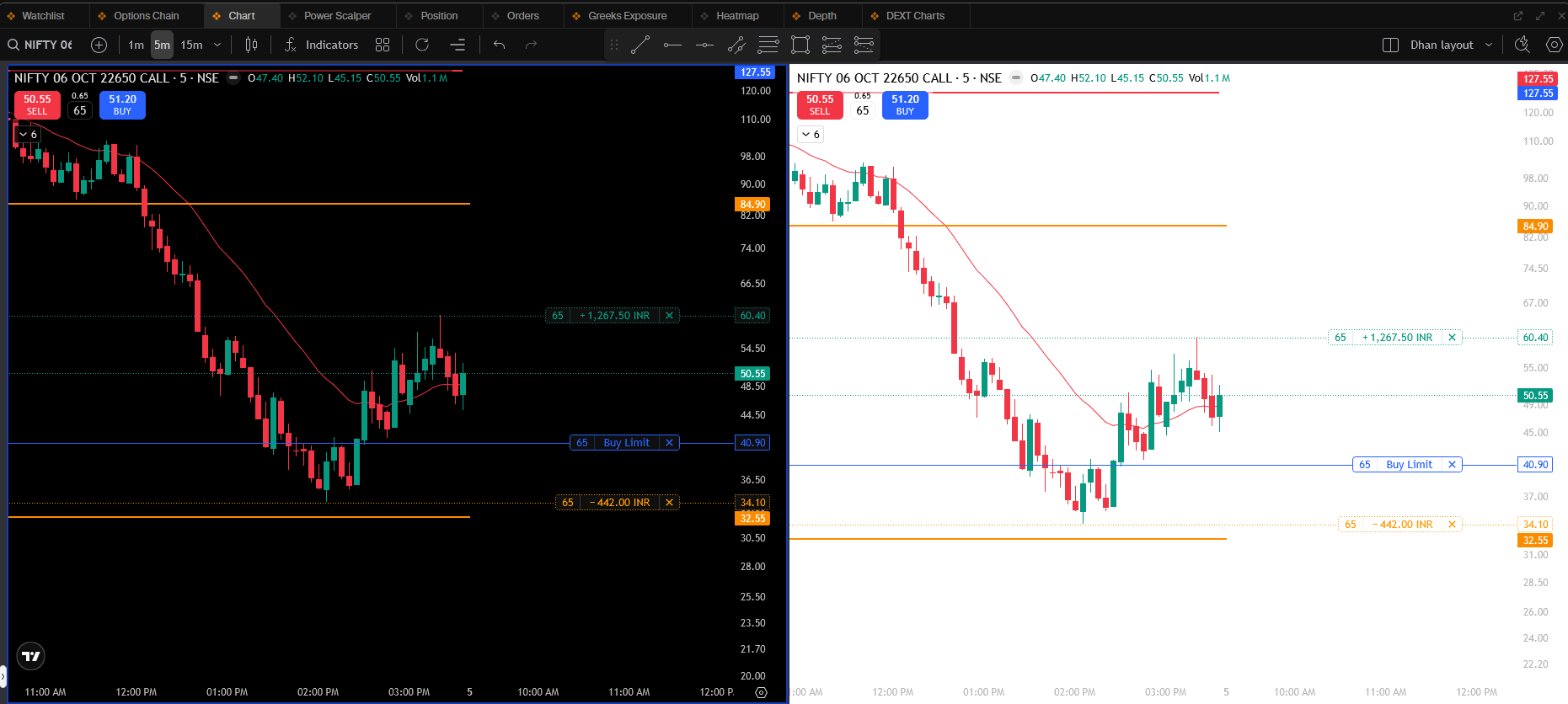
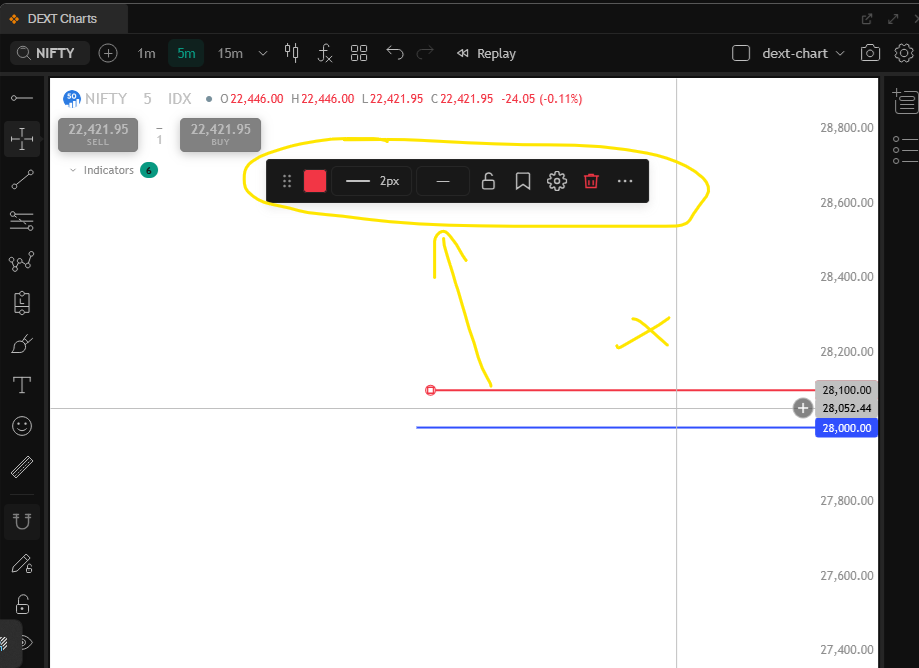
Dext Chart widget image (UI issue compare with above image)
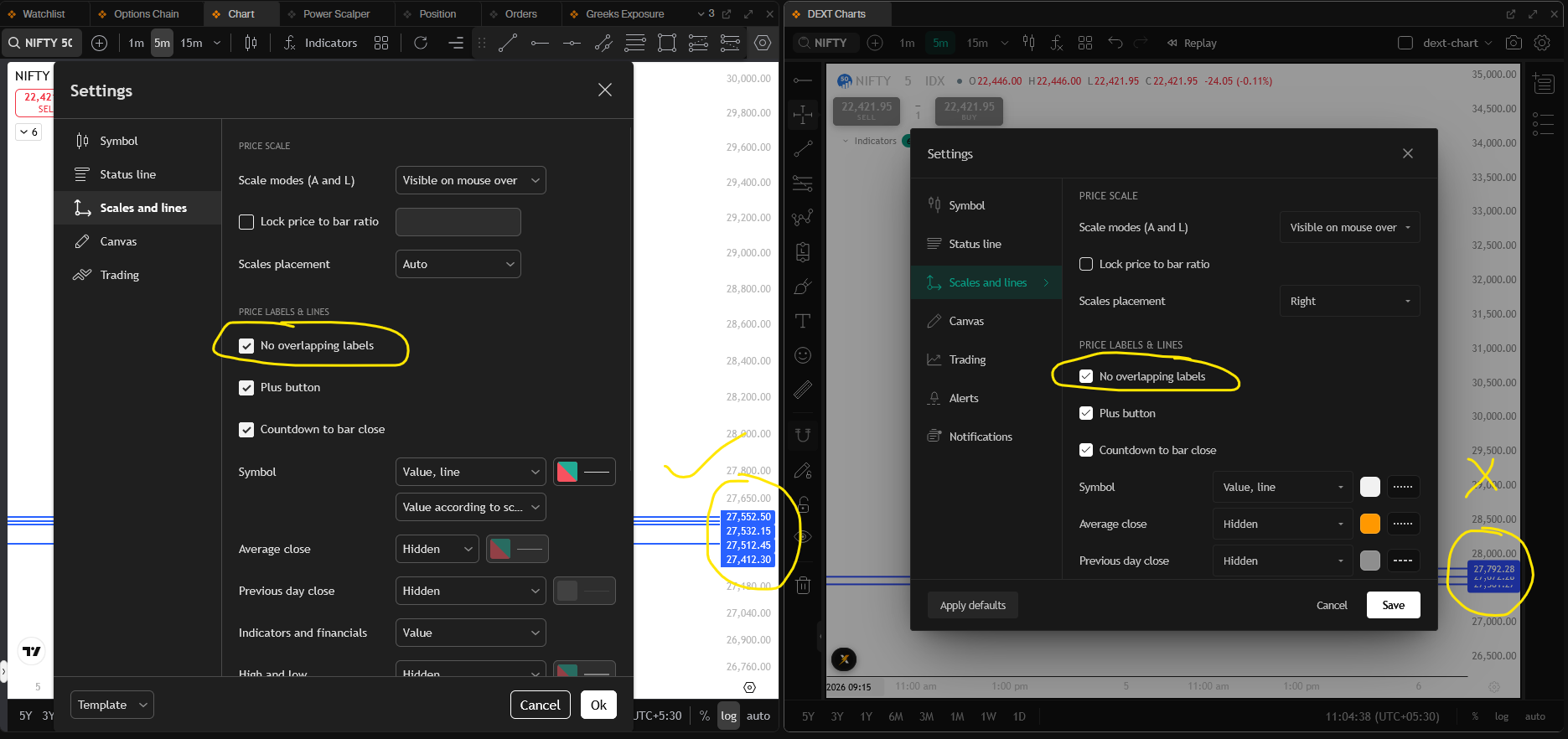
The ‘No overlapping labels’ setting works correctly for the standard Chart widget, but it fails to apply under Scales and Lines for the Dext Chart widget.
****Crosshair coordinate selection works correctly in the standard Chart widget, but it incorrectly selects one of the line in the Dext widget when placed equidistant between two horizontal lines
Comparison of Behavior
Chart Widget: Placing the crosshair midway between two lines (such as 28050 between 28000 and 28100) correctly selects none of the lines.
Dext Widget: Placing the crosshair midway at the same coordinate (28050) after zooming out incorrectly snaps to and selects one the line.
Even though the Chart widget is zoomed out further than the Dext widget, it still functions correctly, whereas the Dext chart widget fails to handle coordinate selection properly under less zoom
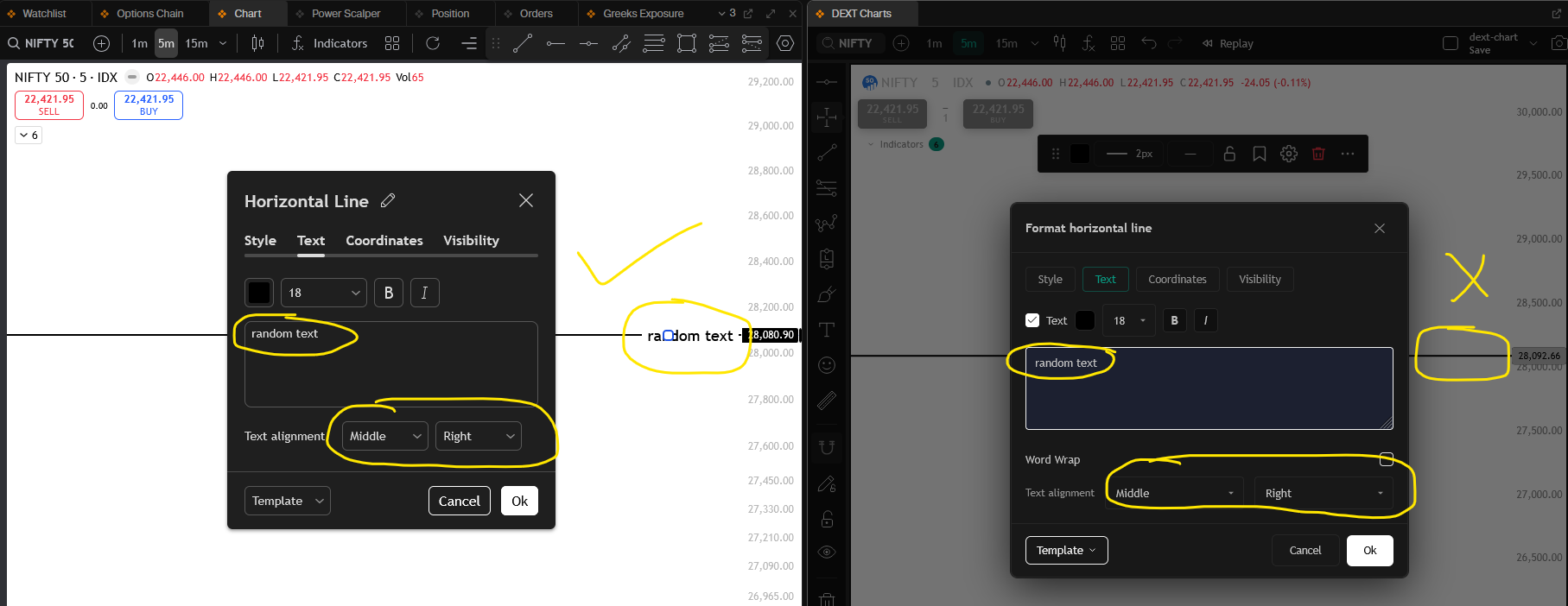
Text labels do not render on horizontal lines within the DEXT Chart widget, though they display correctly in the standard chart widget.