We have updated our codebase to align with the latest dhanhq library. To use this version, Python 3.10 or higher is required. Therefore, we need to uninstall the existing Python 3.8 installation and upgrade to Python 3.12. Follow the below steps -
Steps to uninstall python 3.8 -
- Press Win + I → Apps
- Go to Installed apps (or Apps & Features)
- Search Python
- You’ll see entries like:
Python 3.8.10 - Click ⋮ / Uninstall on the version you want to remove
- Finish uninstall wizard
- After uninstall, manually delete these if they exist
C:\Users<your-username>\AppData\Local\Programs\Python
C:\PythonXX\ - Clean PATH
- Press Win + R →
sysdm.cpl - Advanced → Environment Variables
- Under User variables, select Path → Edit
- Remove entries like:
Python38
Restart the system and Open and run:
python --version
where python
Confirm that python 3.8 is uninstalled.
Files link - https://drive.google.com/file/d/1aibgaUunBozxNt2s5SgoNbGdkd4rW156/view?usp=sharing
 Python 3.12 Installation Steps (Windows)
- Download the python-3.12.9-amd64.exe from the shared drive link.
- Double-click the downloaded installer to start the setup.
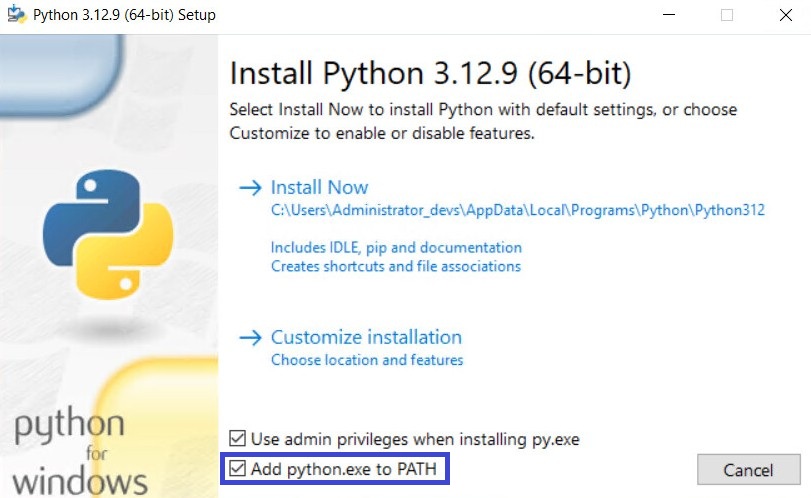
- On the first screen, check the option “Add Python to PATH”.
- Click Install Now and wait for the installation to complete.
- Once installed, close the installer.
Install Required Libraries
- In the same folder as the Python installer, you’ll find a batch file named
install libraries.bat. - Double-click the batch file.
- The script will automatically install all required Python libraries.
- Wait for the process to complete and close the window once finished.
With this, the installation is complete. You can now refer to the following PyPI link for details on the updated functions and usage.
Dhan-Tradehull · PyPI
We have also added two additional login methods.
Since many users were concerned about access token regeneration every 24 hours, the third login method (PIN + TOTP-based login) eliminates this requirement. In this method, users do not need to pass an access token daily. They only need to provide their Dhan PIN and generate a TOTP key from the Dhan terminal, which does not require frequent changes.
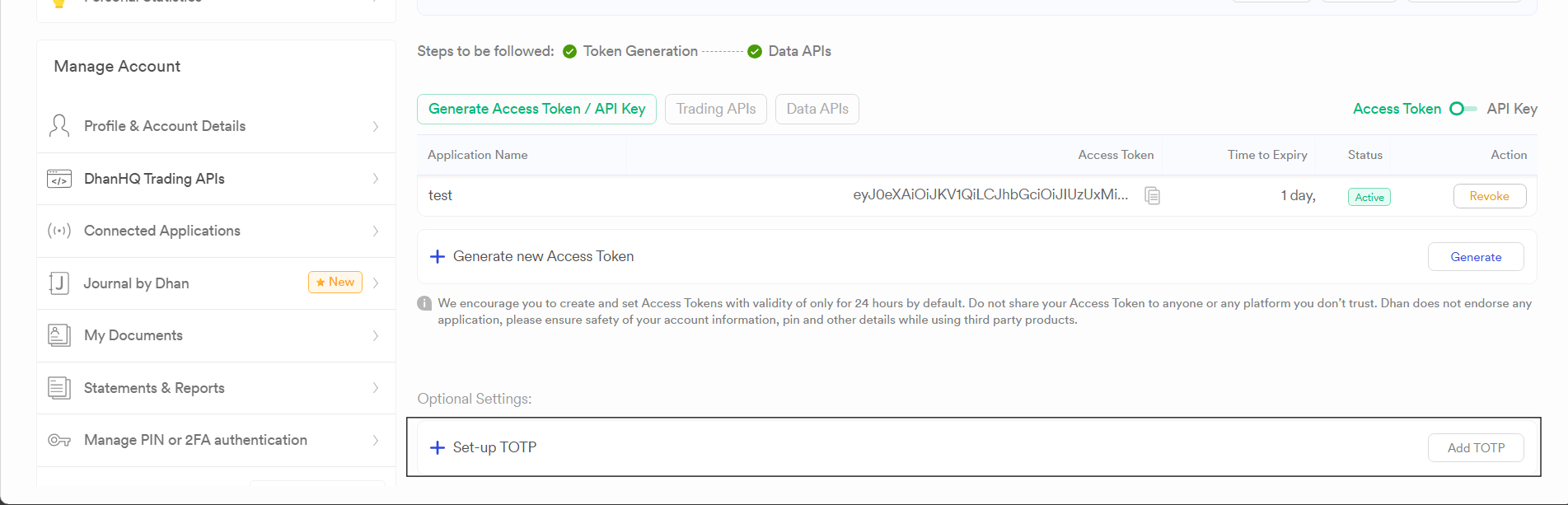
Refer the below file for on how to use new login methods-