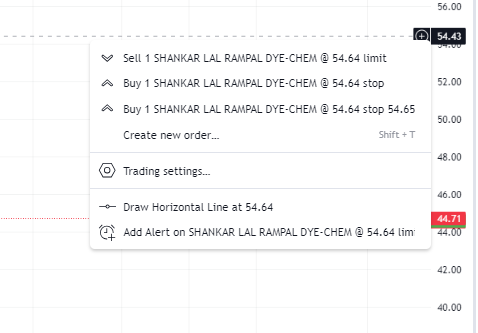
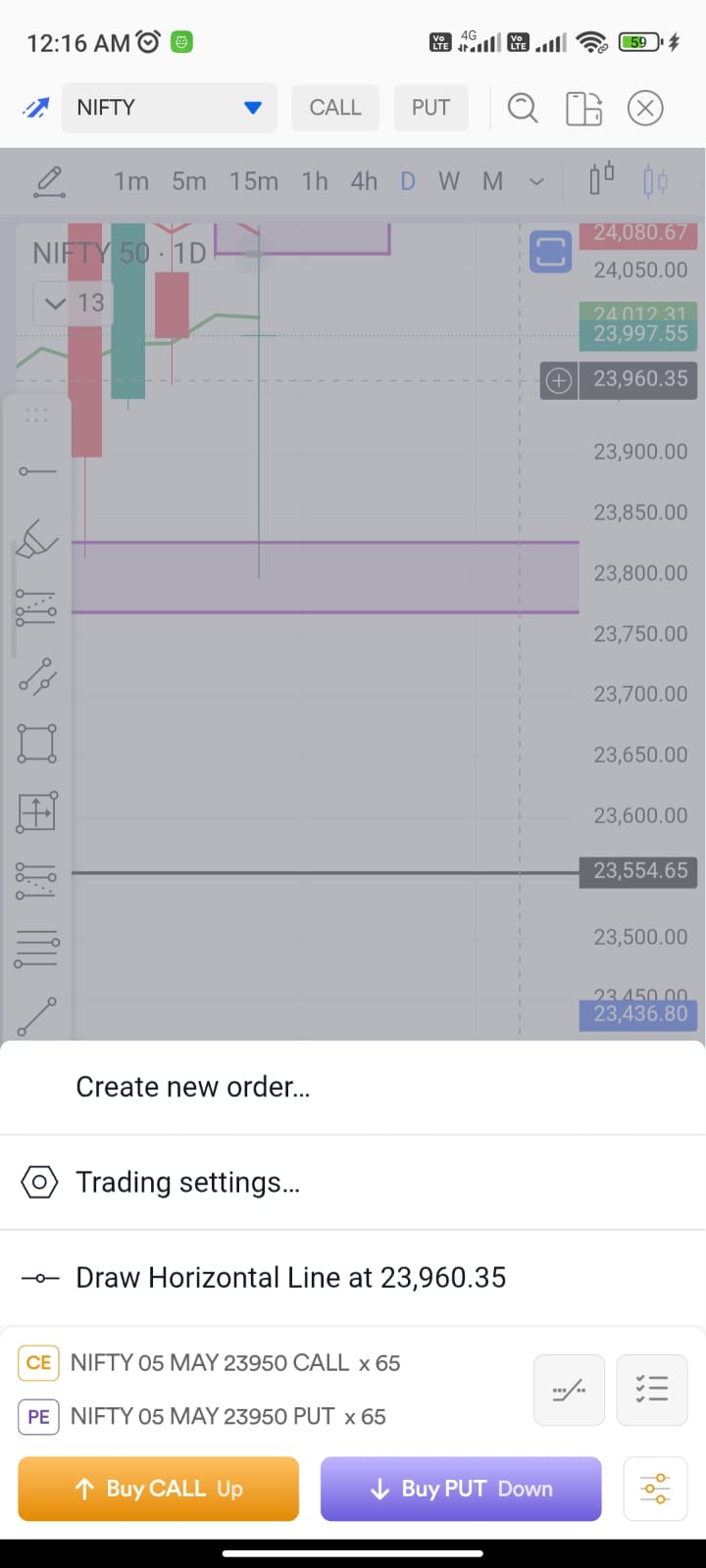
I’ve been using the alert feature on the Dhan Web platform, and it works perfectly there with the direct shortcut on the charts. However, this same shortcut is currently missing on the Dhan Mobile App.
Right now on mobile, we have to exit the chart and go to the alerts section to set a price reminder. It is a manual and long process. Even the “+” button on the mobile chart only shows options for “Create Order” and “Draw Horizontal Line,” but there is no “Add Alert” option.
It would be much better if the mobile app had the same direct alert shortcut as the web version. It will save a lot of time for traders who monitor levels on their phones.
Attaching both Mobile and Web screenshots for reference. Looking forward to this update.
Yes, this is a call that we have taken currently, to optimise on the chart loading speed and restricted memory available on mobile apps, compared to browsers.
Meanwhile, we are looking into bringing this on mobile screens soon, after assessing the right approach to do it.
Thanks for the explanation, Hardik! I understand that managing memory and latency is a priority for the mobile app. However, as a trader, saving time is equally critical, and a direct alert option on the chart is a necessity. I hope the Dhan team finds a way to implement this soon without compromising on performance. @Dhan
Related to it, please consider adding dedicated “Alerts” Button or Tab on Dhan Web, which is always visible from any Tab. It will be very useful for traders who use lots of alerts. At present it is buried under Profile image.