Please give a feature to drag desired widgets to another screen. Also price alert on plus button in chart is missing
@Dhan Team,
Few Inputs
-
When saving chart template the candle wick color preference (white in my case) and text size (16 in my case) is not saving as template and get reset evetime I open a new chart/window/panel.
-
Where is the ATO order/Alerts? (pls make it assessable from right click on chart, drag/ drop etc.)
-
Missing the right click and open the option chain window to select the strike chart ( pls retain that feature)
-
Pls add font size /color/bold etc. (overall dext) as a choice in settings,(which can be saved along as custom themes)
-
Pls introduce the max pain line as an indicator on chart.
-
Pls add strike wise open interest profile on chart as indicator.
Regardless, Nice Job @Hardik
Really like the web version. Do we have any plans to launch the iPad version for Dext? Does it sync with Dhan Wifi?
This is fine, but when can we get the algotrade like the one “Algo verse" that is offered by Upstox?
Also the on-screen instant for SL and TP is not working fine seamless as in SAHI.
Please do these two things or else Dhaan will soon be going into the stage of Zerodha
1 Like
@Dhan - Can we track all stocks in Time Series Widget not just one we are selecting. It will be good if we can have filter to track all f&o stocks like that.
Ready made algos here.
strategy for option also need in this Dext T3 in custom widget.
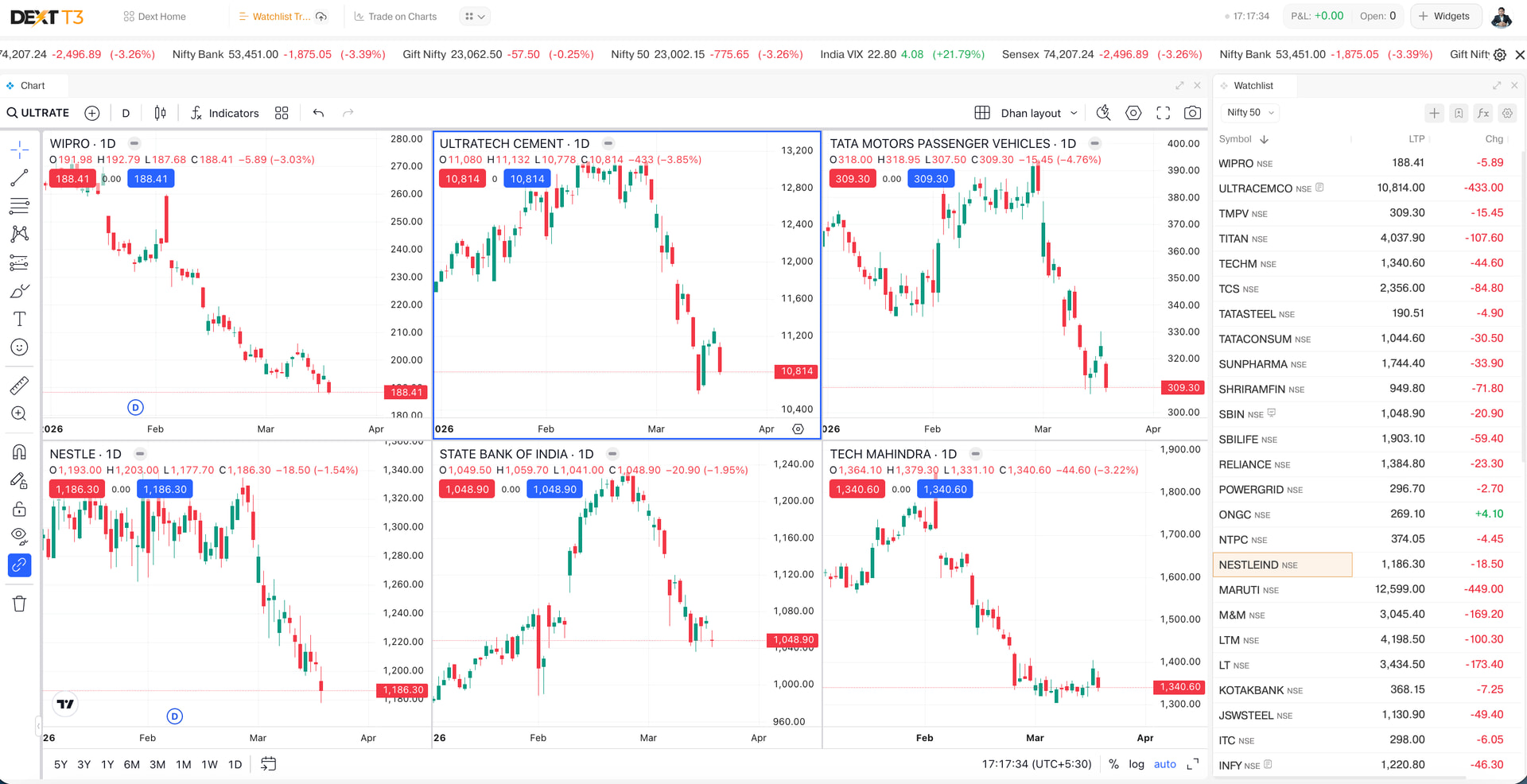
I am a GTF swing trader and the most important feature for my trading workflow is the ability to view multiple charts in different timeframes simultaneously.
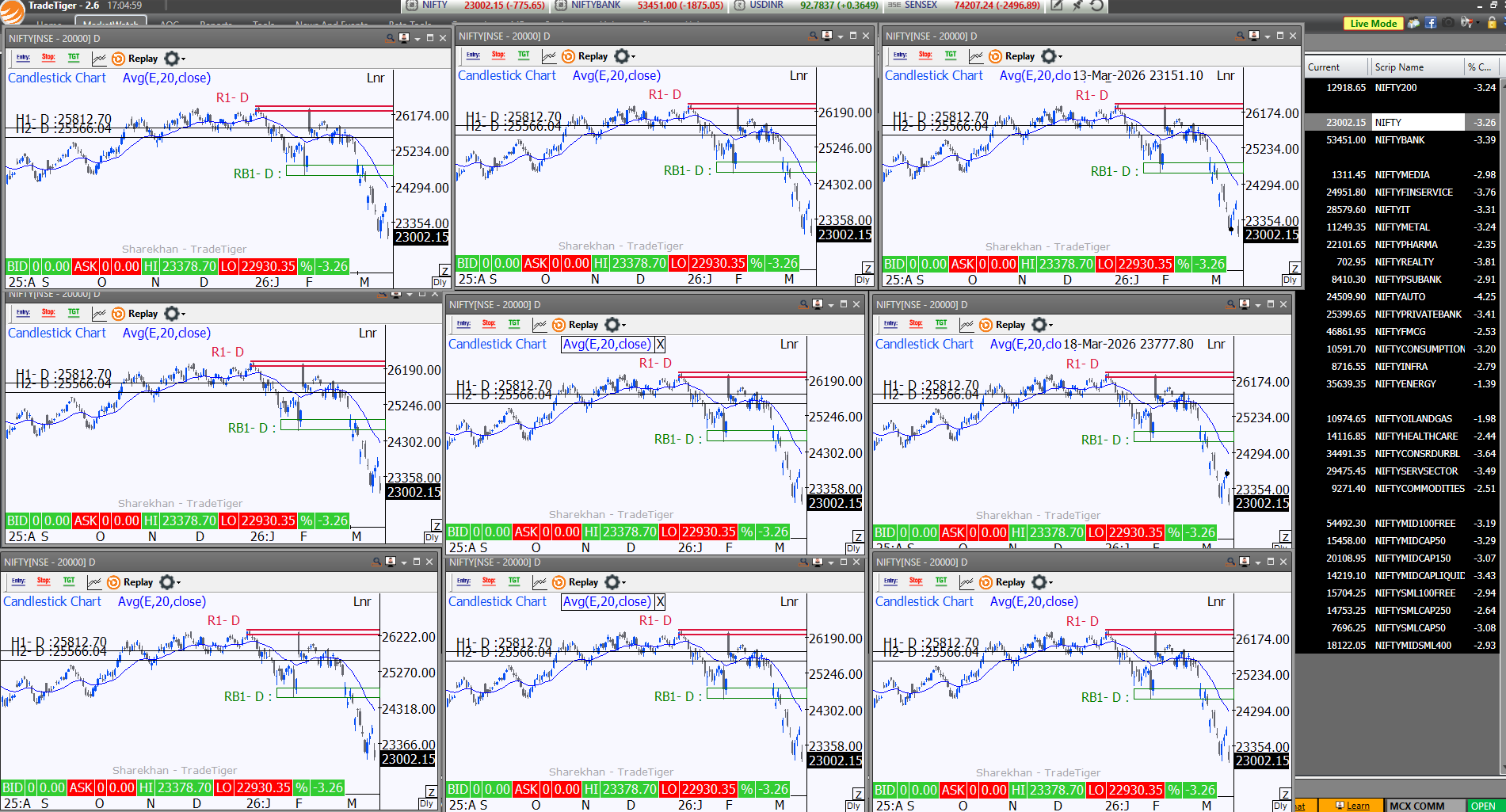
In Sharekhan (TradeTiger,) GTF traders can open many chart windows and place them across multiple monitors, and all charts stay synchronized. This makes it very easy to analyze the same stock in different timeframes.
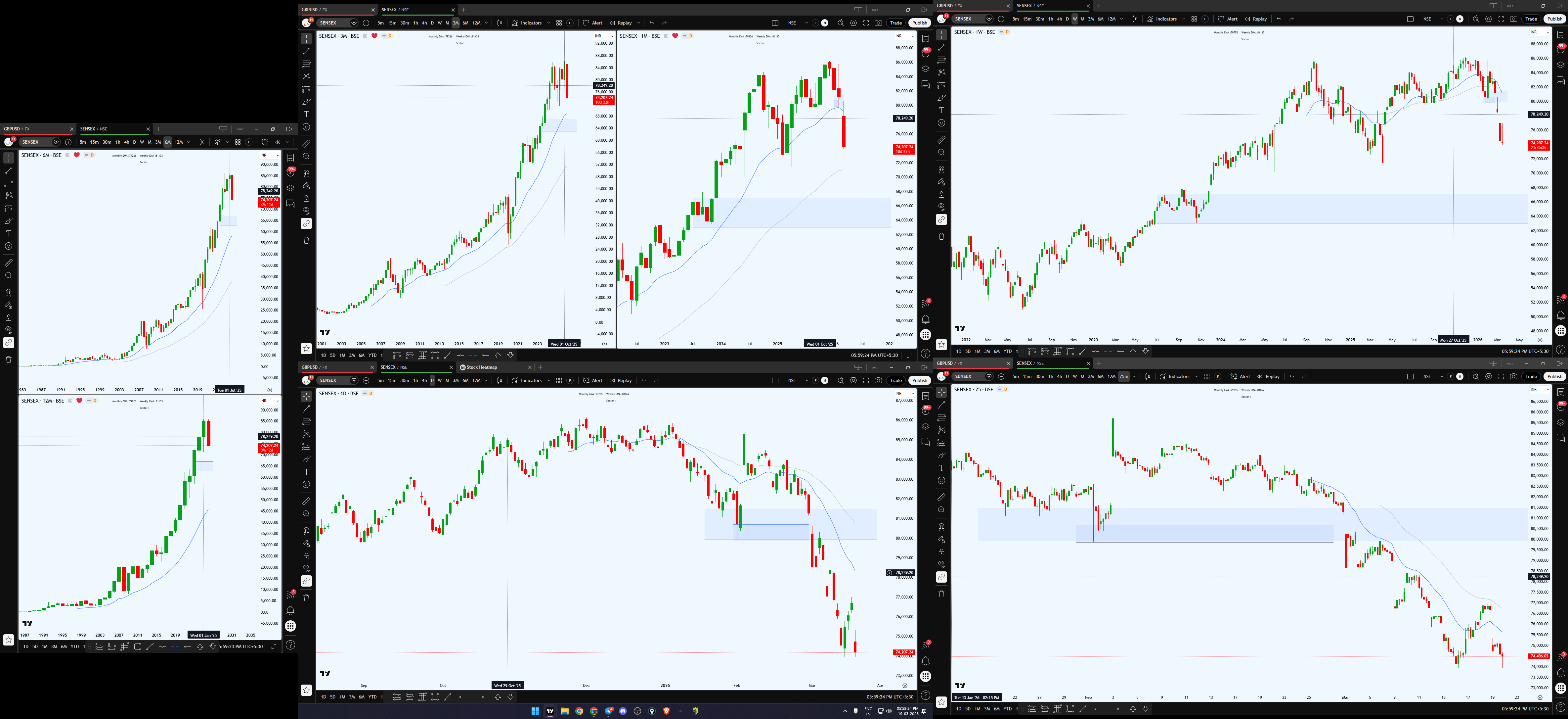
In TradingView (paid version), this feature is even better. Multiple charts can be viewed at the same time, layouts are saved automatically, timeframes remain the same after restart, and switching stocks keeps the template unchanged. This makes research very fast and convenient.
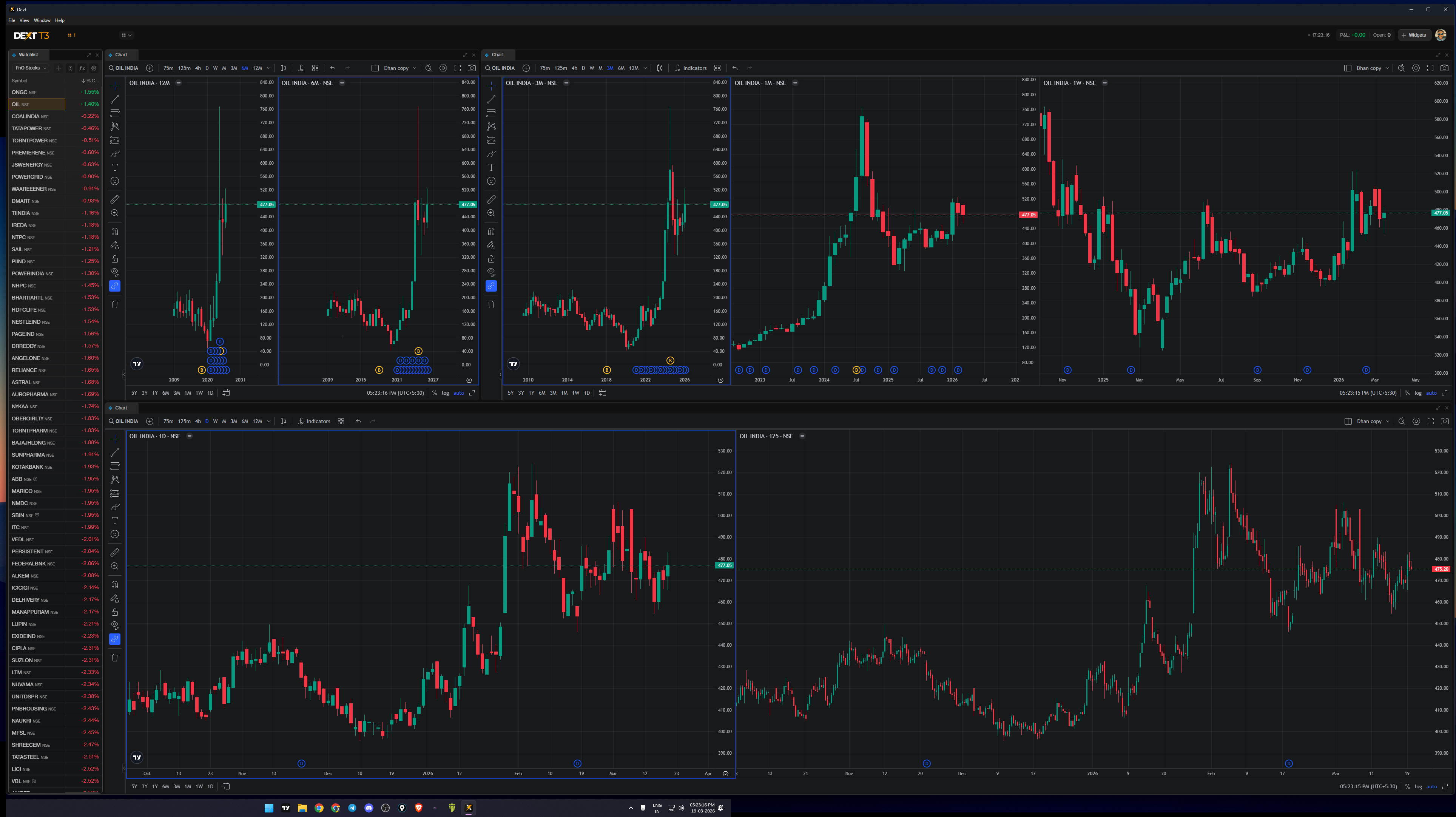
In Dhan Dext T3, only 3 charts can be opened in one window. If I open another window, it does not sync with the previous one. Also, layouts are not saved properly, and after closing the software, the timeframe and chart settings get reset. Because of this, the software becomes difficult to use for swing trading.
Please consider adding the following features in future updates:
-
Save layout, template, and timeframe after closing the software
-
Proper multi-monitor support
-
Option to switch stocks while keeping the same chart template
-
Price alerts on charts
-
Remember last session layout template
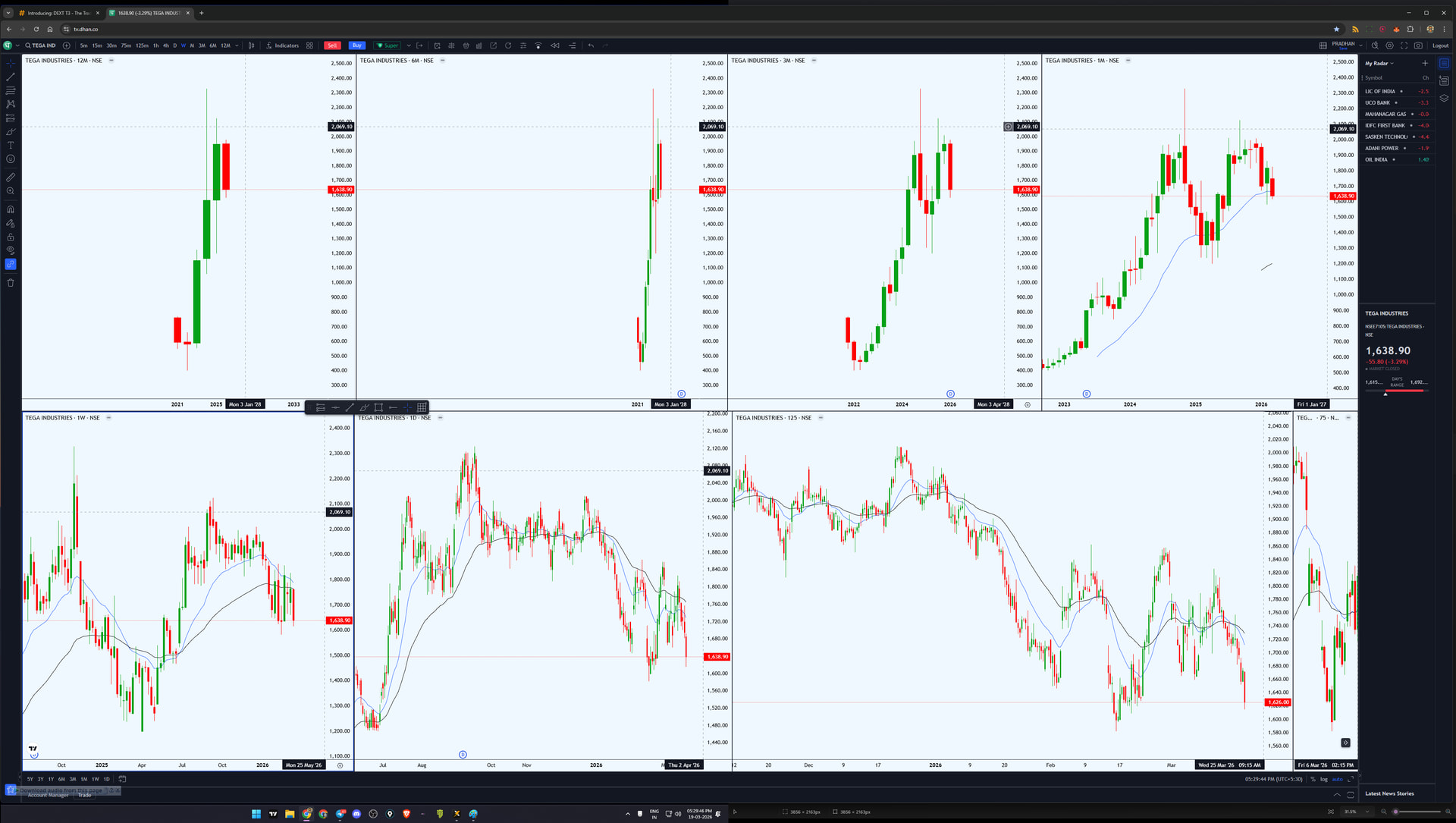
Dext T3 is improving, but it still has a long way to go to match the usability of TradeTiger and TradingView for serious traders. I hope these features will be added in future updates.
3 Likes
….Edited….
@Mohseen_Usmani used desktop version for last half an hour and right now it has few bugs:
1)Only 3 separate charts tab can be opened , why this limitation?
2)In live market it wasn’t showing full market depth price ladder, when compare it to tv.dhan
Great initiative
I have same on IBKR
@PravinJ What’s use of Watchlist, when clicking on any scrip, won’t change the scrip in chart.
A hurried, not even Beta Release…
1 Like
- scrip not changing in chart from watchlist
- unable to import trading on chart settings from web version
- add a calculator widget
1 Like
Web version is here https://dext.dhan.co
Hi @PravinJ sir, Congratulations to Dhan on launching the latest trading terminal, DextT3. I am genuinely excited and eager to install and test DextT3 to experience everything it has to offer.
Watching this journey has been impressive. I personally moved away from a well-established broker to Dhan, and that decision has shaped how I approach trading today.
Dhan has consistently introduced so many firsts for Indian traders, making the overall experience more efficient and aligned with what active traders actually need.
At the same time, I want to share one honest thought. The mobile experience still feels like an area that can improve significantly. I do not usually compare, but the experience on Sahi App feels far more refined and intuitive. Trading on both platforms feels very different. I genuinely believe Dhan can build something similar or even better and complete the experience across devices.
@vinbhat Just right click and click “Chart“. Well its not that big of an issue but I believe it will be better. The look an feel is cool.
Worked for me, try syncing the color of your Watchlist with your chart
Look is Secondary = Functionality matters for a Trader & what i mentioned , was basic functionality [Developers had ample time].
**
“All that Glitters - is not Gold” . Wasted my time waiting for DEXT T3 & Extremely Disappointed 
First of all, thankyou @Dhan for introducing Dext T3 Terminal!
Tried it today in market hours using Web browser.
What is the need to introduce this Dext T3 terminal based trading platform??? Obviously, to provide features , functions and control that is not available in Dhan Web/App platform and most important - run smoothly and fast without lagging. Does it?
Here are my initial feedbacks :
1. Super Lagging and slow in Web browser (not checked by downloading its .exe). Many times “page is not responsive message appears in browser”. Parallelly using Dhan Web in other tab and is working smoothly. Moreover after market hours, the terminal works normal but not smooth/fast.
2. For Viewing a Chart of any Symbol of Watchlist, we have to select a Symbol and press F8. Why a single click/enter key on Symbol is not allowed to view its Chart by default??? Only after linking charts and watchlists with Color code it is working fine.
3. Widgets should have to be Sync as default with the Symbol whose Chart is being open. Currently have to use color and link/unlink all the widgets which i personally don’t prefer.
4. No option to add Technical parameters (RSI, RSI-MA, ATR etc) as a column in Watchlist, to help directly view the tech parameters along side %change, volume etc, which ultimately avoid Technicals Widget to add on screen.
5. Under Movers Section- Top Gainer/Top Losers etc shows all symbols by Exchange wise. It should have the option to let users select Index Wise/FnO and show the results.
6. Live Scanner is not working.
7. Add Personalize Scanner(like ScanX) in Scanner or at least add technical parameters in watchlist columns, which help users to concentrate in one window.(my personal preference).
8. Does news widget refresh automatically?
9. One most important feature is “Alert”, which is missing. Please add this feature for both in chart as well as for Live Scanners(custom scanners if going to be added in future).
10. One feature I like the most is the custom formula in Watchlist. Hope to add more flexibility to enhance this feature.
Hope the Team will look out the issues and update the important features asap.
Thanks!
3 Likes