Introducing SafeKeep: Keep your Important Stocks Secure with CDSL!

Hello Investors,

In recent times, we have introduced features to help you better manage your portfolio, and importantly your holdings that you have in your demat accounts.

Dhan has brought many capabilities for Investors on top of your Demat Account where you store your stocks, DDPI (Demat Debit and Pledge Instructions), Instant Pledge of Stocks for Margin Benefits and Automatic unpledge on Sell.

To make your overall investing experience simpler, we introduced Real-time Insights on your Portfolio, the ability to Mark your investments with Special Labels, and Lending Stocks via SLBM.

Over time, we observed increasing demand for solutions that enable investors to manage and protect their financial assets in a more structured and secure manner. Especially for high-conviction investments, ESOPs, or RSUs that form a meaningful part of your wealth, you don’t just want the ability to track, label and have reminders - you want a secure way to set these holdings aside and ensure they remain untouched, regardless of market movements or impulses.

Until now, there wasn’t a simple way to do this. The only option was to freeze shares via the CDSL portal - which can be overwhelming for many.

We have now changed that by enabling SafeKeep on Dhan.

Introducing SafeKeep on Dhan - Keep your Important Stocks Secure!
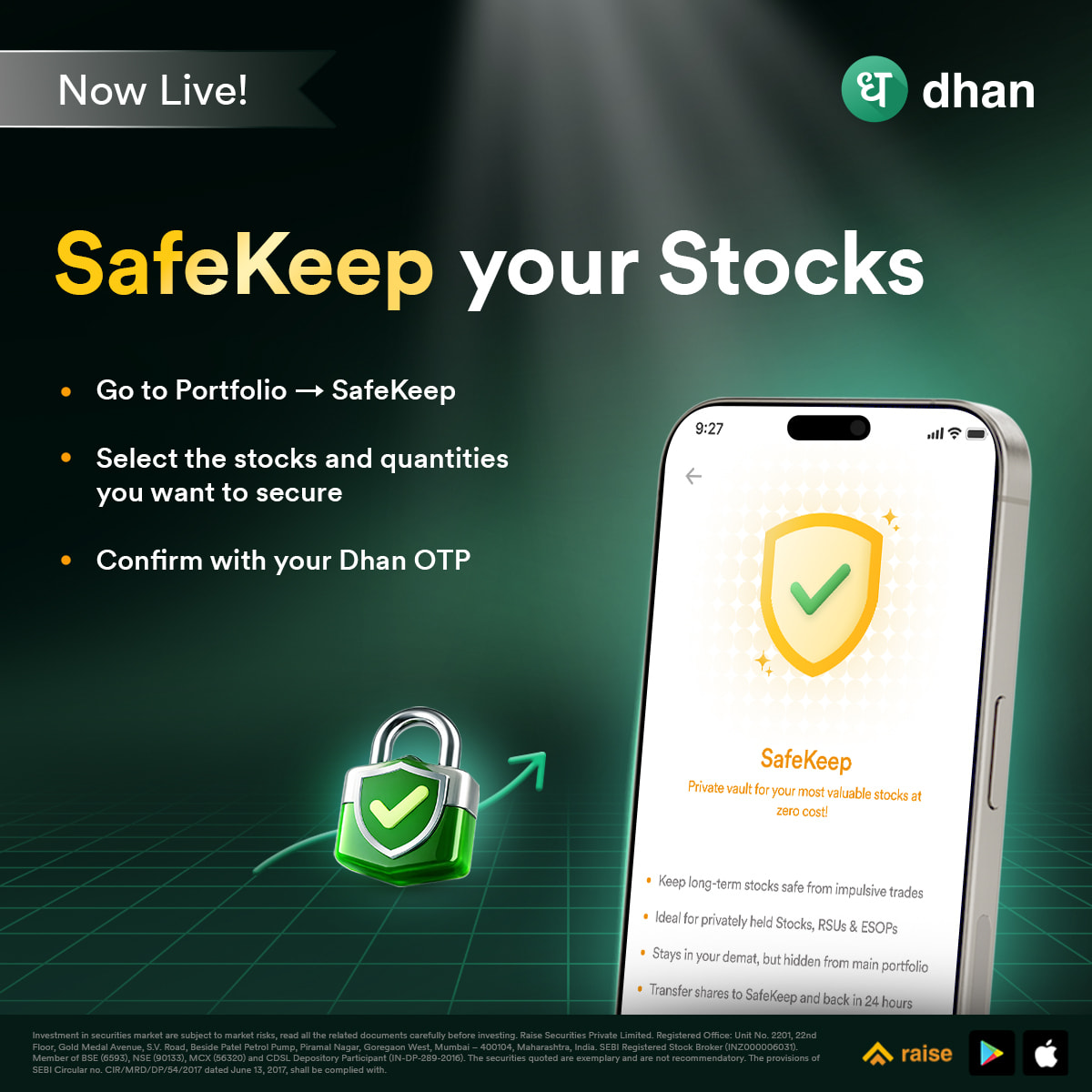
SafeKeep allows you to securely set aside your important stocks directly within the app. Once added, these holdings remain in your demat account but are moved to a dedicated SafeKeep section, away from your day-to-day portfolio, helping you keep them protected from any unintended actions.

Once added to SafeKeep:

  • These stocks are secured and cannot be sold, pledged, or transferred
  • They move out of your active portfolio holdings in demat into a dedicated SafeKeep section
  • They remain part of your overall net worth, while staying protected

How to get started

  • Go to Portfolio → SafeKeep
  • Select the stocks and quantities you want to secure
  • Confirm with your Dhan OTP

That’s it. Your holdings will be moved to SafeKeep instantly.

Removing SafeKeep:

  • You can move stocks back anytime by following the same process
  • SafeKeep works at a scrip level, partial quantities cannot be removed
  • Once removed, stocks will reflect back in your portfolio within a few minutes

A few things to note:

  1. SafeKeep is available for all stocks held with CDSL, including listed stocks, ESOPs, and RSUs
  2. Corporate actions like dividends, bonuses, and splits continue to work as usual

We hope this brings a new level of confidence and discipline to how you build and manage your wealth on Dhan.

As always, your feedback continues to shape what we build next, and we look forward to hearing your thoughts on this.

Happy Investing
Jahnvi

6 Likes

I am not sure why was this implemented as a separate feature. Dhan already had a control toggle “Mark as Special Investment“ which could have been used to block the shares and this block could have been checked during Selling, Pledging, Renting etc.

Hey Nitish, good point — but there’s a key difference!
“Mark as Special Investment” is just a tag provided by Dhan for organizing your portfolio. Even if Dhan blocked sell/pledge/rent activity based on it, the restriction would only work within Dhan. You could still transfer those shares to another broker’s demat account and sell it from there.

On the other hand , SafeKeep freezes the shares at the CDSL/depository level, so the lock sits on the actual demat holding itself. No broker, no platform, no workaround can touch them until you explicitly remove it from SafeKeep.

But currently Safekeep is only implemented in Dhan right. What are the steps where we can unblock the shares from CDSL’s easiest platform?

Yes, Dhan is currently the first platform to offer SafeKeep as a feature.
While CDSL Easiest also allows investors to freeze and unfreeze their holdings, the process is comparatively more involved.We’ve partnered with CDSL to make protecting your holdings much simpler and quicker.
One thing to keep in mind is that shares need to be unfrozen from the same platform where they were frozen.

  • If shares were frozen directly on CDSL , they must be unfrozen through CDSL itself.
  • If shares were frozen via Dhan Safekeep, they must be unfrozen through Dhan.

I’ve attached the official document that explains the freeze/unfreeze process through their CDSL Easiest platform for your reference. - CDSL_Unfreeze_process

So @Jahnvi_M If I use Dhan’s Safekeep to freeze, I need Dhan’s Safekeep to unfreeze. Your earlier points mean nothing. Like I mentioned, it could have been done with a simple toggle. The point of moving the shares to another broker and then using it makes no sense as it would be frozen from Dhan’s Safekeep. Ideally there is no workaround as the freeze is from a broker too which propagates to the depository.

Moving it out of active portfolio screen completely stops panic selling. Great feature

This is a savior for penny stock investors. For example, if someone buys 5000 quantity at ₹5 with a target of ₹15-20, they often end up selling at ₹7 just out of greed or FOMO when it shows green. Hiding it from the active screen via SafeKeep is brilliant because out of sight, out of mind!

Hi @nitishbangera Just to clarify - shares getting ‘freezed’, ‘blocked’ and moved to safekeep are different concepts when it comes to depository. You seem to have mentioned them interchangeably.

A simple toggle is ui layer feature that we can provide on our end also, like the ‘mark as special investment’ tag by Dhan is a feature on end of Dhan. Marking stocks for SafeKeep is a capability of depositary, CDSL in this case and has to be rolled out in a specific way. It is not a UI layer feature, and moreover there are situations where part of combination of stocks, unlisted, rsus or ESOPs, bonds etc that users have to move partially or fully. Hope this helps.

@PravinJ I believe I haven’t used it interchangeably. Its based on the quote from Jahnvi where she says that if the shares are freezed via Dhan Safekeep then it must be unfrozen through Dhan. Which means Dhan could have given a toggle which is for selling, renting and also a case where the user wants to move to another broker. Safekeep doesn’t really solve a problem. It only makes sure that if we lock it in Safekeep then unless its unlocked from Dhan, the user can’t sell which could have been handled using a toggle control within Dhan as Safekeep isn’t across Brokers.

Hi @nitishbangera and @PravinJ,

Great conversation going on here. I would love to share a different perspective on SafeKeep based on investor psychology.

Nitish, while your suggestion for a simple UI toggle control sounds very convenient, it might actually defeat the core psychological purpose of SafeKeep.

The biggest enemy of a long-term investor is ‘impulsive reaction’ to sudden market green or red screens. If Dhan provides a simple one-click toggle button on the active portfolio screen to hide/unhide stocks, the temptation will just be one click away. During a sudden market rally or panic, greed or fear takes over instantly. If it’s too easy to unhide, a person will easily toggle it off and sell their high-conviction or penny stocks prematurely.

The real beauty of SafeKeep isn’t just about where the lock sits (UI vs CDSL); it’s about the intentional friction it creates. To unhide stocks, an investor has to actively go to the SafeKeep section, select quantities, and confirm via Dhan OTP.

Those extra steps and the requirement of an OTP act as a psychological speed-breaker. It forces a mandatory pause, giving our brain time to calm down and talk us out of an emotional, panic-driven decision. Simple one-click buttons are built for execution speed (traders), but long-term investing sometimes requires deliberate slowness to protect us from our own impulses.

1 Like