Hi @Subhajitpanja, we tried reaching out to your number, but the call went unanswered. Please note that the AMO option becomes visible only after you placed an AMO order. For API users, AMO orders can be placed only after market hours. If you are facing any difficulty in order placement.
We request you to connect with our support team for real-time assistance.
@Tradehull_Imran,
I completed Mastering Algo Series, due to to some issue couldn’t focus on Advanced Algo immediately.
Thank you very much for you guidance.
Starting Advanced Algo series.
Without your blessing, it is incomplete.
Once again thank you sir.
Regards
Nitin
1 Like
Thank you so much @Mohseen_Usmani
Let me check more
Hi @Tradehull_Imran sir, today I observed one strange thing, I would be happy if you help me on this:This was one of the buying/selling condition:
chart          = tsl.get_historical_data(stock_name, “NSE”, “5”)
lcc_chart      = chart.iloc[-2]
bc3            = chart.iloc[-2]['CDLENGULFING'] == 100
In this case I am getting value of true or false in bc3.
But problem in this case is:
chart          = tsl.get_historical_data(stock_name, “NSE”, “5”)
lcc_chart      = chart.iloc[-2]
bc3            = lcc_chart['CDLENGULFING'] == 100
Output:
Traceback (most recent call last):
  File "C:\Users\subud\AppData\Local\Programs\Python\Python38\lib\site-packages\pandas\core\indexes\base.py", line 3653, in get_loc
    return self._engine.get_loc(casted_key)
  File "pandas\_libs\index.pyx", line 147, in pandas._libs.index.IndexEngine.get_loc
  File "pandas\_libs\index.pyx", line 176, in pandas._libs.index.IndexEngine.get_loc
  File "pandas\_libs\hashtable_class_helper.pxi", line 7080, in pandas._libs.hashtable.PyObjectHashTable.get_item
  File "pandas\_libs\hashtable_class_helper.pxi", line 7088, in pandas._libs.hashtable.PyObjectHashTable.get_item
KeyError: 'CDLENGULFING'

The above exception was the direct cause of the following exception:

Traceback (most recent call last):
  File "C:\Users\subud\Dhan Algo\2 Advanced Algo\Session 2\Indicator based Scanner.py", line 47, in <module>
    sc3 = lcc_chart['CDLENGULFING'] == -100
  File "C:\Users\subud\AppData\Local\Programs\Python\Python38\lib\site-packages\pandas\core\series.py", line 1007, in __getitem__
    return self._get_value(key)
  File "C:\Users\subud\AppData\Local\Programs\Python\Python38\lib\site-packages\pandas\core\series.py", line 1116, in _get_value
    loc = self.index.get_loc(label)
  File "C:\Users\subud\AppData\Local\Programs\Python\Python38\lib\site-packages\pandas\core\indexes\base.py", line 3655, in get_loc
    raise KeyError(key) from err
KeyError: 'CDLENGULFING'
For your information line 47 refers to sc3 = lcc_chart[‘CDLENGULFING’] == -100.
Kindly help me on this.
Thank you in advance.
Hi @nitinsubudhi ,
The error occurs because CDLENGULFING is not a column in the DataFrame. Accessing a non-existent column from a row Series will always raise a KeyError.
1 Like
when i try to run my python file i get this error Traceback (most recent call last):
File “C:\Users\PC\Downloads\2. Expired Options data\Expired Options data.py”, line 1, in
from Dhan_Tradehull import Tradehull
File “C:\Users\PC\AppData\Local\Programs\Python\Python311\Lib\site-packages\Dhan_Tradehull_init_.py”, line 1, in
from .Dhan_Tradehull import Tradehull
File “C:\Users\PC\AppData\Local\Programs\Python\Python311\Lib\site-packages\Dhan_Tradehull\Dhan_Tradehull.py”, line 1, in
from dhanhq import DhanContext, dhanhq, FullDepth, DhanLogin
ImportError: cannot import name ‘DhanLogin’ from ‘dhanhq’ (C:\Users\PC\AppData\Local\Programs\Python\Python311\Lib\site-packages\dhanhq_init_.py)
PLEASE
HELP
Hi @Amit_Kumar7 ,
Make sure to update using the below commands-
• Install the required dhanhq version
pip install dhanhq==2.1.0
• Upgrade to the latest Dhan-Tradehull
pip install Dhan-Tradehull==3.2.0
Hi Amit,
Is this issue resolved?
Hi Imran,
I still see this issue
I had updated dhanhq, Dhan-Tradehull and have python 3.12 already.
PS C:\Users\DK\Custom\dhan\Dhan_algo\Work_files\Session_2\Expired_options_data> pip show Dhan-Tradehull
Name: Dhan_Tradehull
Version: 3.2.0
Summary: A Dhan Codebase from TradeHull
Author: TradeHull
License:
Location: C:\Users\DK\AppData\Local\Programs\Python\Python312\Lib\site-packages
Requires: dhanhq, mibian, numpy, pandas, pytz, requests, websocket-client
Required-by:
PS C:\Users\DK\Custom\dhan\Dhan_algo\Work_files\Session_2\Expired_options_data> pip show Dhanhq
Name: dhanhq
Version: 2.1.0
Summary: The official Python client for communicating with the DhanHQ API
Author: Dhan
License: MIT LICENSE
Location: C:\Users\DK\AppData\Local\Programs\Python\Python312\Lib\site-packages
Requires: pandas, pyOpenSSL, requests, websockets
Required-by: Dhan_Tradehull
PS C:\Users\DK\Custom\dhan\Dhan_algo\Work_files\Session_2\Expired_options_data> python ‘.\Expired options data.py’
Traceback (most recent call last):
File “C:\Users\DK\Custom\dhan\Dhan_algo\Work_files\Session_2\Expired_options_data\Expired options data.py”, line 1, in
from Dhan_Tradehull import Tradehull
File “C:\Users\DK\AppData\Local\Programs\Python\Python312\Lib\site-packages\Dhan_Tradehull_init_.py”, line 1, in
from .Dhan_Tradehull import Tradehull
File “C:\Users\DK\AppData\Local\Programs\Python\Python312\Lib\site-packages\Dhan_Tradehull\Dhan_Tradehull.py”, line 1, in
from dhanhq import DhanContext, dhanhq, FullDepth, DhanLogin
ImportError: cannot import name ‘DhanLogin’ from ‘dhanhq’ (C:\Users\DK\AppData\Local\Programs\Python\Python312\Lib\site-packages\dhanhq_init_.py)
PS C:\Users\DK\Custom\dhan\Dhan_algo\Work_files\Session_2\Expired_options_data> python --version
Python 3.12.10
PS C:\Users\DK\Custom\dhan\Dhan_algo\Work_files\Session_2\Expired_options_data>
I am also getting same error after upgrading through pip commands.
It is working fine after reinstalling the libraries.
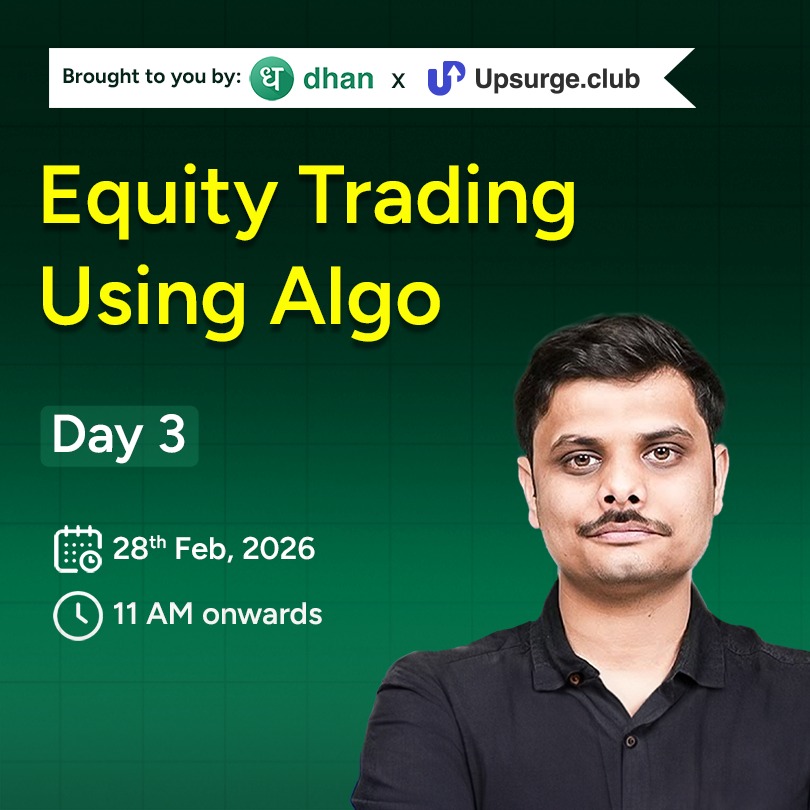
We’re back with another live Q&A with Imran, which means another chance to:
- Get your doubts cleared by Imran directly
- Learn about how to backtest and deploy a strategy for equity
- See some past examples where Imran was able to generate good profits using his technique
All the details:
 February 28 (Saturday)
 11:00 AM – 12:00 PM
Watch strategies in action.
Understand the logic behind automated trades.
See real-time execution.
Don’t miss it, enrol now here!
Again error reappeared.. also, the dhanhq==2.1.0 version is yanked due to breaking code.
Installing the pre-release version is working fine.
pip install dhanhq==2.2.0rc1