hey, the install libraries.bat file link is no longer available, if anyone have that file please do share it with me
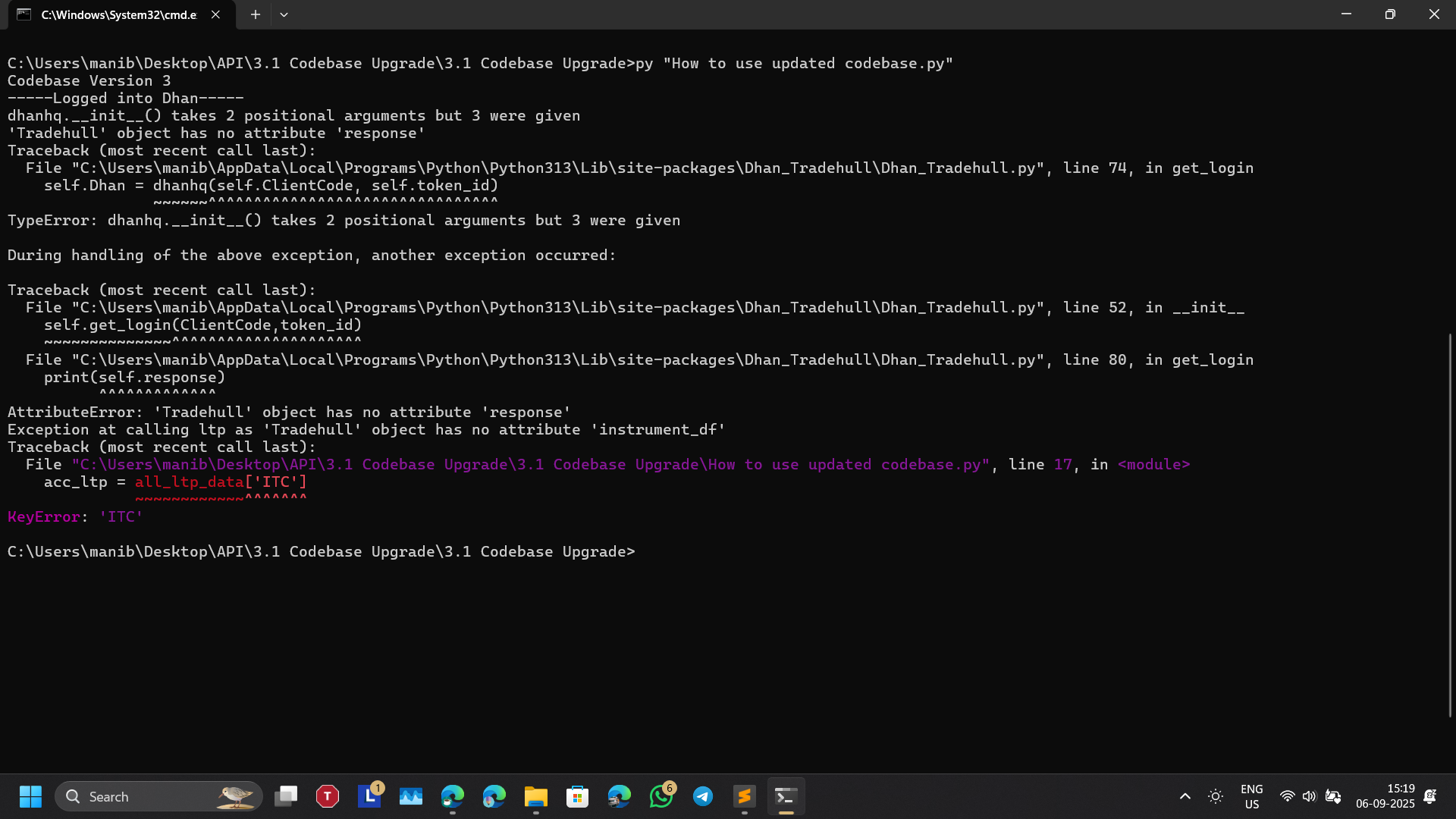
i am getting this error kindly help @Tradehull_Imran
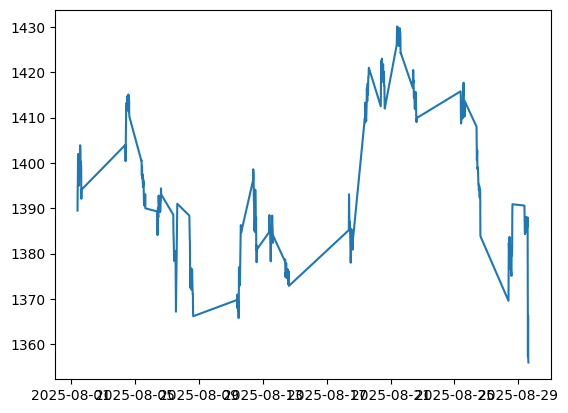
plt.plot(df[‘close’])
is there any possible way to plot this without straight lines between non market hours.
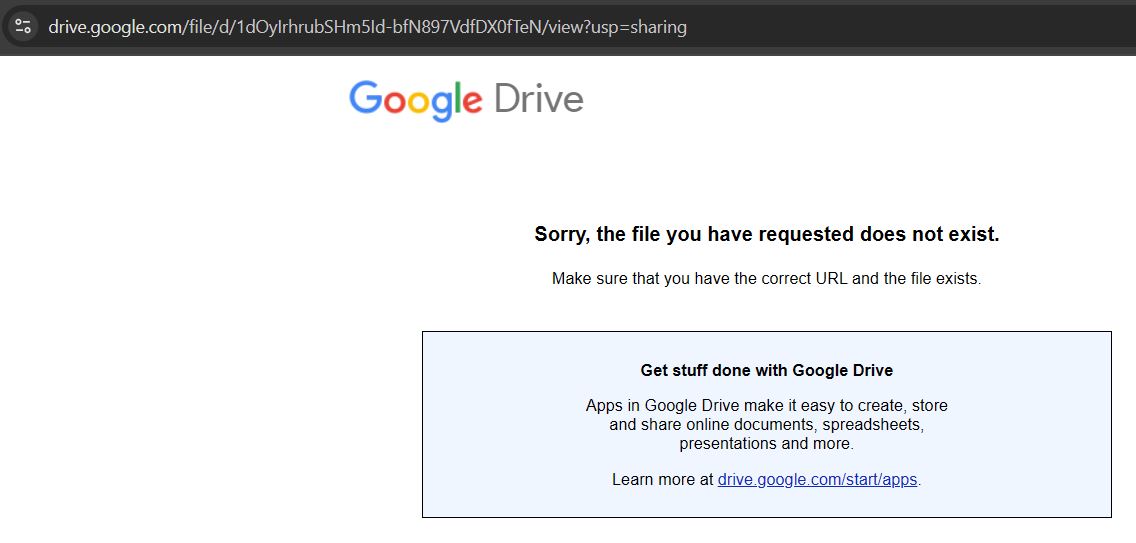
Hello, @RahulDeshpande ,I’ve recently started going thru this playlist.But, the session 2 installation.zip is not available on google drive, it says the ‘Sorry, the file you have requested does not exist.’ Please re-upload the file(s). Many Thanks.
Hi @Tradehull_Imran , I tried to download the installation files from the Session 2. But I am getting an error - “Sorry, the file you have requested does not exist. Make sure that you have the correct URL and that the file exists.”. Request your help to resolve this. Many Thanks.
@Tradehull_Imran
I have gone through you tube series Learn Algo Trading on dhan but I can not find the file to download Python & other tools as you mentioned in episode 2
Please help me to get the Python & other relevant files as when I click on link it pop ups with the files are no more exist on that google drive.
Thank you.
Checking with @Tradehull_Imran .
He will be updating on it soon.
Hi, @RahulDeshpande
I don’t find any zip file to download the Python in the captioned Learn Algo Trading with Python Codes You Tube Series
Can you guide me please on this
Me too getting same error. Request you to update corrected link.
Thanks in advance.
Session 2 files are not available for download.
Can not proceed without the main “Install libraries.bat” file.
Session 2 files :
1 Like
Hello
Can any one share how to pull live LIVE INDIA VIX OHLCV using dhanhq api or Tradehull_dhan code base ?
Thanks in advance
Have updated the Session 2 files that everyone’s been asking for.
Sir @Tradehull_Imran
13166,BSE,D,831969,OPTSTK,0,PATANJALI-Sep2025-560-CE,900.0,PATANJALI 25 SEP 560 CALL,2025-09-25 15:30:00,560.0,CE,5.0,M,OPTSTK,,PTFLOPT
For Patanjali, tick size is 5, which does not seem to be right; it should be 0.05.
Am I missing something
Hey @Tradehull_Imran
I have query in the second algo code. where we use the Max trade =3, however the system send the 4 trades to the trading app. Why? is there any further adjustment we need to do to keep it only 3 trade Max
import pdb
from Dhan_Tradehull import Tradehull
import pandas as pd
import talib
import datetime
import time


client_code = "11fr63"
token_id    = "et5734dsfbksdjfhBjV45_ysdfagdhkjgh-dsfff"
tsl         = Tradehull(client_code,token_id)

available_balance = tsl.get_balance()
leverages_margin= available_balance*0.1
max_tarde=3
per_trade_margin =leverages_margin/max_tarde
max_loss= -500


watchlist = ["SHRIRAMFIN", "BEL", "LT", "ASIANPAINT", "TRENT", "ITC", "ULTRACEMCO", "KOTAKBANK", "SUNPHARMA", "TATASTEEL", "POWERGRID", "CIPLA", "JIOFIN", "BHARTIARTL", "HINDALCO", "HEROMOTOCO", "HCLTECH", "MARUTI", "BAJFINANCE", "HINDUNILVR", "COALINDIA", "SBIN", "ETERNAL", "ONGC", "TATACONSUM", "BAJAJFINSV", "HDFCLIFE", "ADANIPORTS", "ICICIBANK", "GRASIM", "AXISBANK", "TCS", "DRREDDY", "HDFCBANK", "TITAN", "EICHERMOT", "WIPRO", "SBILIFE", "TECHM", "BAJAJ-AUTO", "NESTLEIND", "INDUSINDBK", "NTPC", "JSWSTEEL", "TATAMOTORS", "ADANIENT", "APOLLOHOSP", "INFY", "RELIANCE", "M&M"]

traded_watchlist=[]


while True:

	live_pnl = tsl.get_live_pnl()
	current_time = datetime.datetime.now().time()


	if current_time < datetime.time(9, 30):
		print("wait for market to start", current_time)
		continue


	if (current_time > datetime.time(15, 15)) or (live_pnl < max_loss):
		order_details = tsl.cancel_all_orders()
		print("Market is over, Bye Bye see you tomorrow", current_time)
		break


	for stockname in watchlist:
		time.sleep(1)
		print(stockname)


		# condition on 1 mintue time frame
		chart_1 		= tsl.get_historical_data(tradingsymbol=stockname, exchange='NSE', timeframe="1")
		chart_1['rsi']	= talib.RSI(chart_1['close'],timeperiod=14)
		cc_1			=chart_1.iloc[-2]
		uptrend			=cc_1["rsi"]>50
		downtrend		= cc_1["rsi"]<49

		# condition that are on 5 min chart
		chart_5 		= tsl.get_historical_data(tradingsymbol=stockname, exchange='NSE', timeframe="5")
		chart_5['upperband'],chart_5["middleband"],chart_5["lowerband"] = talib.BBANDS(chart_5['close'], timeperiod=5, nbdevup=2, nbdevdn=2, matype=0)
		cc_5			=chart_5.iloc[-1]
		ub_breakout		= cc_5['high'] > cc_5['upperband']
		lb_breakout		= cc_5['low'] < cc_5['lowerband']


		no_repeat_order = stockname not in traded_watchlist
		max_order_limit= len(traded_watchlist) <= max_tarde


		if uptrend and ub_breakout and no_repeat_order and max_order_limit:
			print(stockname, "is in uptrend, buy the script")

			sl_price= round((cc_1['close']*0.98))

			qty= int(per_trade_margin/cc_1['close'])
			buy_entry_orderid  = tsl.order_placement(stockname,exchange='NSE', quantity=qty, price=0, trigger_price=0,    order_type='MARKET',     transaction_type='BUY',   trade_type='MIS')
			buy_sl_orderid     = tsl.order_placement(tradingsymbol='stockname' ,exchange='NSE', quantity=qty, price=0, trigger_price=sl_price, order_type='STOPMARKET', transaction_type ='SELL', trade_type='MIS')
			traded_watchlist.append(stockname)


		if downtrend and lb_breakout and no_repeat_order and max_order_limit:
			print(stockname, "is in downtrend, sell the script")

			sl_price= round((cc_1['close']*1.02))

			qty= int(per_trade_margin/cc_1['close'])
			sell_entry_orderid  = tsl.order_placement(stockname,exchange='NSE', quantity=qty, price=0, trigger_price=0,    order_type='MARKET',     transaction_type='SELL',   trade_type='MIS')
			sell_sl_orderid     = tsl.order_placement(tradingsymbol='stockname' ,exchange='NSE', quantity=qty, price=0, trigger_price=sl_price, order_type='STOPMARKET', transaction_type ='BUY', trade_type='MIS')
			traded_watchlist.append(stockname)


	# print(stockname)


	# #pdb.set_trace()


	# # if uptrend:
	# # 	print (stockname,"is in uptrend")

	# # if downtrend:
	# 	print(stockname,"is in downtrend")


	# print(stockname,chart)

	# pdb.set_trace()


# available_balance = tsl.get_balance()
# data = tsl.get_historical_data(tradingsymbol='ACC', exchange='NSE', timeframe="1")
# print(data)
Dear Sir @Tradehull_Imran ,
I am trying to run Dhan_websocket.py as suggested in session 3, I am getting below error.
Could you please help
C:\Users\91876\Downloads\3. Session3 - Codebase\Dhan codebase>py Dhan_websocket.py
Reading existing file all_instrument 2025-09-18.csv
Watchlist changed. Reconnecting the feed…
Disconnected from WebSocket feed.
WebSocket connection error: server rejected WebSocket connection: HTTP 400
Reconnecting Again…
Watchlist changed. Reconnecting the feed…
Disconnected from WebSocket feed.
WebSocket connection error: server rejected WebSocket connection: HTTP 400
Reconnecting Again…
Watchlist changed. Reconnecting the feed…
Disconnected from WebSocket feed.
**Getting error while trying to call tsl.get_intraday_data **
Hi @Tradehull_Imran
I am getting error while running below code.
import pdb
from Dhan_Tradehull import Tradehull
import pandas as pd
from pprint import pprint
import talib
import inspect


#pdb.set_trace()

data = tsl.get_intraday_data(tradingsymbol='NIFTY', exchange='INDEX', timeframe=10)
print(intraday_hist_data)
Error:
C:\Users\91876\Downloads\3. Session3 - Codebase\Dhan codebase>py Live_codebase_session6.py
Codebase Version 3
-----Logged into Dhan-----
reading existing file all_instrument 2025-09-20.csv
Got the instrument file
{'status': 'failure', 'remarks': {'error_code': 'DH-905', 'error_type': 'Input_Exception', 'error_message': 'System is unable to fetch data due to incorrect parameters or no data present'}, 'data': {'errorType': 'Input_Exception', 'errorCode': 'DH-905', 'errorMessage': 'System is unable to fetch data due to incorrect parameters or no data present'}}
Traceback (most recent call last):
  File "C:\Users\91876\miniconda3\Lib\site-packages\Dhan_Tradehull\Dhan_Tradehull.py", line 519, in get_intraday_data
    raise Exception(ohlc)
Exception: {'status': 'failure', 'remarks': {'error_code': 'DH-905', 'error_type': 'Input_Exception', 'error_message': 'System is unable to fetch data due to incorrect parameters or no data present'}, 'data': {'errorType': 'Input_Exception', 'errorCode': 'DH-905', 'errorMessage': 'System is unable to fetch data due to incorrect parameters or no data present'}}
Traceback (most recent call last):
  File "C:\Users\91876\Downloads\3. Session3 - Codebase\Dhan codebase\Live_codebase_session6.py", line 15, in <module>
    print(intraday_hist_data)
          ^^^^^^^^^^^^^^^^^^
NameError: name 'intraday_hist_data' is not defined

C:\Users\91876\Downloads\3. Session3 - Codebase\Dhan codebase>
Hi @Ganesh_Surwase , please share the NSE Symbol if you able to find that.
Thanks in advance!
-Sunil
@Tradehull_Imran
Hi Team Dhan, While trying placing order it says ,
Error:
‘{“errorType”:“Order_Error”,“errorCode”:“DH-906”,“errorMessage”:“Basic Order Validation has Failed.”}’
Payload:
{
“dhanClientId”: “1108558883”,
“transactionType”: “BUY”,
“exchangeSegment”: “NSE_EQ”,
“productType”: “CNC”,
“orderType”: “LIMIT”,
“validity”: “DAY”,
“securityId”: “14366”,
“quantity”: 50,
“disclosedQuantity”: 1,
“price”: 8.4,
“afterMarketOrder”: true,
“amoTime”: “OPEN”
}
Error message does not illustrate issue, can we have more intuitive error without compromising performance of API?
Also please suggest what is issue. Note: Newly added user but all segment activated, only facing via API. Also lots of issue in payload for say sample payload input fields are in quotes but int as per API docs.
if its not amo TRY removing last two in payload “afterMarketOrder”: true,
“amoTime”: “OPEN”, if its a amo order try “amoTime”: “PRE_OPEN”, may be it will work i tried PRE_OPEN which worked.