As for Codebase deployment on Dhan cloud, we are waiting on some features to be released by Dhan Cloud. so that we are able to deploy our codebase there.
We will keep you posted on this one.
As for Codebase deployment on Dhan cloud, we are waiting on some features to be released by Dhan Cloud. so that we are able to deploy our codebase there.
We will keep you posted on this one.
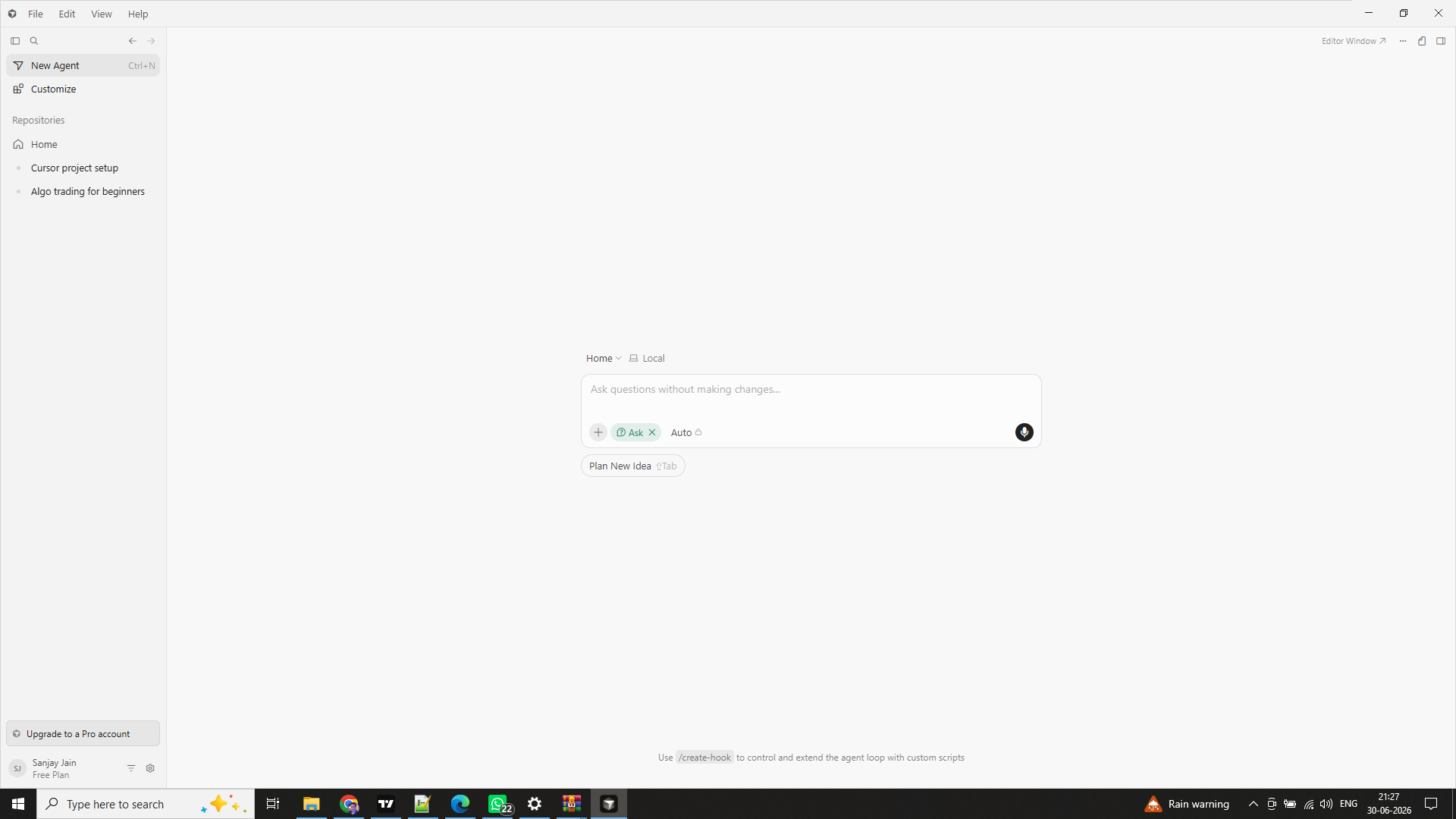
Hi, I installed Cursor but I am not getting any option to open project or create new project? Any idea why it is so ?
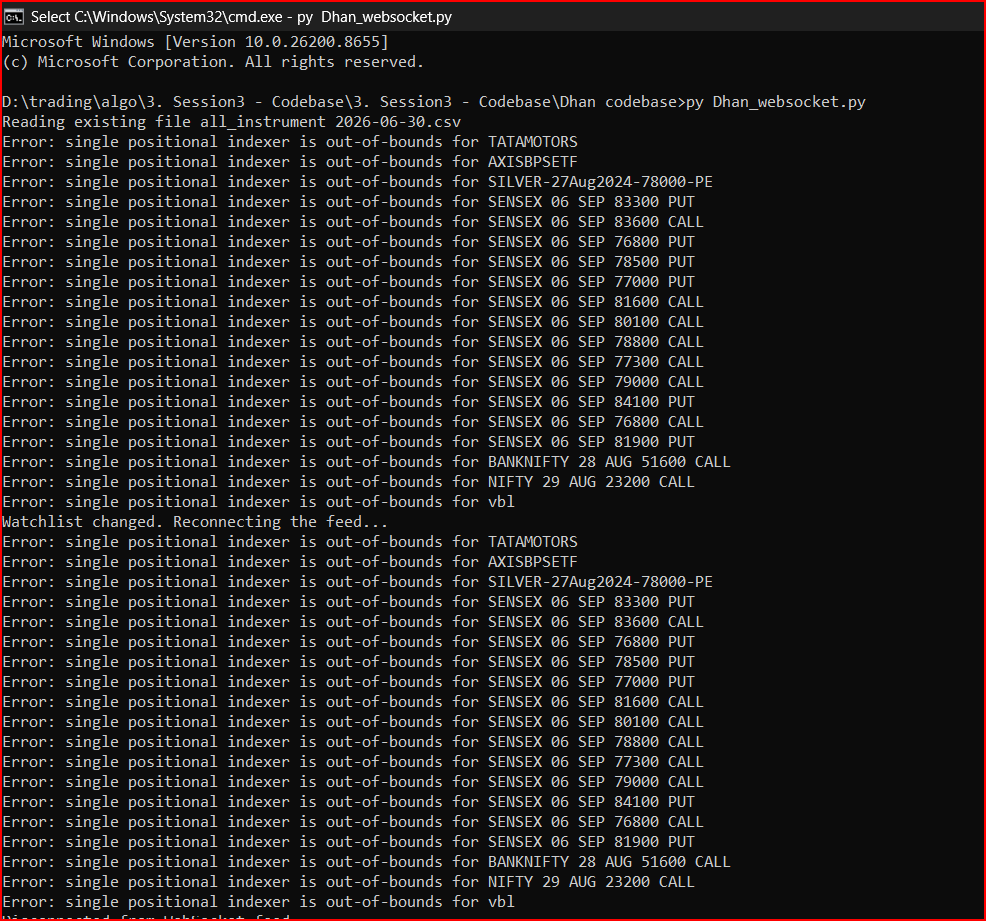
how to fix the issue, pls
Hi @Nibu ,
The code has been updated. Kindly use the latest version of the code.
Refer this link for the updated code -
Hi @Sanjay_Jain ,
In the top-right corner, click on “Editor Window”. A new window will open, where you will find the option to Open or Create New Project.
Sir , how i can know that problem solved or not
Actually I send this same error 1 week ago but no reply coming
Sir , I wish that you clear this 2 things to me
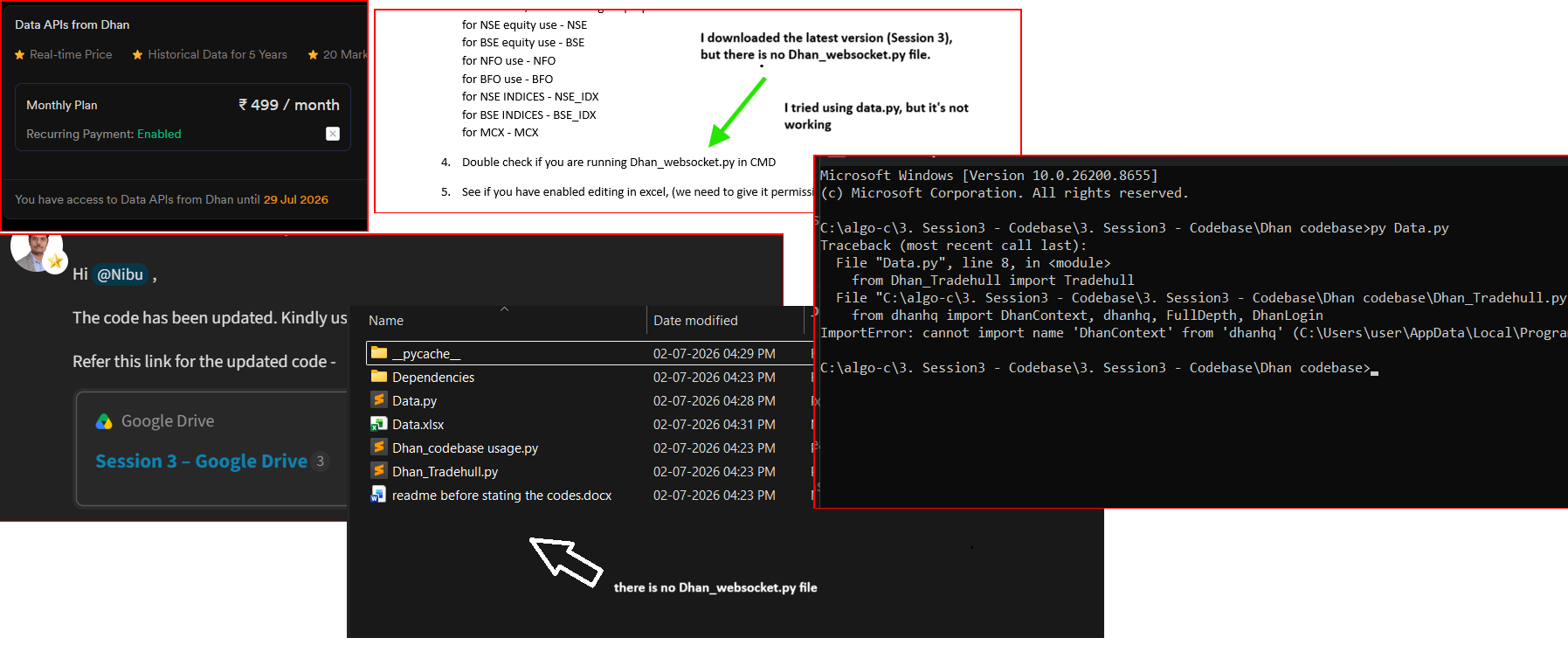
I download the latest version (Session 3), but there is no Dhan_websocket.py file. I tried using data.py, but it’s not working. Excel is enabled, and I have also updated the client_code and token_id.
Additionally, I purchased the Dhan Data API Monthly Plan (₹499/month).
Could you please check and help me fix this issue?
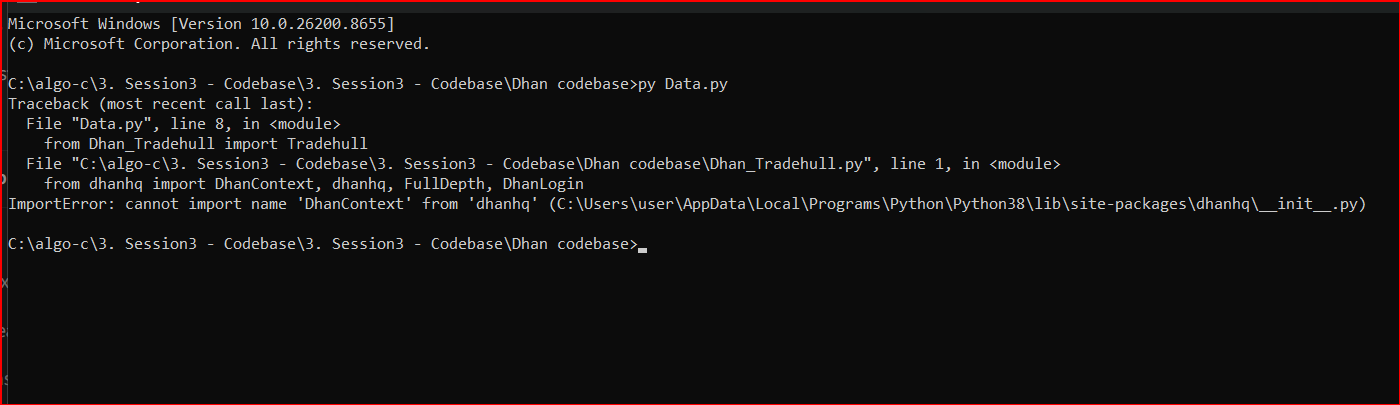
Hi @Nibu ,
Do the run the command in the cmd -
pip install dhanhq==2.2.0
The code has been updated to use the API instead of WebSocket. Run the above command in the Command Prompt (CMD) and then try again.
Thanks a lot sir. I need one more clarification from your end sir. I have already subsribed for AWS with regards to Static_IP address. Later, I have watched your video clip recommending some other source to subscribe for Static_IP address. Of course, I have not used the Static_IP address (Obtained from AWS) as on today. Can I use this Static_IP address obtained from AWS on Dhan Platform or not sir. Please do confirm sir. Thanks a lot sir.
Hi @Vasili_Prasad ,
Yes, you can use the static IP obtained from AWS. It can be mapped to your Dhan account and used for API-based trading.
Hi, Very Good Morning sir. If it’s not personally objectional to you, I request you to share your own developed strategy codes on this platform, So that it will be useful to all Non-Coders like me, who are struglling to understand the code concepts sir. Thank you very much. VBR Prasad
can tell me the reason why sometimes supertrend doesnot match with the chart or can u tell me the widely used code for supertrend which has the highest probability of matching data i guess it based on no of candle we fetch via api and the chart internal dhan server is calculating.
Thank you very much sir, for your very quick response. I do have observed the very recent video explaining Algorhythimc trading , Yourself along with Mr.Rajendran was an excelent clip. But as you both said that Chat GPT can give the code asked for. I do have used Deepseek, GROK, Claude Code. sometimes Chat GPT also. None of the platforms have provided the code in one go. I had to test them, present the CMD messages to these LLMs, and correcting them. It needs lot of patience with these LLMs. Of all the Better one, I have traced out as Non-Coder, Claude Code is better and Not the Best sir. More over You will always provide the Code in very few lines with a max of 250 lines., where as these LLMs, runs into 700 to 1300 lines of code. I wonder why is this varied difference. Hats-Off to your Efficiency sir. Great. Just I wanted to share my experience with LLMs vs Imran Ali sir.
Its bit difficult for LLM to give code outputs in a efficient manner,
This is beasuse they lack on the context that is required to build algo.
A way to get good outputs is to use .skills file with them.
in .skills file we instruct llm to produce code outputs that is aligned with our algo trading codes, codebase, Dhan documention.
Since now it has context, its able to produce quality code.
Here is the skills outline for Live Algo
skills/dhan-tradehull/
│
├── SKILL.md                              ← entry point · quick reference · routing table
│
├── references/
│   ├── coding-style.md                   ← TradeHull coding style · read before writing any code
│   ├── auth.md                           ← login modes · token validity · Dependencies folder
│   ├── market-data.md                    ← LTP · OHLC · quote · historical · long-term
│   ├── options.md                        ← option chain · ATM/OTM/ITM · greeks · expired data
│   ├── orders.md                         ← order placement · SEBI rules · super · forever orders
│   ├── portfolio.md                      ← holdings · positions · orderbook · balance · P&L
│   ├── utilities.md                      ← lot size · margin · Telegram · kill switch
│   ├── instruments.md                    ← 225k-row instrument file schema · security IDs
│   ├── common-patterns.md                ← real code patterns from student support sessions
│   ├── answer-patterns.md                ← common mistakes · FAQ · answer style
│   ├── algo-intraday-options.md          ← intraday algo anatomy (Supertrend + S/R)
│   ├── algo-positional-spread.md         ← positional spread algo anatomy (delta-based)
│   ├── dhanhq-raw.md                     ← raw dhanhq fallback (position convert · eDIS · exit all)
│   └── error-log.md                      ← known errors · SEBI regulations
│
└── examples/
    ├── intraday_options_algo.py          ← real production intraday algo
    └── positional_spread_algo.py        ← real production positional algo
you can also use this skills from this link
Hi @ROCKY2
use this code file, it will give us closest match with supertrend
import numpy as np
import pandas as pd
from rich import print


def supertrend(df, atr_period=15, atr_multiplier=3):

	print("Starting supertrend calculation.. Please wait..")

	if not 'TR' in df.columns:
		df['h-l'] = df['high'] - df['low']
		df['h-yc'] = abs(df['high'] - df['close'].shift())
		df['l-yc'] = abs(df['low'] - df['close'].shift())
		df['TR'] = df[['h-l', 'h-yc', 'l-yc']].max(axis=1)
		df.drop(['h-l', 'h-yc', 'l-yc'], inplace=True, axis=1)

	# Compute ATR using exponential moving average
	atr = 'ATR_' + str(atr_period)
	df[atr] = df['TR'].ewm(alpha=1/atr_period, min_periods=atr_period).mean()

	st = 'ST_' + str(atr_period) + '_' + str(atr_multiplier)
	stx = 'STX_' + str(atr_period) + '_' + str(atr_multiplier)

	# Compute basic upper and lower bands
	df['basic_ub'] = (df['high'] + df['low']) / 2 + atr_multiplier * df[atr]
	df['basic_lb'] = (df['high'] + df['low']) / 2 - atr_multiplier * df[atr]

	# Compute final upper and lower bands
	df['final_ub'] = 0.00
	df['final_lb'] = 0.00
	for i in range(atr_period, len(df)):
		df.loc[df.index[i], 'final_ub'] = df['basic_ub'].iloc[i] if df['basic_ub'].iloc[i] < df['final_ub'].iloc[i - 1] or df['close'].iloc[i - 1] > df['final_ub'].iloc[i - 1] else df['final_ub'].iloc[i - 1]
		df.loc[df.index[i], 'final_lb'] = df['basic_lb'].iloc[i] if df['basic_lb'].iloc[i] > df['final_lb'].iloc[i - 1] or df['close'].iloc[i - 1] < df['final_lb'].iloc[i - 1] else df['final_lb'].iloc[i - 1]

	# Set the Supertrend value
	df[st] = 0.00
	for i in range(atr_period, len(df)):
		df.loc[df.index[i], st] = df['final_ub'].iloc[i] if df[st].iloc[i - 1] == df['final_ub'].iloc[i - 1] and df['close'].iloc[i] <= df['final_ub'].iloc[i] else \
						df['final_lb'].iloc[i] if df[st].iloc[i - 1] == df['final_ub'].iloc[i - 1] and df['close'].iloc[i] >  df['final_ub'].iloc[i] else \
						df['final_lb'].iloc[i] if df[st].iloc[i - 1] == df['final_lb'].iloc[i - 1] and df['close'].iloc[i] >= df['final_lb'].iloc[i] else \
						df['final_ub'].iloc[i] if df[st].iloc[i - 1] == df['final_lb'].iloc[i - 1] and df['close'].iloc[i] <  df['final_lb'].iloc[i] else 0.00

	# Mark the trend direction up/down - Fix: Use object dtype to handle mixed types
	df[stx] = pd.Series(index=df.index, dtype='object')
	df.loc[df[st] > 0.00, stx] = np.where(df.loc[df[st] > 0.00, 'close'] < df.loc[df[st] > 0.00, st], 'down', 'up')
	df.loc[df[st] <= 0.00, stx] = None

	# Add the bands to your existing column names for compatibility
	df['upperband'] = df['final_ub']
	df['lowerband'] = df['final_lb']
	df['atr'] = df[atr]

	# Remove basic and final bands from the columns
	df.drop(['basic_ub', 'basic_lb', 'final_ub', 'final_lb', 'TR', atr], inplace=True, axis=1)

	df.fillna(0, inplace=True)

	print("Supertrend calculation completed..")

	return df
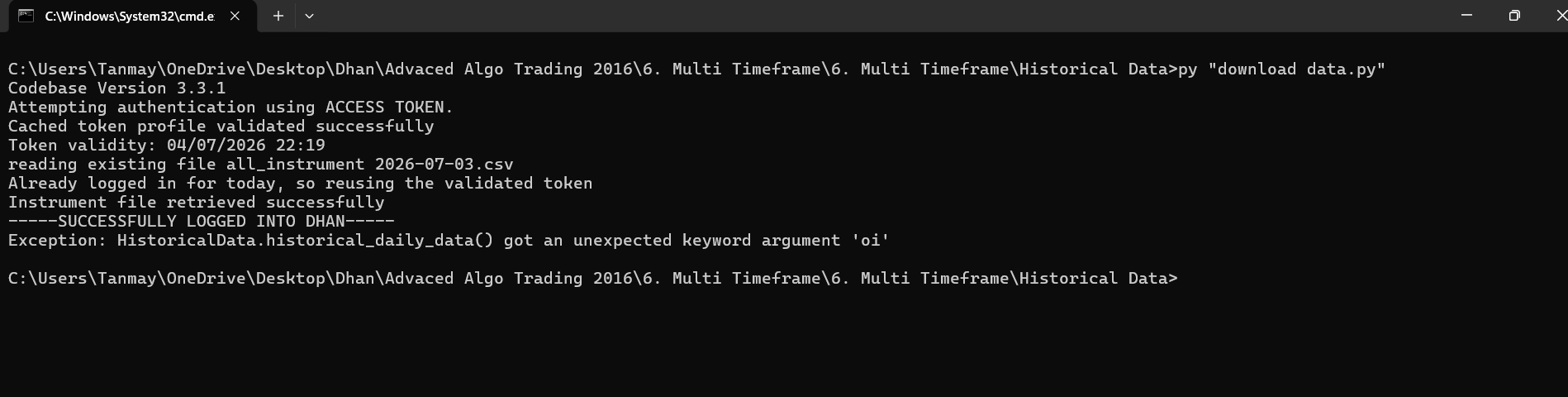
thanks sir now my next question relating to this is sir jab mein supertrend pe signal aata hai to kai baar wo usko touch karke thik supertrend ke niche aa jata hai and yadi mein closing candle ke basis pe loon to supertrend bohot higher price pe aata hai aisa ho sakta hai kya sir ki mein supertrend let say 15min pe le raha hoon 10,3 settings ka and trade based on one minute candle closing pe lega and jaise high one min candle close ke high pe niklega wo trade lega ya aur koi method whispaw se bachne ke liye please guide
Hi @Bhim_Shelke ,
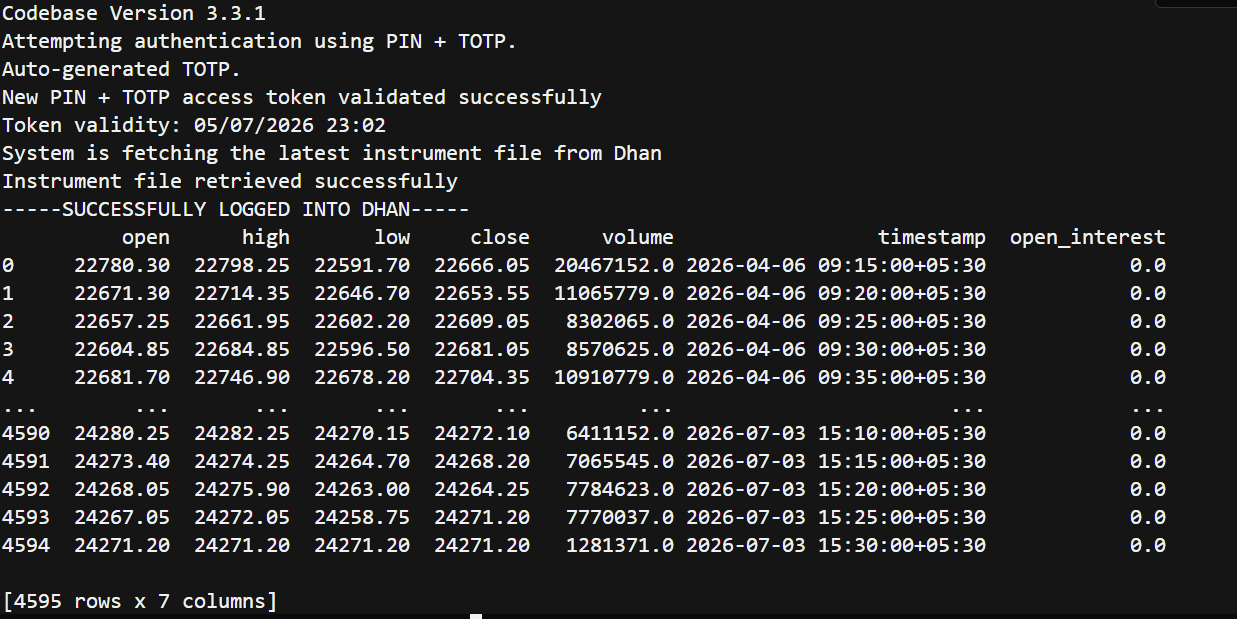
Refer this code -
from Dhan_Tradehull import Tradehull
client_code = ""
tsl = Tradehull(client_code, mode="pin_totp", pin="", totp_secret="")

hist_data = tsl.get_historical_data(tradingsymbol="NIFTY",exchange="INDEX",timeframe="5")
print(hist_data)
Output -
Hi Sir @Tradehull_Imran ,
I need help solving the error: Module not found: No module named ‘Dhan_Tradehull’. I am also encountering the same error for pandas and talib. Please assist me in resolving this.
