Hello Traders & Investors,
We understand that at times markets can be stressful. The reasons could be any - because of the price movements, because of sudden moves in underlying contracts, because of breaking news, or sudden changes in macro environment, change in policy or regulatory framework.
Markets are meant to be dynamic, and they will continue to be that way. While all that happens, we are aware that we keep your investing & trading experience - simple, informed and in-your-control whenever you use any of Dhan platforms, products, features or capabilities. That is the thought that goes behind every update we ship for you.
Of the many experiences that Dhan has brought to the market, we have been specially innovative around the Order placement experience from our earliest days. We introduced many experiences on Dhan like - Trade from Charts, Order Estimator, Iceberg Orders, WiFi Orders, Price Max, Market Depth on Order Window, Scalper, Super Orders, Super Trial, Manage Positions, Reverse Orders and so much more over the past times.
Yet, we understand that when it comes to placing orders - no two people size a trade the same way. Ask ten traders how much they are putting into a position and you’ll get ten different answers. Some think in lots, because that’s the language of the contract. Some think in shares, because that’s what shows up in their holdings. Some think purely in rupees, because their real constraint is capital, not count. And plenty of traders have a fixed size they’ve settled on over time, one lot, five lots, ₹25,000 a trade, and everything they do is a multiple of that.
The order window, though, has only ever spoken one of those languages at a time. On Dhan, F&O orders took input in lots, and equity orders took input in quantity. If you thought about anything else, you did the conversion in your head before you typed the number.
That changes now. This has been one of the most asked features in this community, and we have built it. There is now a toggle sitting right next to the input field in the order window. Tap it, and the order window switches to the unit you actually think in.
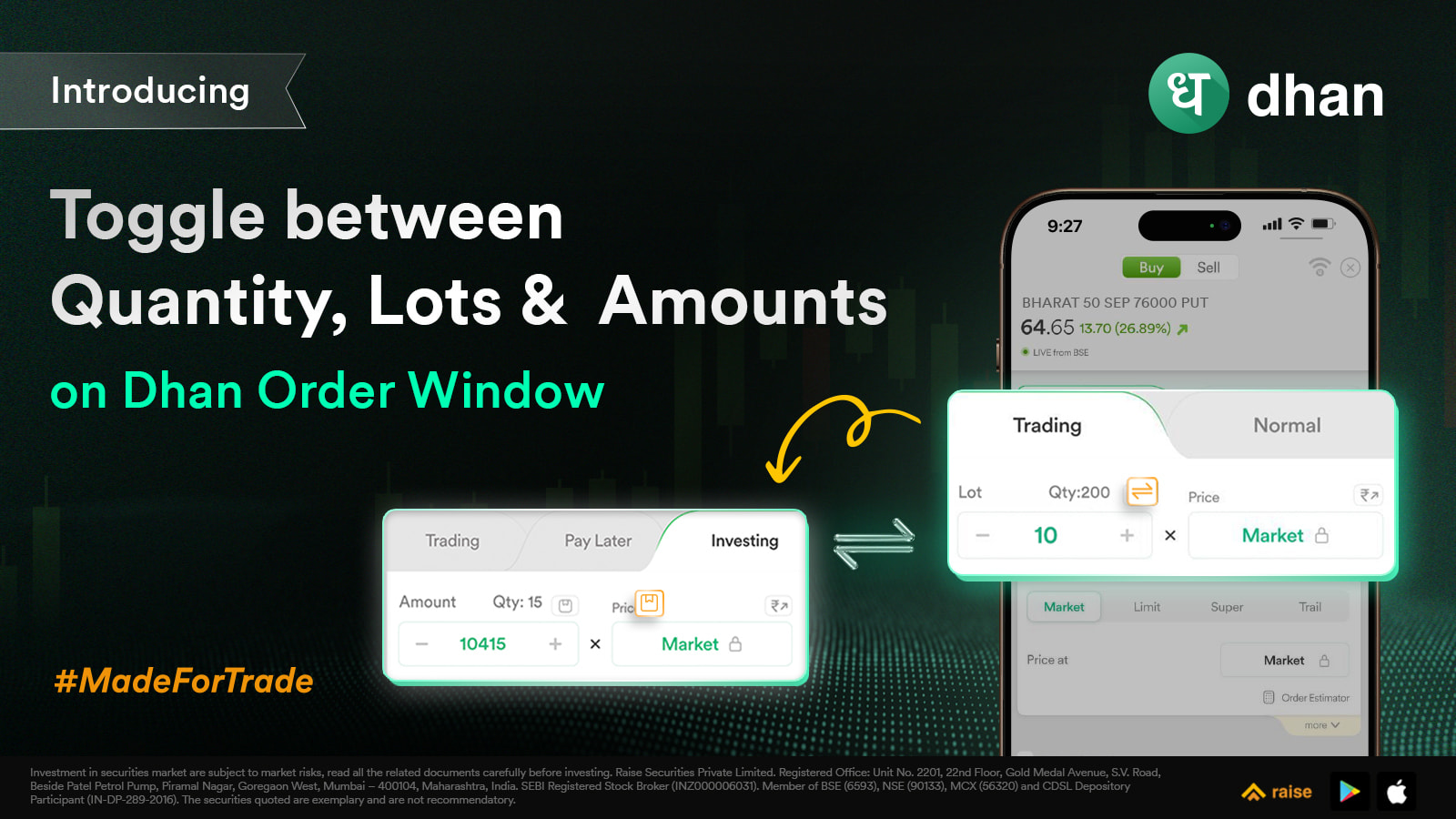
On F&O, the toggle is between Quantity and Lot. Stay on Lot if that’s how you have always traded and nothing changes for you. Switch to Quantity when you want to see and enter the actual number of units going into the position. Available on NSE and BSE F&O, on both Intraday and Normal, for Buy as well as Sell.
On Equity Delivery, the toggle is between Quantity and Amount. Switch to Amount, type the rupee value you want to deploy, and the order window works out the quantity for you. It is what you want when you’re building a position to a target allocation, averaging into a name every month, or splitting a fixed amount across four or five stocks in one sitting. Available on both NSE and BSE, on Buy and Sell Equity Delivery, not for Intraday.
Your choice also sticks. The order window remembers the input type you last used and holds it for that login session, so if you are trading F&O in lots through the day, that’s what you will see every single time the order window opens. Log in fresh the next day and it starts from the default again.
Everything else stays exactly as it is. Equity Intraday and MTF/T+5 continue to take quantity, and Commodity on MCX & NSE continues to take lots. Nothing about how your orders are placed, validated or executed changes. This is only about the number you type in.
Happy Trading
Naman


