New Indicator Request and Chart Improvements

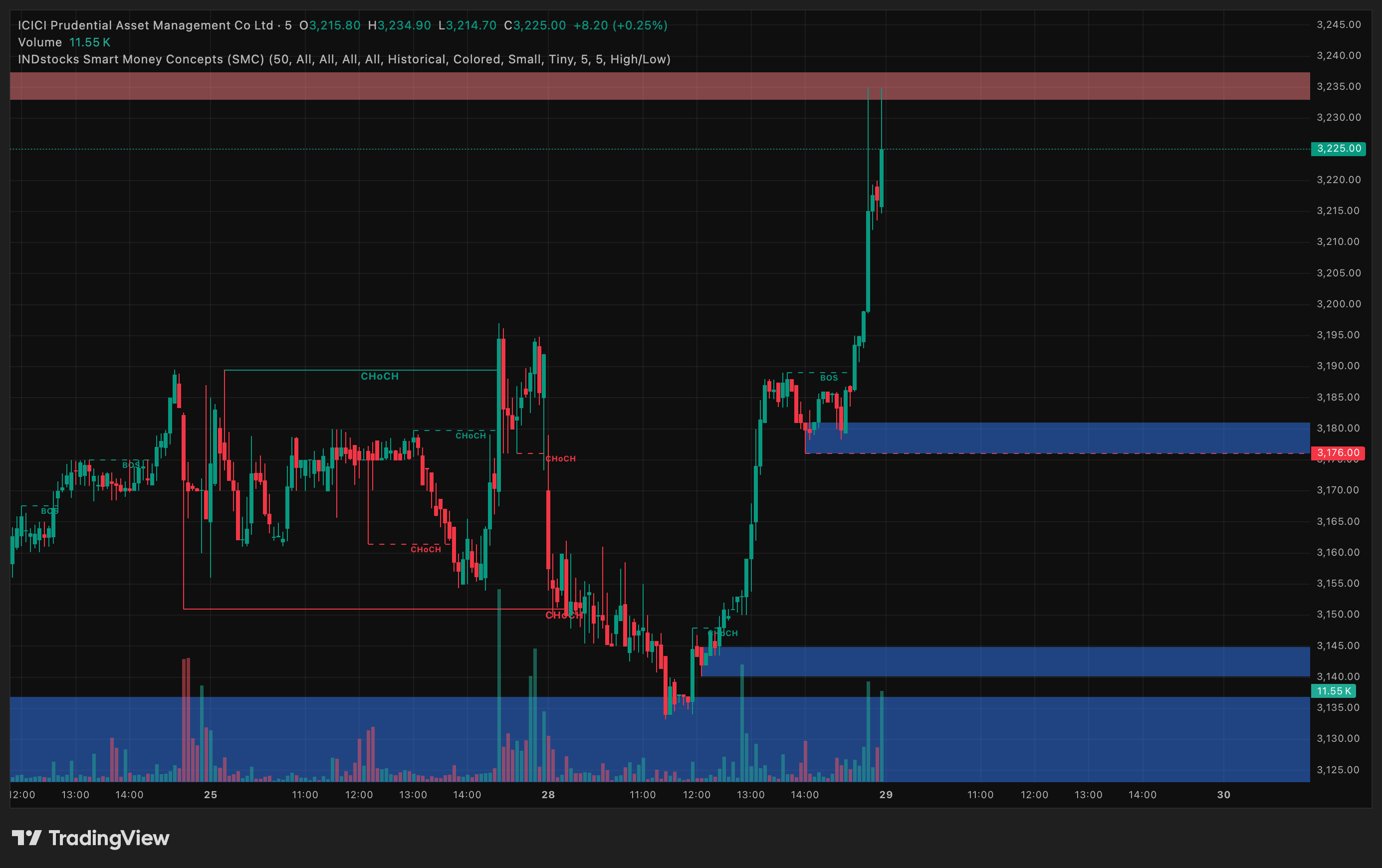
Hi Dhan Team, When I was exploring other platforms I found an interesting indicator for SMC. I would like to see this being implemented in Dhan as well. Please check the screenshot.

image

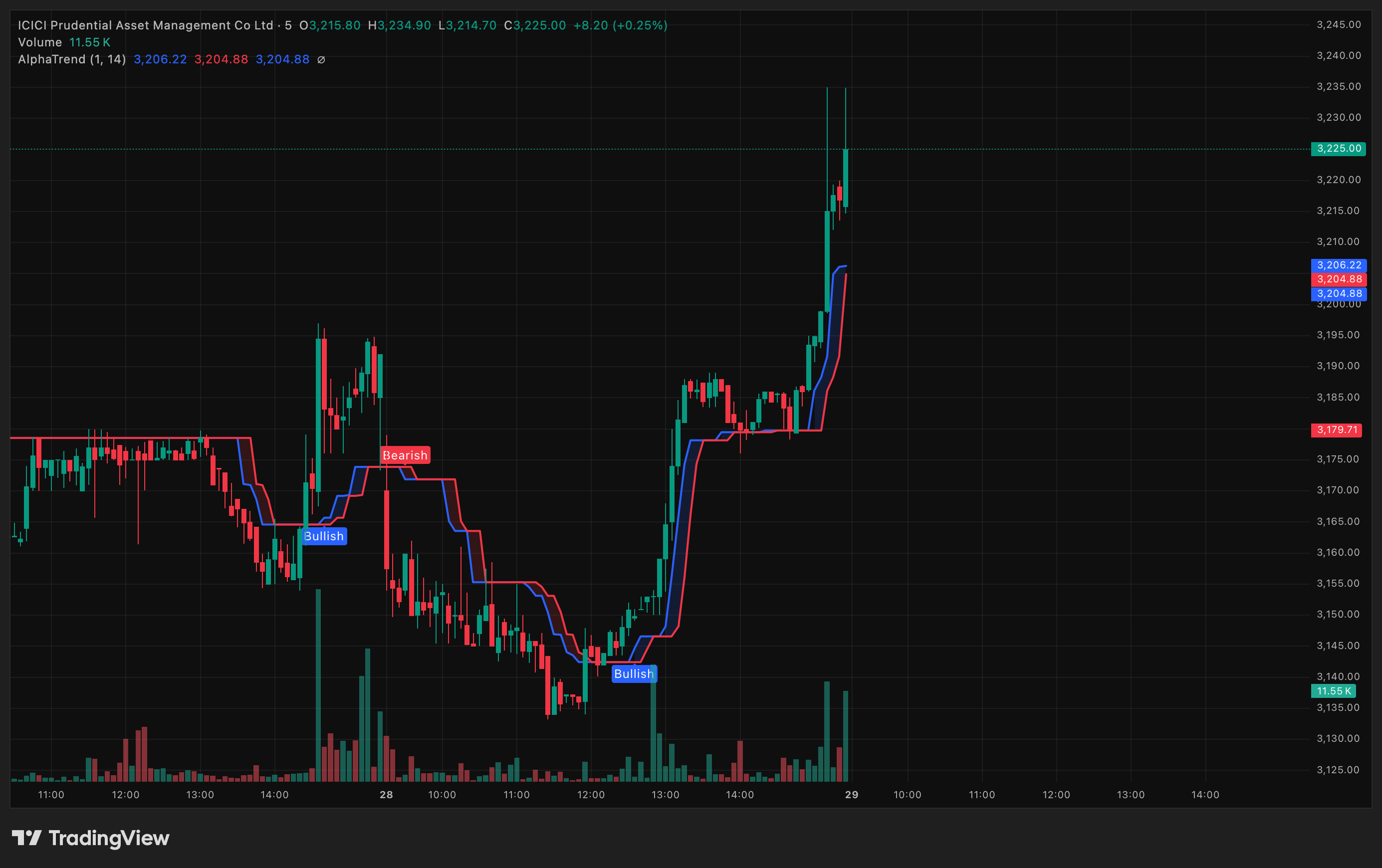
Also I think the AlphaTrend is much refined in IND though their charts is recently improved

image

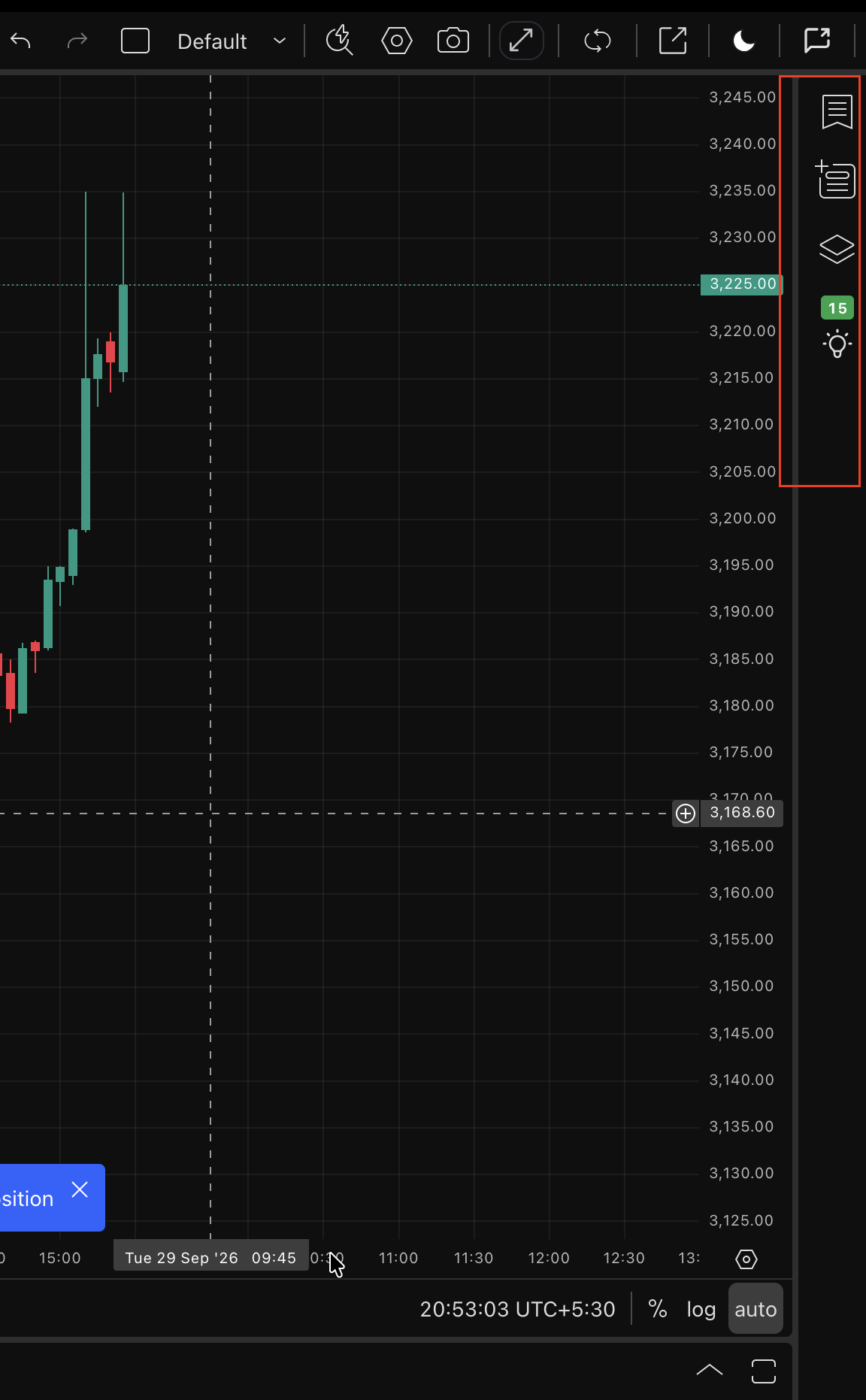
They have also added a section in side panel (apart from watchlist, data window and object tree) in the charts which shows recommendation (check the image below), where as in Dhan it is only default items. If possible I would like to see ScanX and Fuzz being integrated

image

1 Like

Interesting @GuruDev

Hi @GuruDev You will be able to add any Indicator of your own choice directly going forward. This feature is already available for a few users and we will extend it to more in coming days.

1 Like

Great, Thanks @PravinJ.

@PravinJ

SVP (Session Volume Profile) indicator is required on charts of DEXT. Please make it available.

I know this is available on DEXT Charts and Order Flow, but again conditional alert order lines are missing here ( which is only available on Charts)

Also request you to bring the updated Basket Orders (as on App) on DEXT with drag & drop line like Conditional Alert.

Conditional alert lines will be visible on your order flow chart very shortly. We are also working on bringing basket trigger orders to this view to match the app experience, which will follow in a later update.

1 Like

@NAYAK Conditional Alert order lines have now started reflecting on orderflow chart as well.

1 Like

@Bhavya_Jain if possible can you please check regarding the SMC indicator as well

Great, Thanks

I have tons of support Resistance lines/ Trend lines drawn on Charts. So do I have to again plot them on new Dhan Chart/Order Flow or any easy way to paste those lines .

Also, is there any basic differences between DHAN Chart and Order Flow Chart ?
@NAYAK We understand the pain of having to recreate all your Support/Resistance and Trend Lines again. We’re already working on making this easier, and this is currently work in progress.

Regarding Dhan Chart vs Order Flow Chart - fundamentally, there is no difference between the two. They use the same charting experience.

The key difference is simply the default chart setting:

  • In Order Flow Chart, the chart opens with Order Flow as the default chart type.

  • In Dhan Chart, it opens with whichever candle/chart type you have selected.

Apart from this default setting, the underlying chart experience is the same.

@PravinJ @Bhavya_Jain Great work on Orderflow Chart in Dext. It is absolute beast product. Wanted to share some feedback regarding improvements.

Dext-Zoom-in

Dext-Zoom-out

When I zoom out the orderflow charts, there candlesticks are surrounded by volume area (As shown in above images). When I tested other brokers orderflow the transition was slightly smooth and refined (Please check the below images from other broker).

Other Broker-Zoom-in

Other Broker-Zoom-out

Also May I know the difference between Orderflow and Dext Charts

Screenshot 2026-09-30 at 9.56.30 PM

Screenshot 2026-09-30 at 9.56.43 PM

Screenshot 2026-09-30 at 9.57.18 PM

@Bhavya_Jain For Some reason DEXT is draining battery and heating up laptop. This is happening since new update was launched. Can you please check

@GuruDev Thanks for flagging this. We’ve noted the increased battery usage and heating issue reported after the recent update, and the team is actively working on it. We’ll work towards improving the performance in the upcoming update.

@Bhavya_Jain @Mrunmayi_Vaity Kind check the Dext charts which I have highlighted above as well

https://madefortrade.in/t/new-indicator-request-and-chart-improvements/94372/12?u=gurudev

https://madefortrade.in/t/new-indicator-request-and-chart-improvements/94372/11?u=gurudev

@GuruDev Regarding Dhan Chart vs Order Flow Chart - fundamentally, there is no difference between the two. They use the same charting experience.

The key difference is simply the default chart setting:

  • In Order Flow Chart, the chart opens with Order Flow as the default chart type.

  • In Dhan Chart, it opens with whichever candle/chart type you have selected.

Apart from this default setting, the underlying chart experience is the same.