Why I cant seen Oi Profile chart option in tv.dhan.co

Why I cant seen Oi Profile chart option in tv.dhan.co
Hi @ashokprajapati, We have upgraded the OI Profile on Dhan charts, just tap on indicators and apply dhan OI Profile. refer below screenshot for reference.

Thanks for Fast help
Why it is not available on same dext chart. We need to open new tab for OI details
I miss Select Expiry Option on this indicator. if we add as before then it’s good
Dear @Mohseen_Usmani ,
Thank you for finally releasing the much waited and requested OI profile indicator for the TV.DHAN.CO.
As a new indicator there are some improvements/changes needed for better use of it.
I am facing an issue (not sure if anyone else facing the same), when iam selecting the OI profile indicator Instead of plotting in the main chart area it is showing up in another indicator (MACD) as you can see in the below pic. It may be a software glitch.

Please fix these issues to make it better than the previous version of the OI profile chart.
Thanks
Hi @Rsrs, thank you for your detailed feedback. We have noted your suggestions on providing more customization options for the Dhan OI Profile indicator. Our team is actively working to enchance this.
Regarding the OI Profile appearing inside another indicator pane, we checked this on our end and can confirm that it is intended to be applied only on the main chart. We request you to reach out to us at help@dhan.co, and our support team will be happy to guide you further, including via a video session if required.
Dear @Mohseen_Usmani ,
after your reply i have checked my charts and it is now working.
I do use a 6 chart layout and in that layout only the top left chart is actually able to plot the OI profile correctly (inside the chart area and dynamically scale as per the zoom in/out). but if i want to plot OI profile in any other chart (in the same 6 chart layout) then the OI profile simply replicating from the top left chart (see below pic for reference) and not as per the symbol chart. or even some times it is plotting inside other indicators (like the one i mentioned in earlier message).

again if i change the symbol in the top left chart, then the OI profile getting plotted in this one chart for 2 symbols (2nd is from the top right chart ). see below pic

It is supporting single chart layout only and not compatible (at least for now) with multi chart layouts.
it is useful to be symbol / individual chart based within a multi chart layout than one OI profile per one full multi-chart layout.
please look into the issue as well.
Thanks
Hi @Rsrs, thank you for highlighting this, our team is currently working on optimising this behavior.
Just checked the latest Ver of OI Profile Indicator.
Looks like issues resolved.
Also great job by @Dhan developer team for giving color choice of lines along with text color user choice.
Text font size and text label alignment (screen left, center, right side) user choice would be a great addition.
Great Job.
Is it that difficult to put OI profile on dext index chart?? At least reply.
Work in progress @NAYAK
Humble Request to Team, @Dhan @PravinJ
After a lot of Time and Efforts, You have Brought OI profile as an indicator onto the Dhan Charts itself..But it didn’t come with the Latest.. Still we have to Toggle Between OI and Chg.OI, Cant Have them both On at the same time..
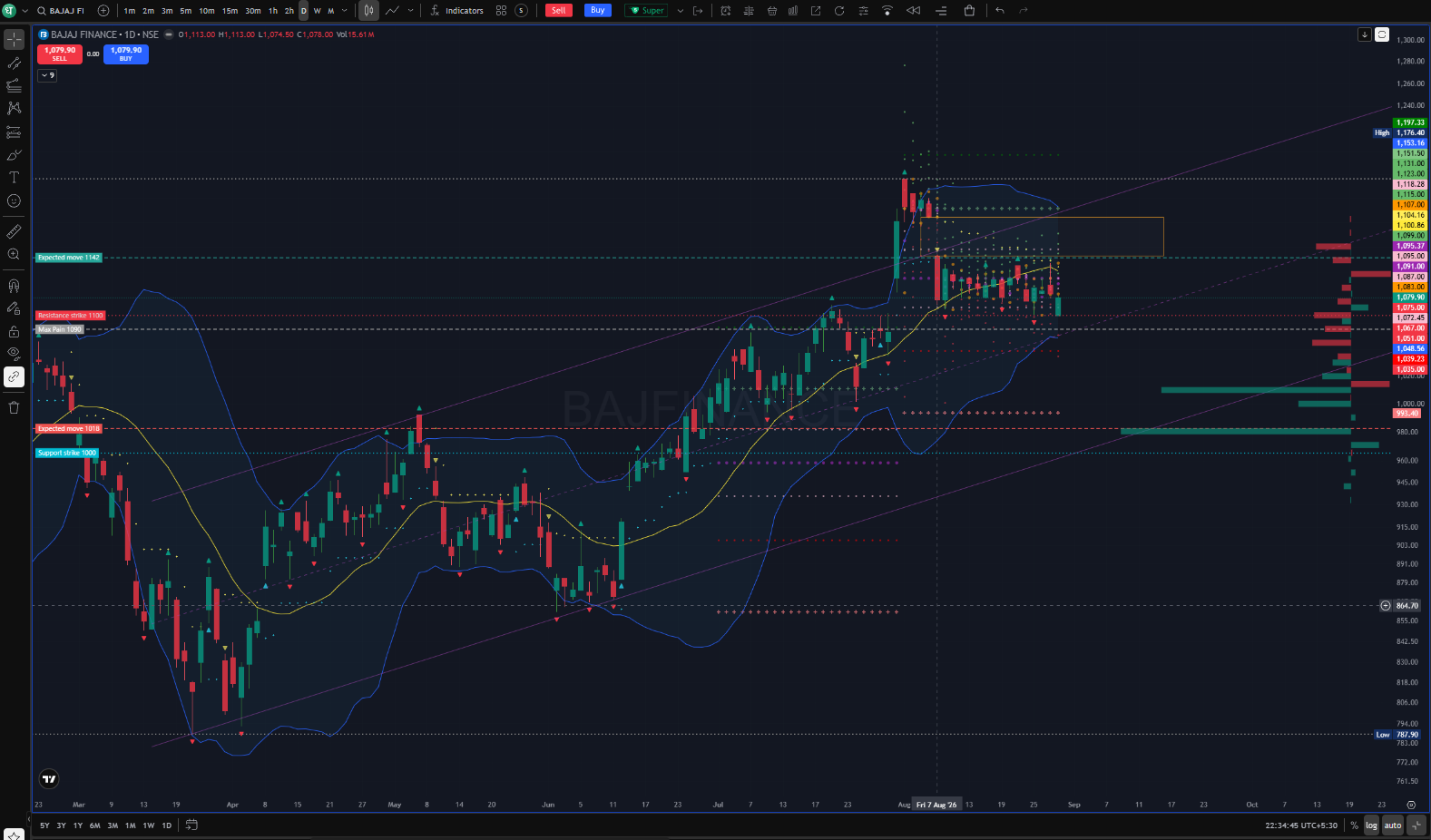
Here i have Bajfaj finance, which says Support is on Strike 1000, but since i have OI change Enabled its not showing the Strke 1000’s OI in Negative..
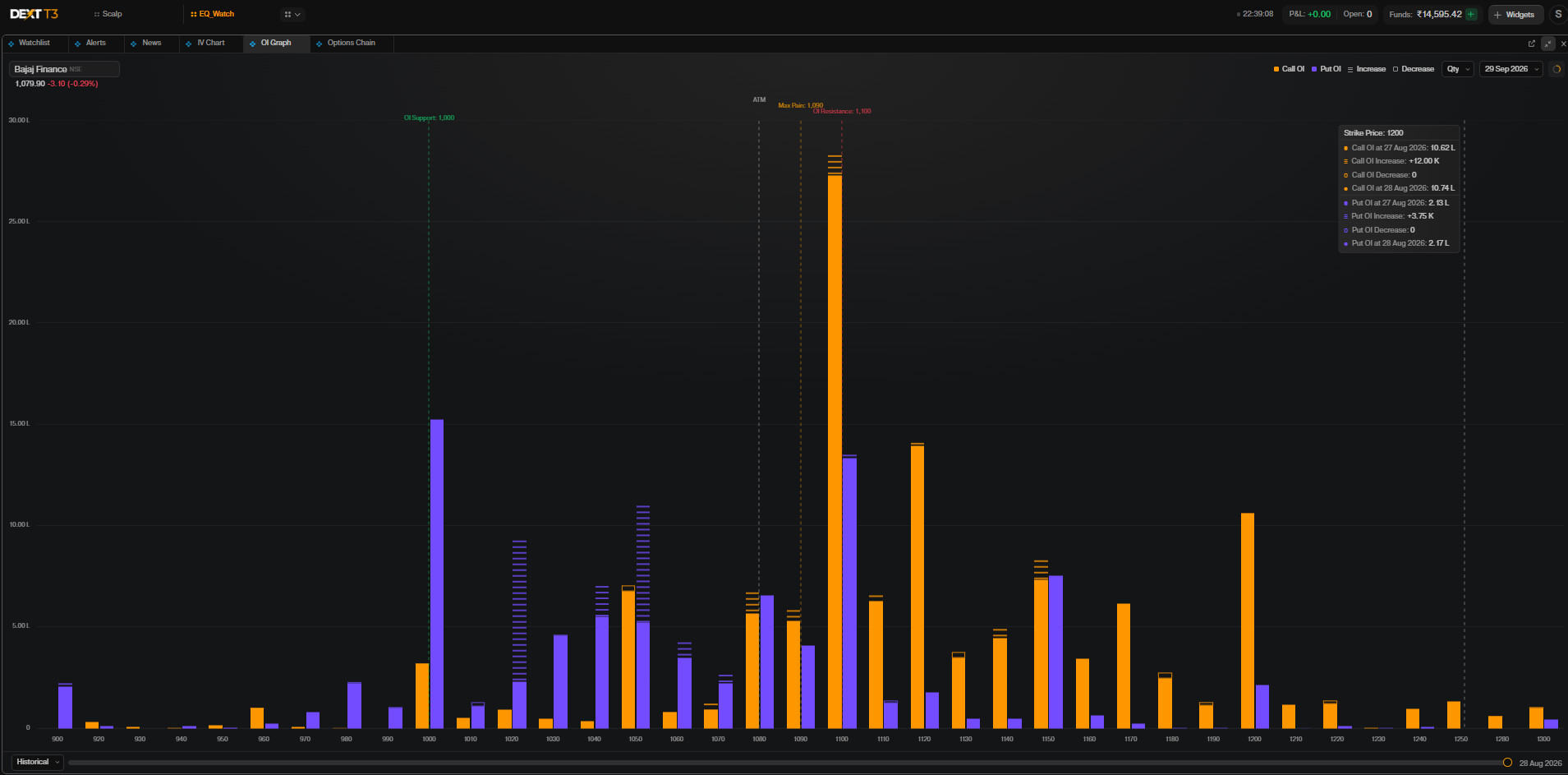
You have already Built this Latest one in the Dext T3 OI Graph.. Where both the OI and Change in OI can be seen in the same Graph… It would be of great help if the same could be replicated into OI Profile indicators Across all TV.Dhan, Dext T3 and Op.Trader
Dear @Mohseen_Usmani ,
thank you and DHAN to finally gave us the option to select the expiry in a separate pop up.
Still one request isn’t addressed (part of the 1st request) which is the option to toggle between the OI profile and change in OI in a pop up that doesn’t disappear the moment i click outside the pop up).
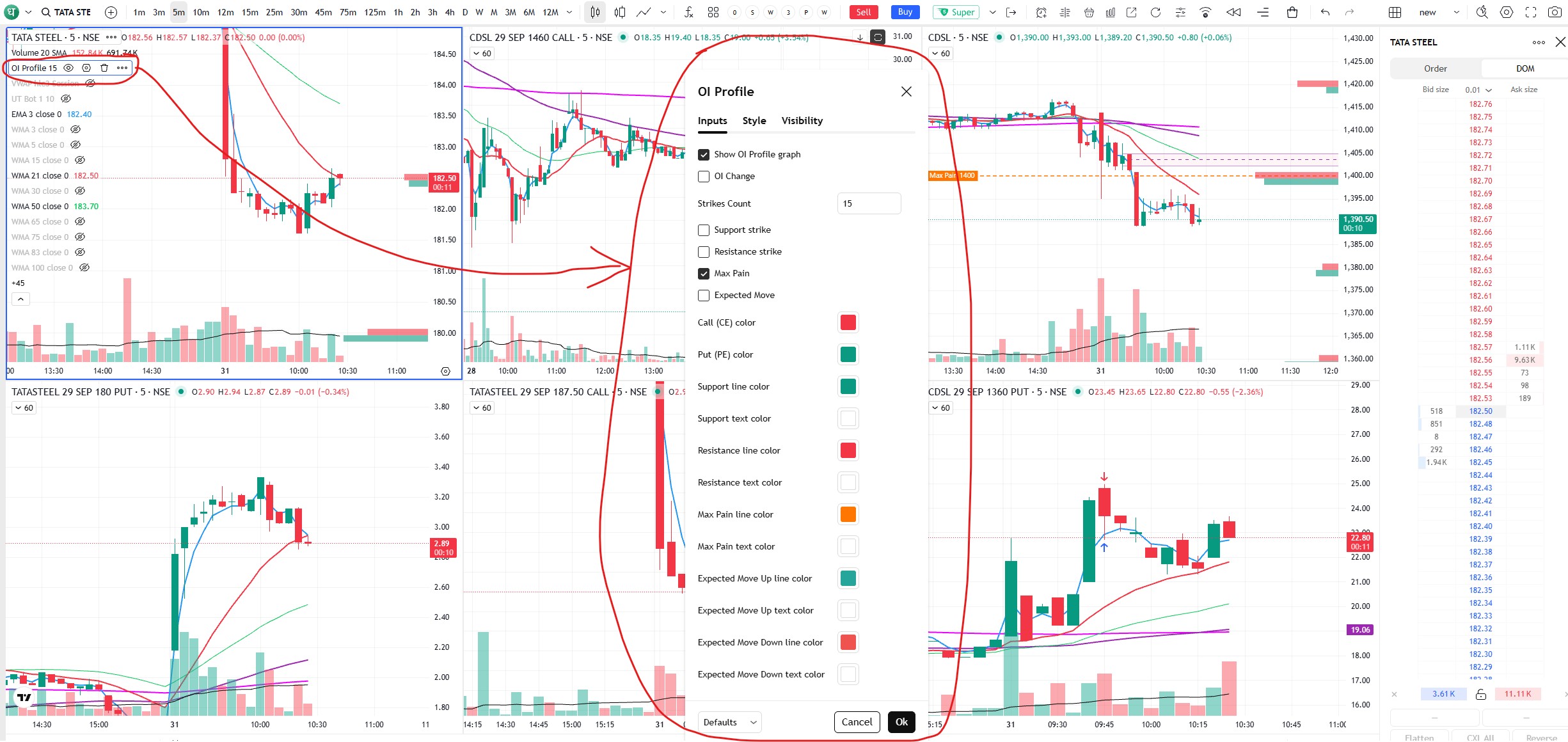
As you can see in the above picture every single time we have to open the OI profile indicator pop up and it is nearly occupying the full screen ( vertically) where i only need to select or deselect the OI change option (all other options are chosen and doesn’t change ), it also disappear the moment i click outside the pop up.
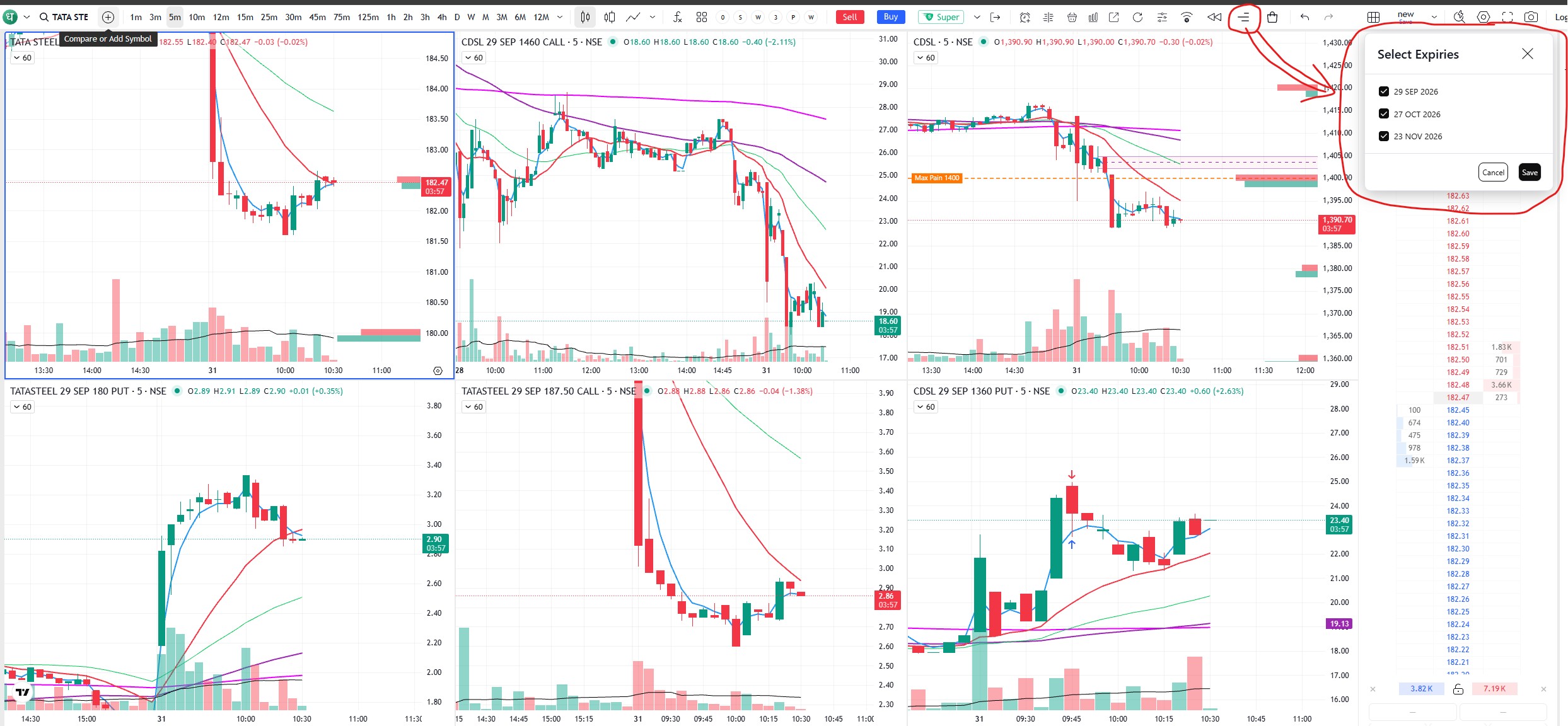
Kindly bring this particular OI change option into the separate newly introduced OI PROFILE EXPIRY pop up (this occupy very small screen portion and doesn’t disappear even we click outside the pop up that allow us to study the chart without open the oi profile indicator every single time / click).
Also you can update this pop up to stay open even when we select another chart/stock and recognize that stock, show it’s expiry without required to reopen the expiry pop up.
Hope you fix this issue soon.
Thank you.
Hey @Rsrs ,
We’ve noted your feedback on adding an option to toggle between OI Profile and Change in OI. We’ll review this and see how we can improve the feature.
DEXT OI Graph is must for mobile chart, which includes (oi + oi change)
Hey @NAYAK ,
The OI Graph and Change in OI are available on the Option Trader app under Insights → OI.
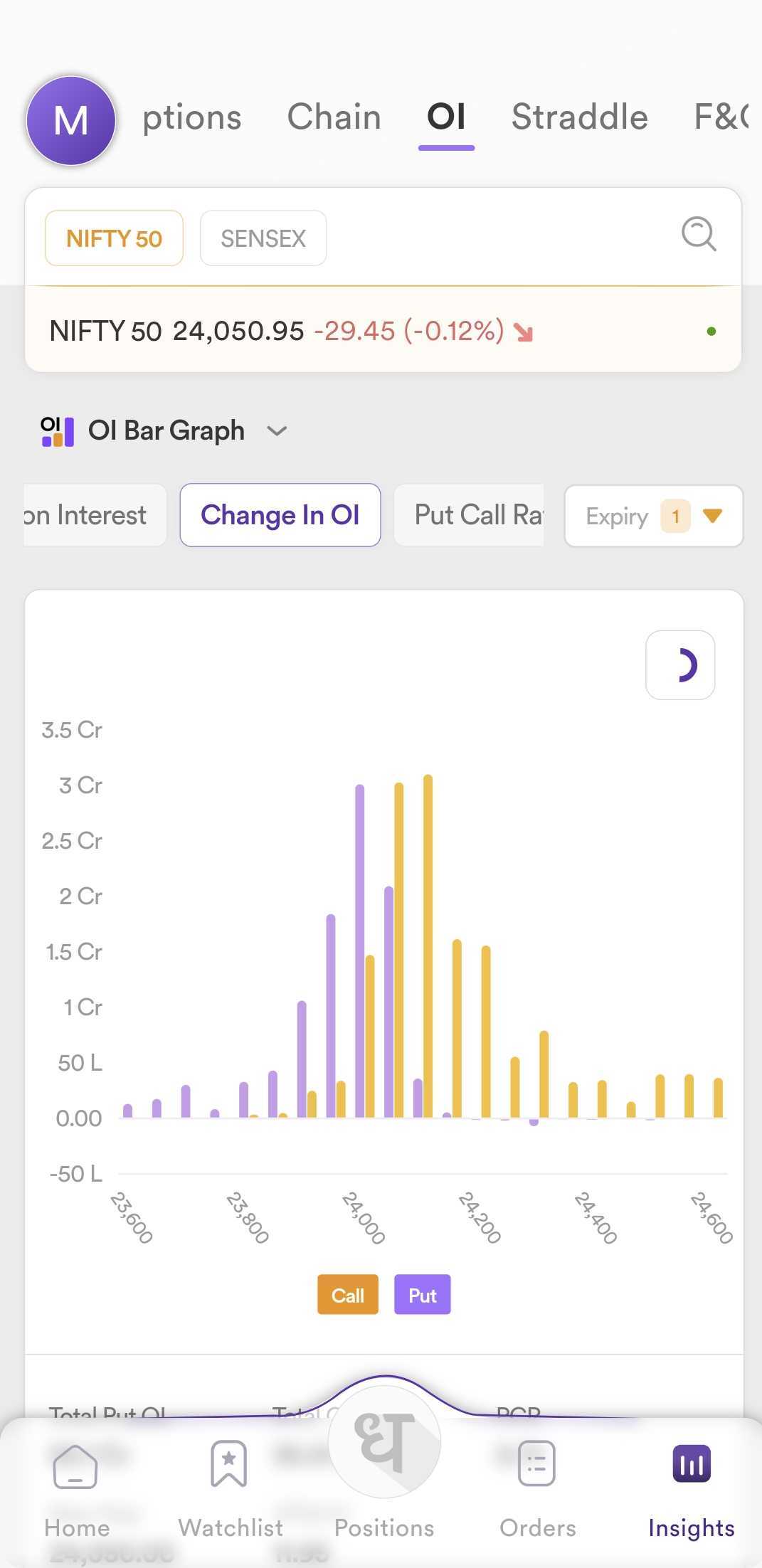
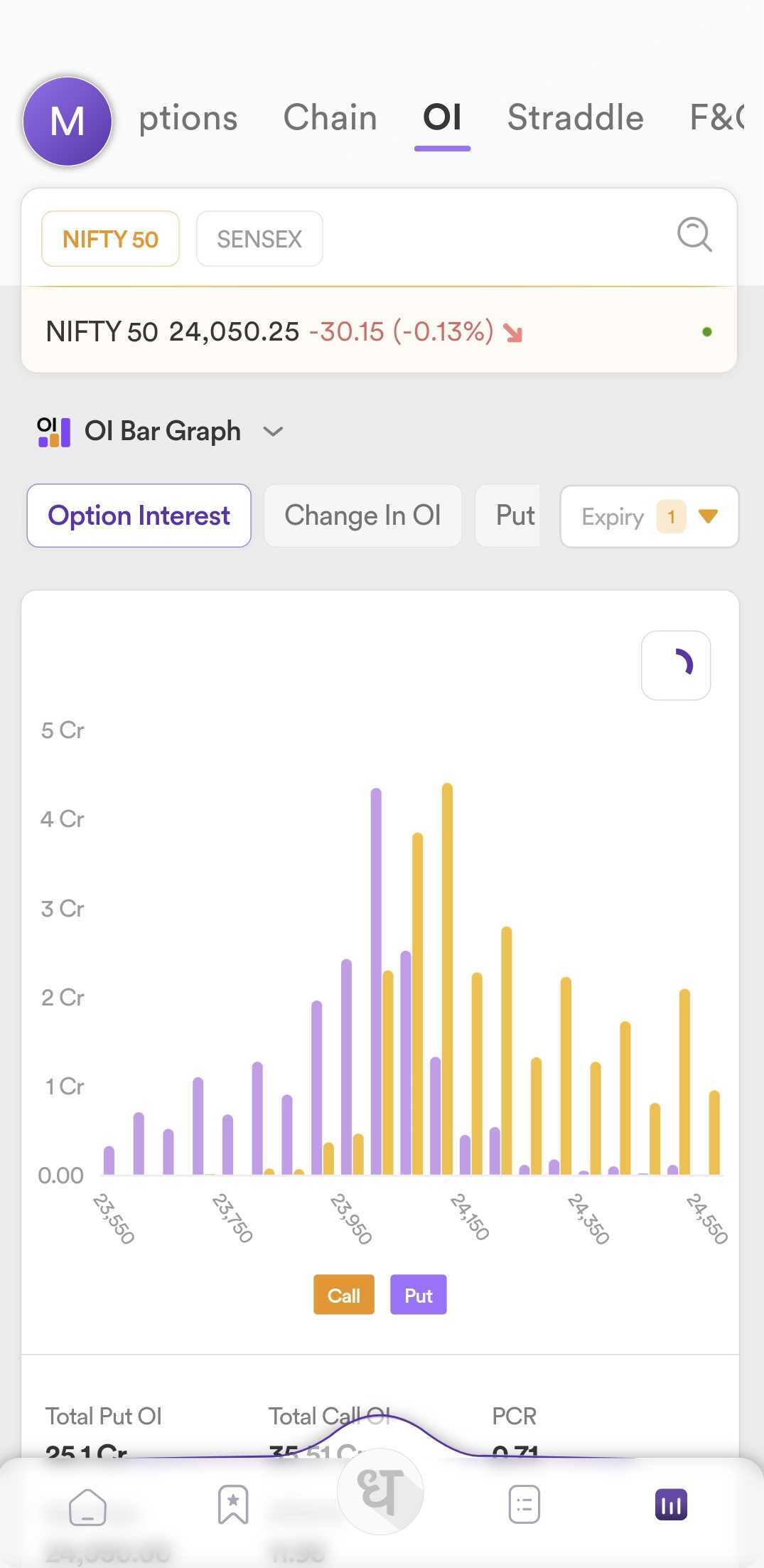
For the DEXT OI Graph, we have your feedback.