Question:
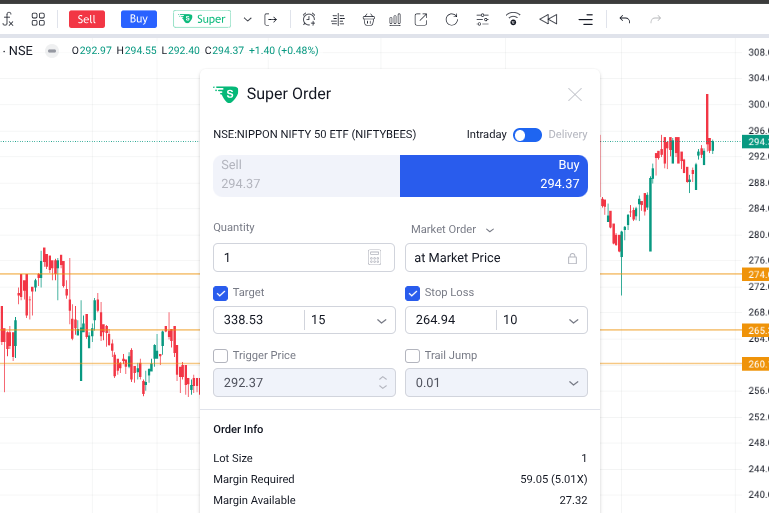
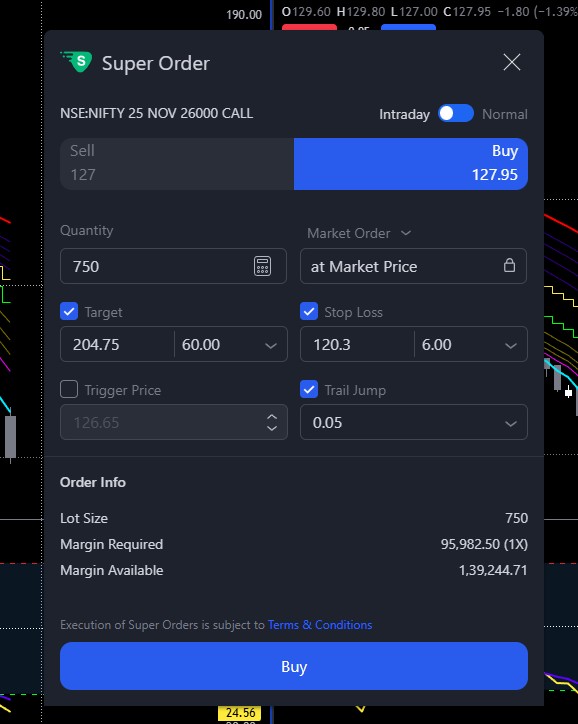
In the Super Order settings, the Trail Jump field allows entering values as low as 0.05, as shown in the attached screenshot. I want to confirm whether the trailing stop actually updates at such a small increment (0.05), or if there is a minimum practical trailing value enforced by the system or exchange.
If the trailing feature does not work effectively at decimal values this small, could you please add a save pre-set option so we can store commonly used trailing jump values (e.g., ₹1, ₹2, ₹5, etc.) instead of manually entering them every time?
Hi @Seema_Singh, yes, the Trail Jump does work with increments as small as 0.05.
Also, preset Trail Jump values like 1 and 2 are already available on both the app and web platforms.
Hi @Mohseen_Usmani, thanks for the update. I understand that at the moment we cannot save the Super Order TSL value. Since many users use the same Trail Jump values repeatedly, could you please consider adding a save/preset option so we can store our preferred values permanently?
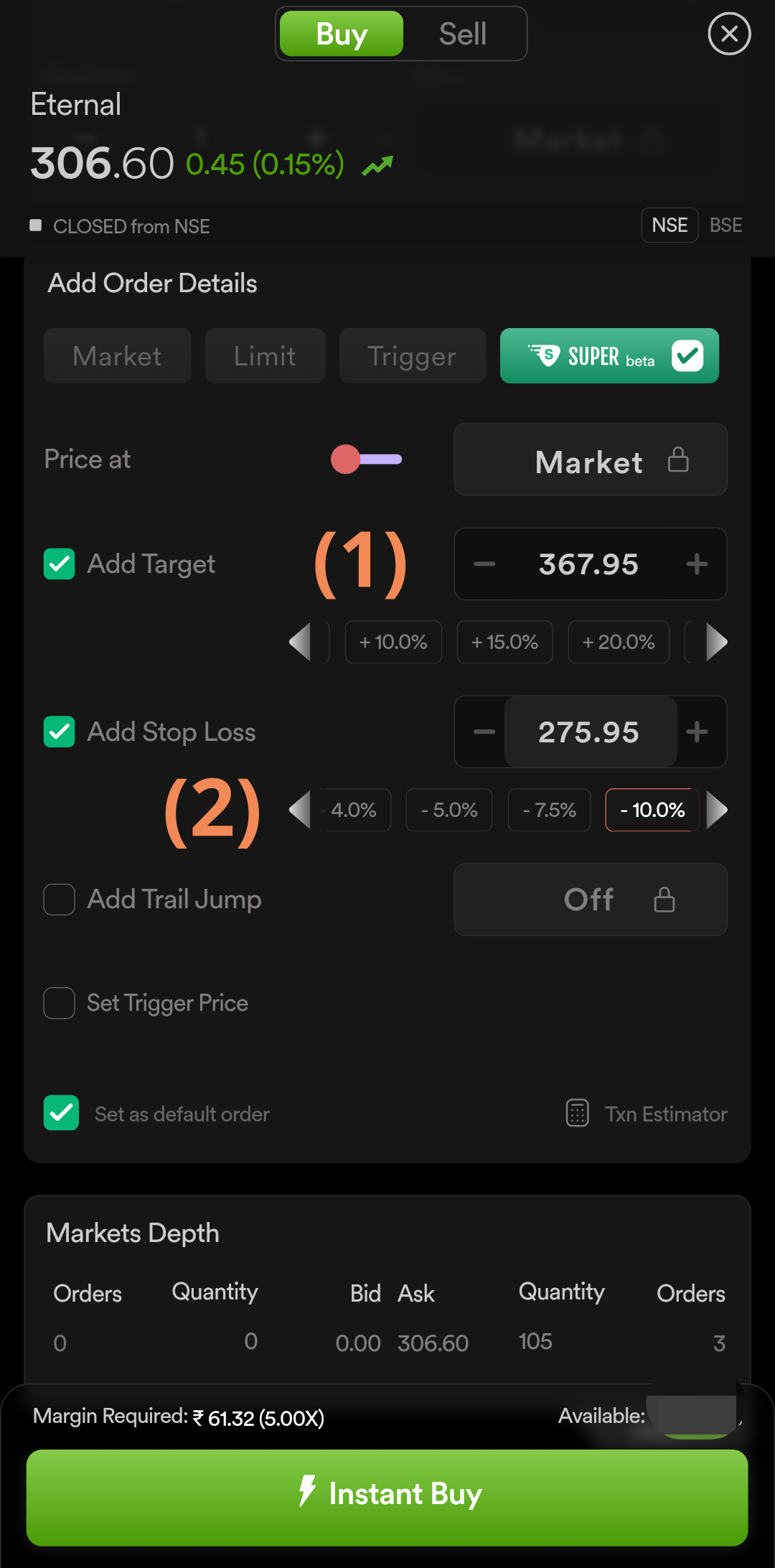
This may sound off the topic, but I have one question regarding *Super Order* as I see the snippet of a super order.
I noticed that the SL & TGT can be set in points or in percentage. But if I set either of one, another doesn’t grey out. It’s little confusing. Is it possible to get it rectified?
Hi @khulsat , we have checked this on our end it seems you have used the arrow buttons > which is the reason for showing grey as its not showing the selected/highlighted percent by default.
For Tv.dhan.co we have dedicated super order placement window where you can select target and stoploss in percentage. image below for reference.
why dont you integrate the MTF priducr in tradingview.com there are only 2 typpes available to trade intraday and carry forward. i am not able to use it for mtf where broker fyers is giving such updates regularly.
Order window on app is perfectly fine. If the % is greyed out, it is understood that the TP & SL are manually set.
That’s not the case with tv.dhan order window. It is confusing as one cannot understand whether TP/SL is custom defined or is in %. Similar to app order window, if I set TP/SL manually, % box should grey out.
@khulsat In tv.dhan.co, it’s an auto calculate on both sides i.e. value to % and % to value. Hence if you change any, the other gets auto calculated and vice versa which in itself is a neat feature. The app has predefined % and the auto calculate is only one way i.e. % to value. If you change the value, there is no way to recalculate the % and hence it’s greyed out.
Nonetheless, there is a need for uniformity and I really pray that it’s done soon for almost all features in the app and web.

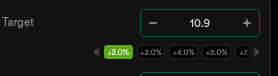 arrow buttons >
 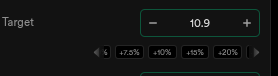 which is the reason for showing grey as its not showing the selected/highlighted percent by default.