Hi, I noticed a discrepancy between chart on app vs desktop. I opened the same layout and same set of indicators. On desktop, one can notice that the Supertrend is red as it changed at 1:15pm yesterday (July 2nd). However, on mobile, the Supertrend continues to be green from yesterday. Sharing the screenshots taken few seconds apart.
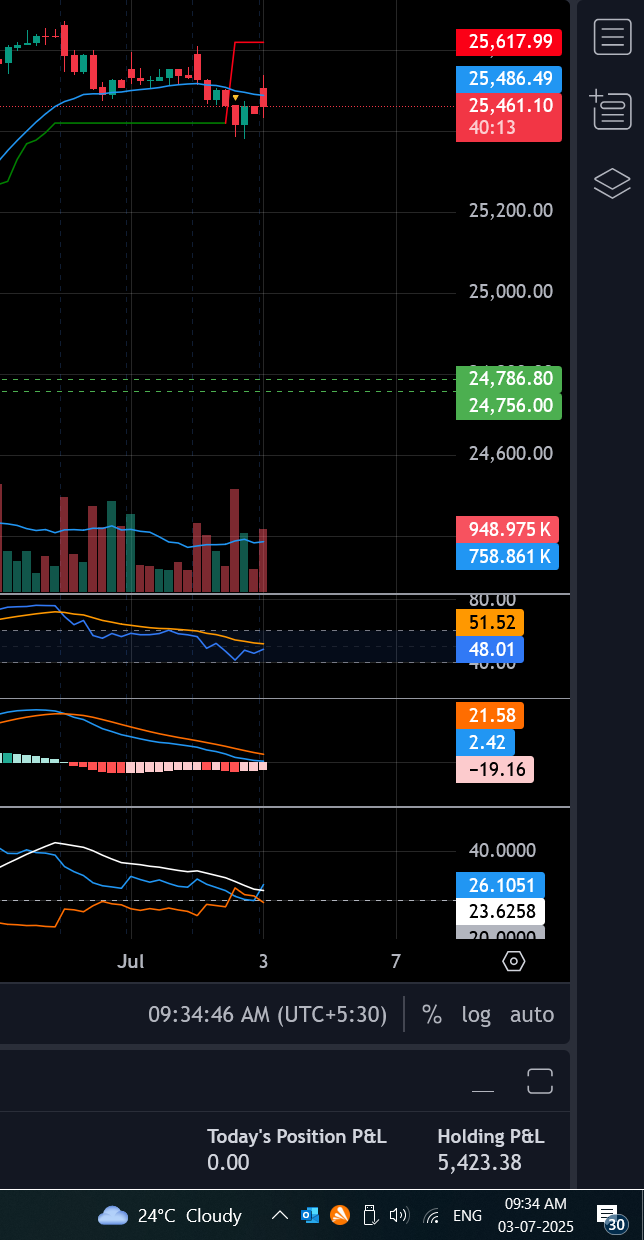
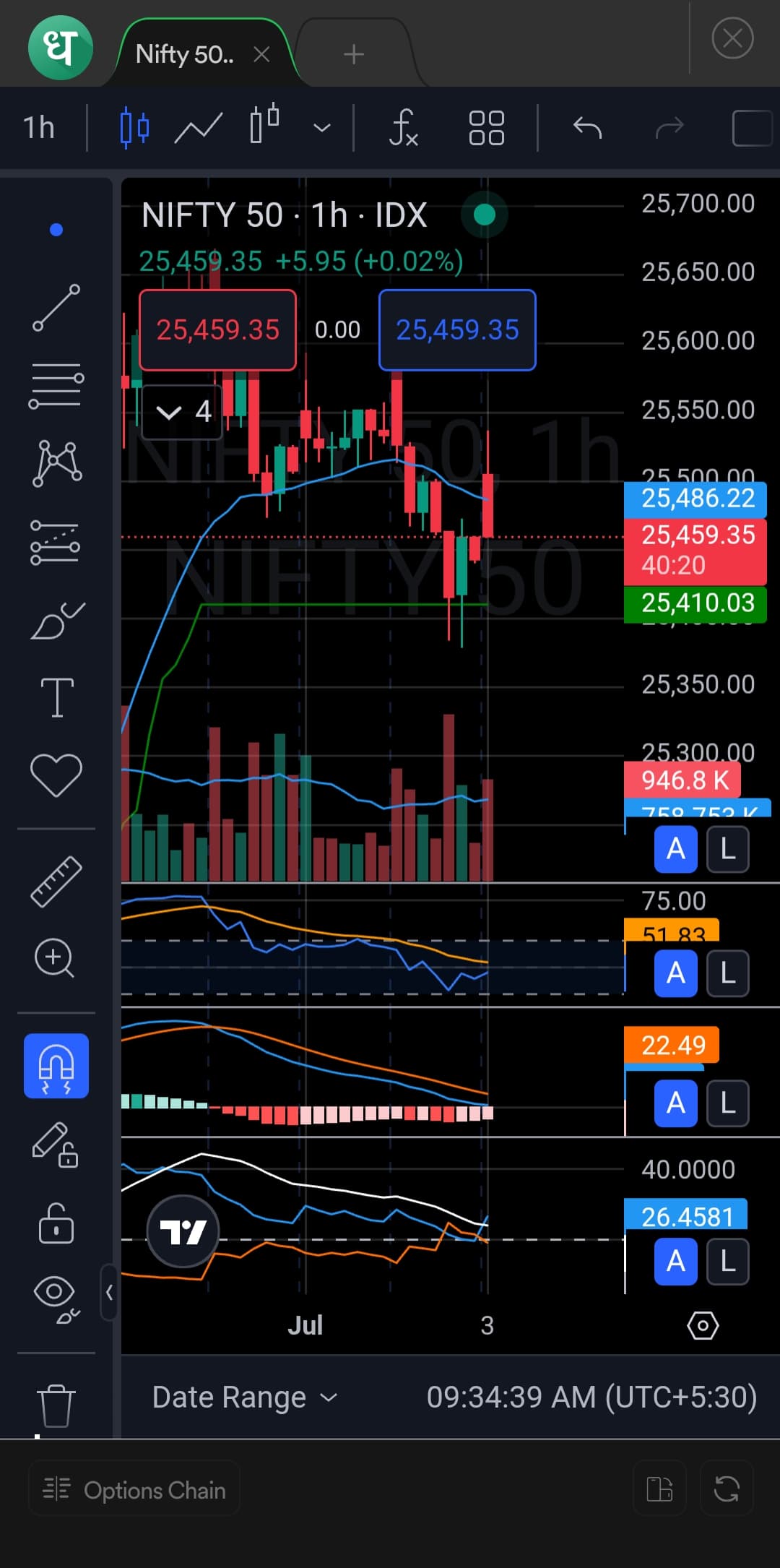
@SKumar On the mobile, you will need to zoom out so that the indicators like SuperTrend, Anchored Vwap adjust properly, and then zoom in. Probably this is happening because the mobile app cannot load the same data as the web.
I tried zoom in and out and then refreshing the chart a few times. I even force closed the app and tried but Supertrend was still incorrect.
Incidental finding while on the call with Dhan customer care - the Nifty 9.15 candle was rendering on phone as a long legged doji instead of a hammer. This resolved on force close and reopen though and I forgot to take a screenshot.
Hi @SKumar It’s important to understand how charts work behind the scenes, the charting product is just a canvas on which data is being rendered based on what is being streamed directly from exchanges.
Exchanges transmit data from multiple servers across multiple locations. The candle that is being rendered can update in the time frames based on the ticks we get from exchanges.
We introduced candle-stick autodetector on Dhan Charts, you will see here that it tries to predict the candle based on data we have received from exchanges and in many cases once full timeframe data is available - the pattern can be analysed exactly post that. https://private-poc.madefortrade.in/t/introducing-auto-detection-of-candlestick-patterns-on-dhan-charts/38491
Also review how Charting products work in this post below-
@PravinJ, I believe the problem is the discrepancy between what is shown on the web app and the mobile app. Both should show the same, considering both use the same backend, which ideally should have the same auto-detection feature. What I have observed is that the LTP is correct, but the candle formation and the indicators are different compared to the web app.
Hi @PravinJ Will go through this in detail for better understanding.
However, the hourly candle (9.15-10.15) should not have such a big difference between mob vs desktop even 20 minutes after candle close. And the Supertrend issue persisted even after 3 hourly candle closes and into the next day. It did look resolved when I checked at 12pm.
Sure, our CS team will connect with you along with engineering team and understand with you. @Snehal_Barot
Hi @SKumar as observed during the Google Meet session, the details are now reflecting correctly on the app as well after zooming in and out on the chart.
If you have any further queries or need assistance, please feel free to reach out to us at help@dhan.co We are here to help.
Hi Snehal. Just to be be clear.
The original issue was not reproducible during the call as had resolved by itself around noon. We are not clear on how this resolved but can confirm zooming in and out had not resolved it.
On the call, we noticed a different issue where the indicator which was red was extended backwards and the green>red flip that happened yesterday was not evident. This issue appeared to resolve by zooming in and out. This is a workaround to a bug and not a solution in itself. The chart should render correctly. The bug still needs to be fixed.