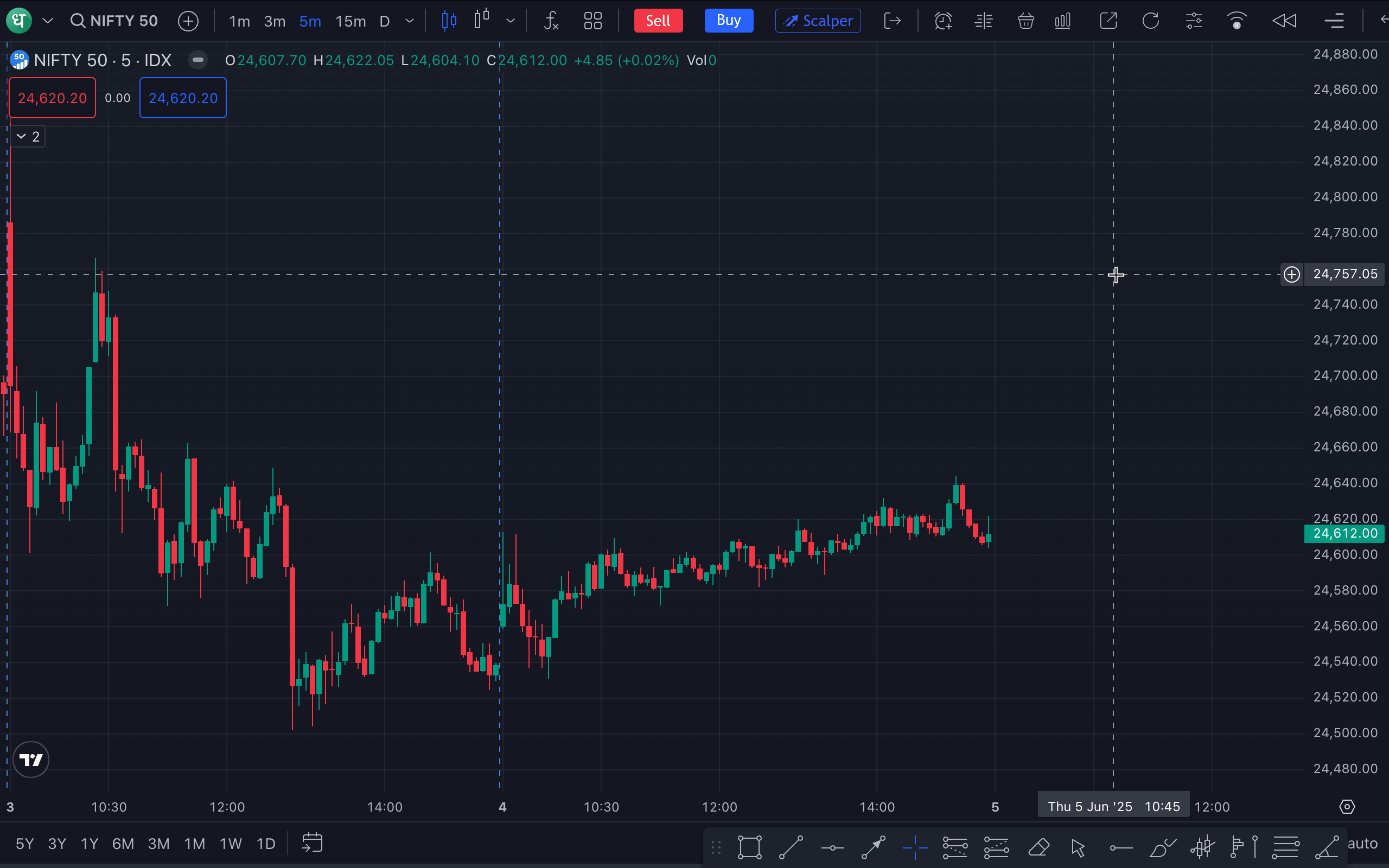
Is it possible to have a view where there is just the chart, no panel at the bottom and no top header? Or is this restricted from TV?
Hi @displayflex
To hide the trading panel on charts, you can switch to full-screen mode by pressing Shift + F while viewing the chart. Please note that a few essential elements like the script name and some tools at the top will remain visible, as they’re part of the default layout and cannot be removed.
Alternatively, you can explore the chart using this link: Dhan Web Chart. It offers a simpler interface with fewer tools, which might feel more comfortable to navigate. For an even simpler view, you can also click the small arrow to hide the drawing toolbar.
Hi Siyanka if u can go through Stock Future charts on daily basis than u can check over there in current year data & chart as well as past few years data & chart are not updated for Eg HDFC Bank, Reliance, TCS, Infy, ONGC like this many more if someone is doing analysis on Higher Time frame than his reading will get wrong even he/she cannot even apply any tool also proper u can compare with Tradingview Charts of Premium version for clarity. Will be waiting for ur Reply on this.
Hey @hpatel283,
Just replied to you here : https://private-poc.madefortrade.in/t/trading-view-chart-not-updated/57865
Hi Dear Rahul Deshpande this is Hiral Patel Here
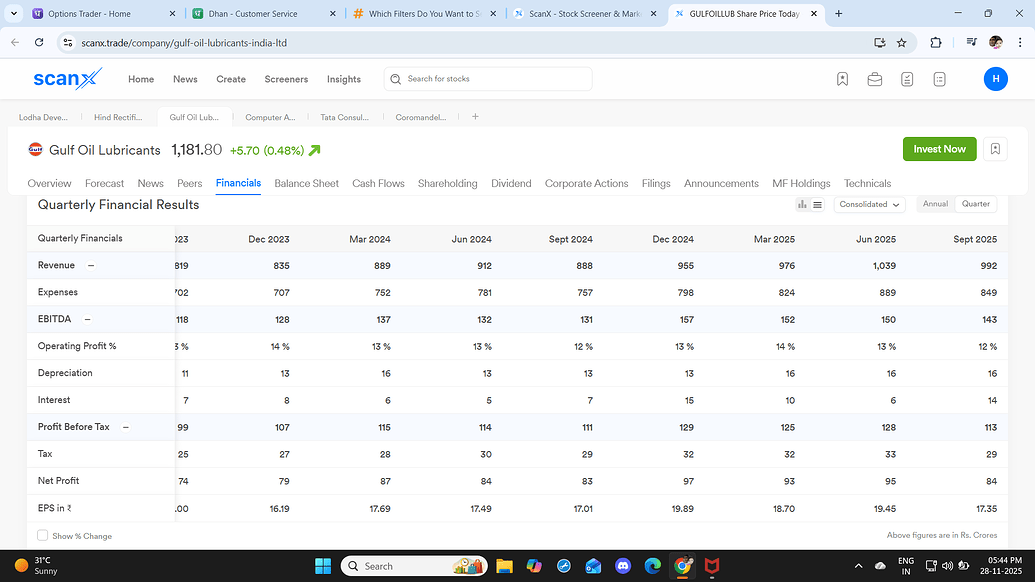
Im one of the Client im been facing certain issue on scanx while accessing the fundamental data like Qtrly Results or Annually Results of any Stock to see the past data in ur column there not at all a scroll button to do left or Right side & im using a seperate USB Mouse to access the data in better way but as off now currently no scroll button available there for that u can see the below attached image u can chk it. Will be waiting for ur reply on this part Even apart from this need PE ratio Chart in the same flow of the fundamental data for ur reference chk the below 2 image one of ur Scanx & other one of Screener.in
Hi Madiya Plz can u resolve my query since 5 its been 5 days i have post my query to Mr Rahul Despande but didn’t got any reply from him. to understand more in proper way u can call me
Regards Hiral Patel
1 Like
Dear Rahul Deshpande follow to continue message
on this part Even apart from this need PE ratio Chart in the same flow of the fundamental data for ur reference chk the below 2 image one of ur Scanx & other one of Screener.in Similar way this also Query if u can resolved it
Regards
Hiral Patel
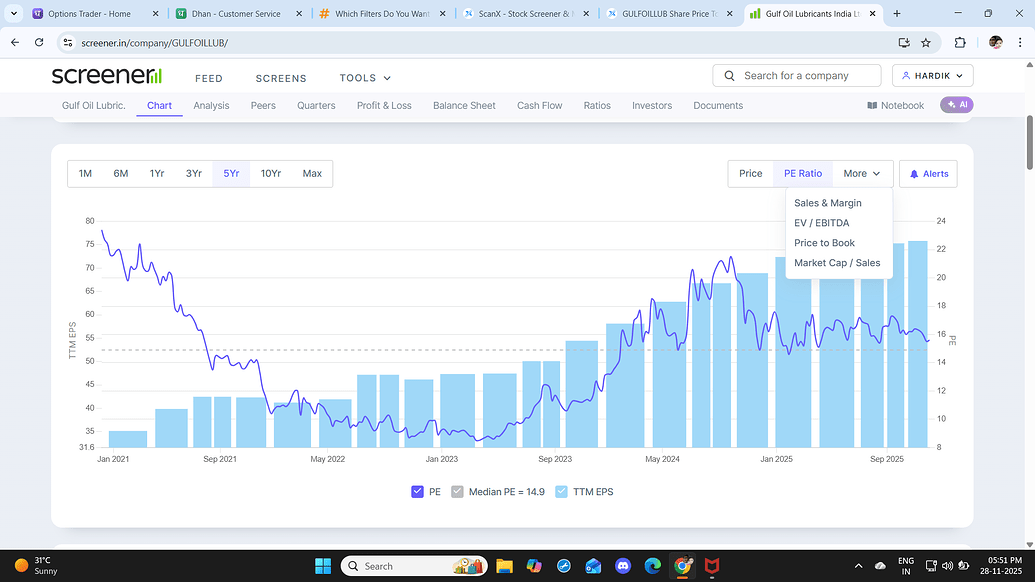
Hey @hpatel283, Thanks for sharing this with us. We’ve noted your feedback on the scrolling experience in ScanX, as well as your request for a PE ratio chart.