When we open a screener we have a option to manage columns,
in that if sector and industy can be added it would be great,
so beside name of the stock if we place sector or industry it would be easy to check stocks from which sector are moving
its kind of already there in the list but it doesnt work
Hii @SONU3 ,you can easily select both the Industry and Sector directly from the Create Screener section. We’ve also attached a screenshot for your reference, which shows how you can add it using the Add Filter option.
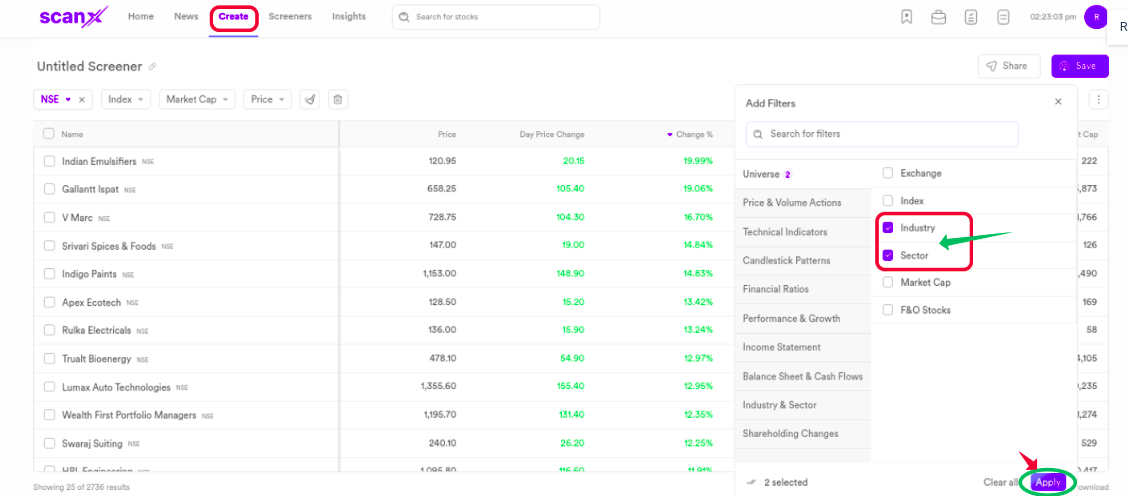
We have noted your suggestion about displaying the industry or sector name beside the stock name and have shared your feedback with our team for review and consideration.
thx for the quick response i am saying about manage columns if we could add it would be great
pls check sreenshot for reference
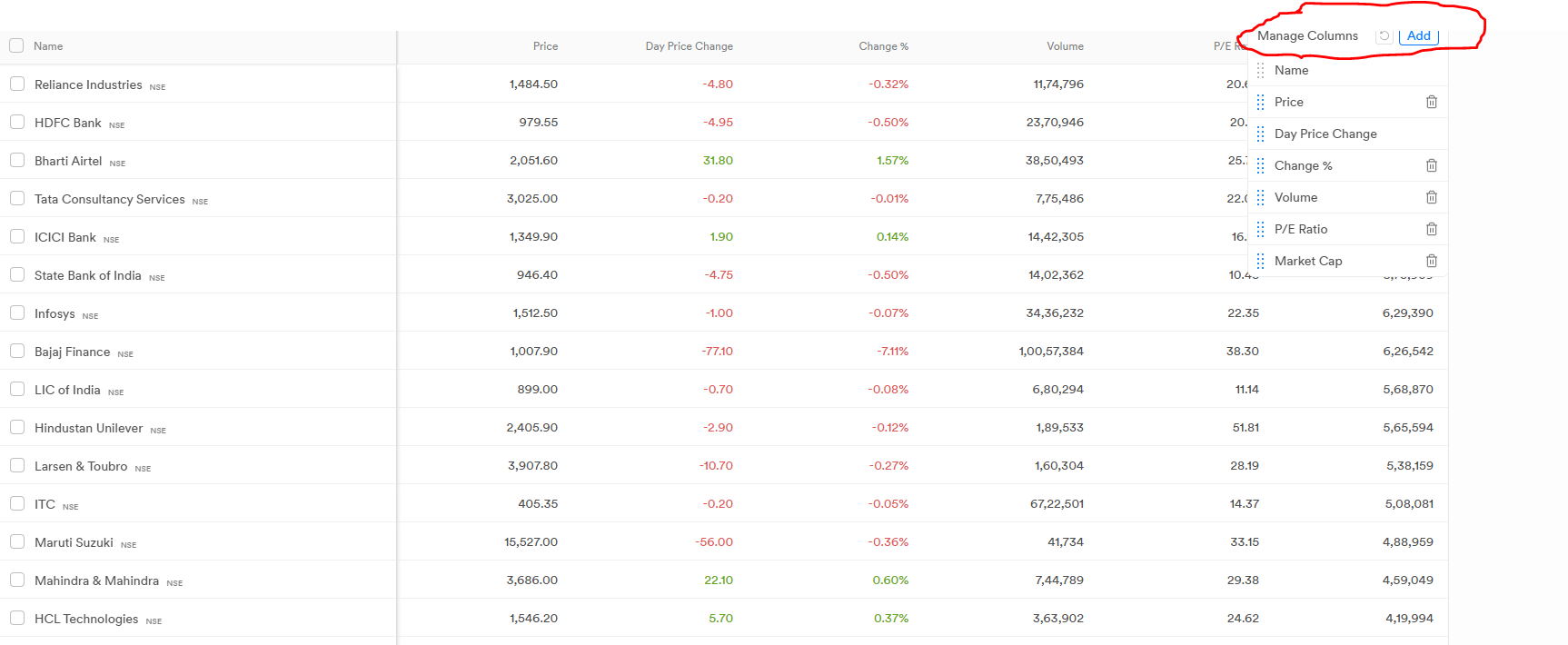
Hi @SONU3, thank you for sharing your valuable feedback about adding the Industry and Sector options in the Manage Columns section. We truly appreciate your suggestion and have shared it with our team for review and consideration.
1 Like
any update?