Alerts are already in WIP, they will be coming soon on DEXT T3 
Hi Team,
The vision of making the best for traders is appreciated. few points i have to submit regarding upward:
- colour sync with one chart is working perfect but when i place 6 to 8 chart with different stock scripts order entry window should be changed according to stock name.
- drag & drop feature will be ice on cake from watchlist.
- idea of SL amount on chart and TP before execution of order like exness experience after we need to only execute the order.
- watchlist strength at least 2000 so that no need make multiple list
- in watchlist should have section break so that can arrange stocks according to sector
- colour code in watchlist also make our platform unique
I hope you will take these point positively.
Regards
Sunil Sharma
@Trade_Sadhana Both the feedbacks are taken, we’ll be working on them. Thanks for suggesting
@Trade_Sadhana Noted, we’ll check this issue.
@thetribaltrader Thanks for your valuable feedback we will be looking into this
Hi @devil_trader Currently, maximum 3 charts can be opened as widgets.
Regarding the market depth, we request you to share specific details or a screenshot where the full price ladder is not visible, so we can review it at our end.
You can share the details via DM or email us at help@dhan.co, and will assist you further.
Tried DEXT T3 on Chrome, couple of issues
- Charts need a refresh button, like there is refresh in tv.dhan.co
- Option Chain does not remember my column selection after I refresh the browser tab
- How to go left and right on the option chain if its in a small size window, there is no scroll bar.
- There should be some keyboard shortcut to maximize and restrore a widget.
- Some aggregate information like ATM IV, IV % Change, PCR, Max Pain etc on Option Chain widget will be usefull.
Hi @rohanm7 welcome to MadeForTrade community!
To switch to chart from watchlist, simply right-click and select “Chart.” Alternatively, you can try syncing the color of your watchlist with your chart.
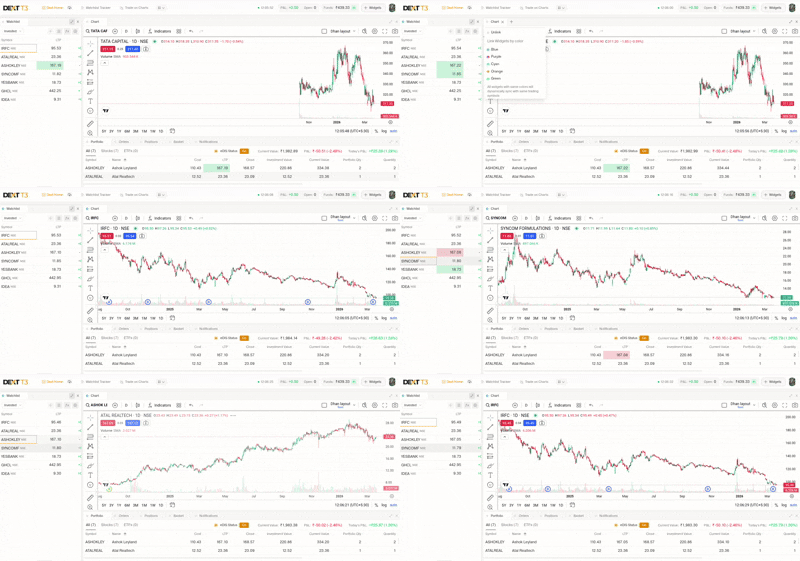
We’ve also noted your feedback to import TradingView chart settings from web version. Additionally, we have plans to introduce the margin calculator very soon.
Hi @Sudipta_Ukil welcome to MadeForTrade community!
We’ve noted your requirement on OI profile and will share it with our team for consideration in future updates.
1 Like
Hi @ksannamayya Thanks for your suggestion. We understand the requirement for Forever order and will consider it for future updates.
1 Like
@Amit_Jaiswal Thanks for your valuable feedback, we truly appreciate it. Since this is just the first version, we’ll be working on your inputs and continuously improving, so keep the feedback coming.
Glad you liked it 
1 Like
@magicpoison Your feedback has been added to our sheet, thanks a lot for suggesting and using DEXT T3
1 Like
Feedback taken, thank you so for suggesting these. We’ll be taking them seriously and work upon them
@thetribaltrader You’re on Tv.dhan.co try out dext.dhan.co and there you can create multiple layouts
@rajeevuv Thanks a lot for your feedback we’ll take it into consideration
Hi @JP_Misra
Thanks for your suggestion, noted your feedback on adding a refresh button, remembering Option Chain column settings, keyboard shortcuts for widgets, and to show aggregate data.
Moreover, you can navigate the option chain horizontally by holding the Shift key and scrolling with your mouse. On a laptop, simply swipe left or right on the trackpad.
@pavinjoseph Can you please share your IP address?
1 Like
Alerts are being developed, we do have an option to change font size in settings, rest of the feedbacks will be taken into consideration. Thanks a lot for suggesting
1 Like
Correct @DSingh , here are the other differences:
App-based (desktop) → Faster, smoother, lower latency. Uses your system resources directly → better for active/serious trading.
Web-based → More convenient, runs in browser, no install needed—but slightly higher latency and depends on browser performance.
1 Like