Hello Traders! 
At Dhan, we’ve always built for traders who demand more, which is why we launched our trading terminal - DEXT T3, which is built on top of our proprietary trading engine DEXT.
DEXT T3 gives you - More speed. More clarity. More control.
All of us at Dhan believe in improving your trading & investing experience every day. The same philosophy we extend to our DEXT T3 trading terminal, and with that, we are bringing one of the most liked features from the Dhan ecosystem to DEXT T3 - Custom Strategy Builder.
Introducing - Custom Strategy Builder is now live on DEXT T3!
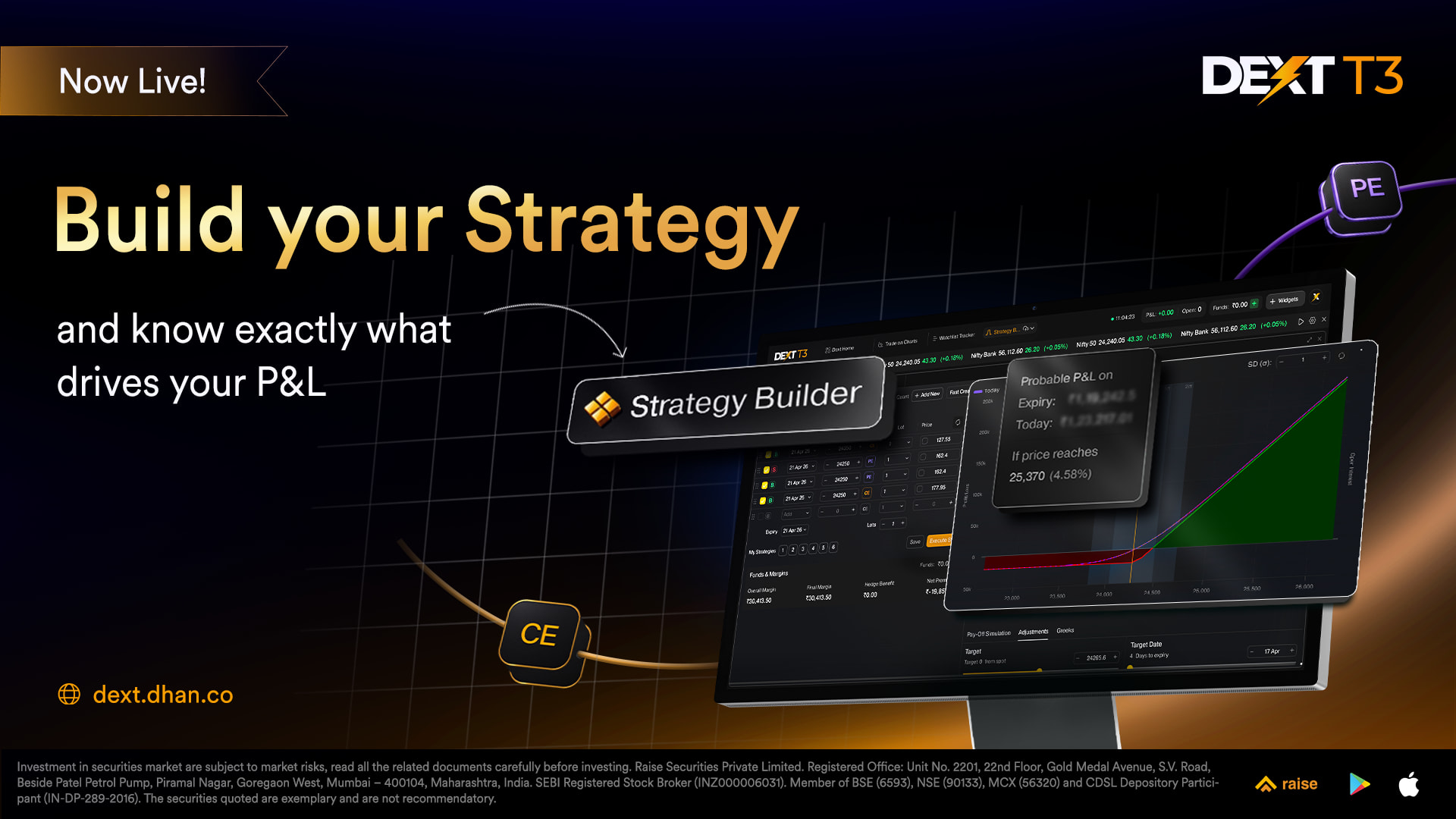
And this time, we are not just introducing the Strategy Builder on DEXT, we are also making it better by introducing something that no other platform has given you before - P&L Breakdown.
First, the Problem Worth Solving
Options trading is not just about picking a direction. It’s about constructing a view - across strikes, expiries, and legs - and then managing that position as the market moves.
The real pain? That whole process has always been scattered.
You’re switching between your terminal and another platform to build the strategy. You’re eyeballing a payoff graph on one screen while your charts are on another. You execute - and then the real mystery begins. Your strategy is up by say, ₹4,200. But why? Was it the move in Nifty? Was it Theta doing its thing overnight? Was it a volatility crush? You don’t really know. You just know the number.
We built the all-new trading terminal to give you full control, which basically means we reduce the information gaps, keep you well updated, and that’s what the Strategy Builder on DEXT T3 does.
Strategy Builder - Now a Widget on your DEXT T3 Workspace
Strategy Builder has been a flagship feature on Options Trader Web and the Options Trader App. Thousands of you have used it to build, visualise, and execute multi-leg strategies. Now it lives inside DEXT T3 as a fully dockable widget - right next to your charts, option chain, and positions. No switching platforms. No breaking your flow.
Here’s what you get:
● Build any strategy from scratch: Add legs from a compact F&O chain, set your strike, expiry, transaction type, lots, and price. Drag and drop to reorder legs - your orders execute in the exact sequence you set.
● Fast Create with pre-built strategies: Pre-built strategies loaded in one click with max profit, max loss, and breakeven already computed.
● Live Payoff Graph: Three lines tell you everything: the Expiry Line (P&L at expiry), Today Line (estimated P&L today), and Target Line (estimated P&L on any date you choose). All plotted in real time as you build.
● OI Bar Charts on the Payoff Graph: See Call and Put Open Interest at every strike, plus Change in OI, layered right over your payoff. Context and strategy in one view.
● Adjust IV: Tweak implied volatility for the whole strategy or individual legs and see how it changes your payoff. Great for stress-testing before you deploy.
● Margin clarity upfront: Overall Margin, Final Margin, Hedge Benefit, and Net Premium - all shown before you execute. No surprises.
● Strategy Snaps: Save up to 5 multiple states of your strategy in a session. Build variations, save adjustments, and plan hedge legs in advance. All within one workspace.
● Execute all legs together: In just one click, all legs get fired in sequence.
And now - P&L Breakdown. The Feature That Tells You Why You Made or Lost Money.
This is what we’re most excited about. And this is exclusive to Strategy Builder on DEXT T3.
Most traders look at their P&L as one number. But that number is actually made up of multiple forces working simultaneously - the move in spot, time decay, a shift in volatility, and the curvature of your delta. Each Greek is contributing something to that final figure. Until now, you couldn’t see that breakdown without a separate analytics tool.
P&L Breakdown changes that.
Set a Target Price - where you think the underlying will go. Set a Target Date - when you think you’ll get there.
P&L Breakdown then tells you, for that scenario, exactly where your P&L is coming from:
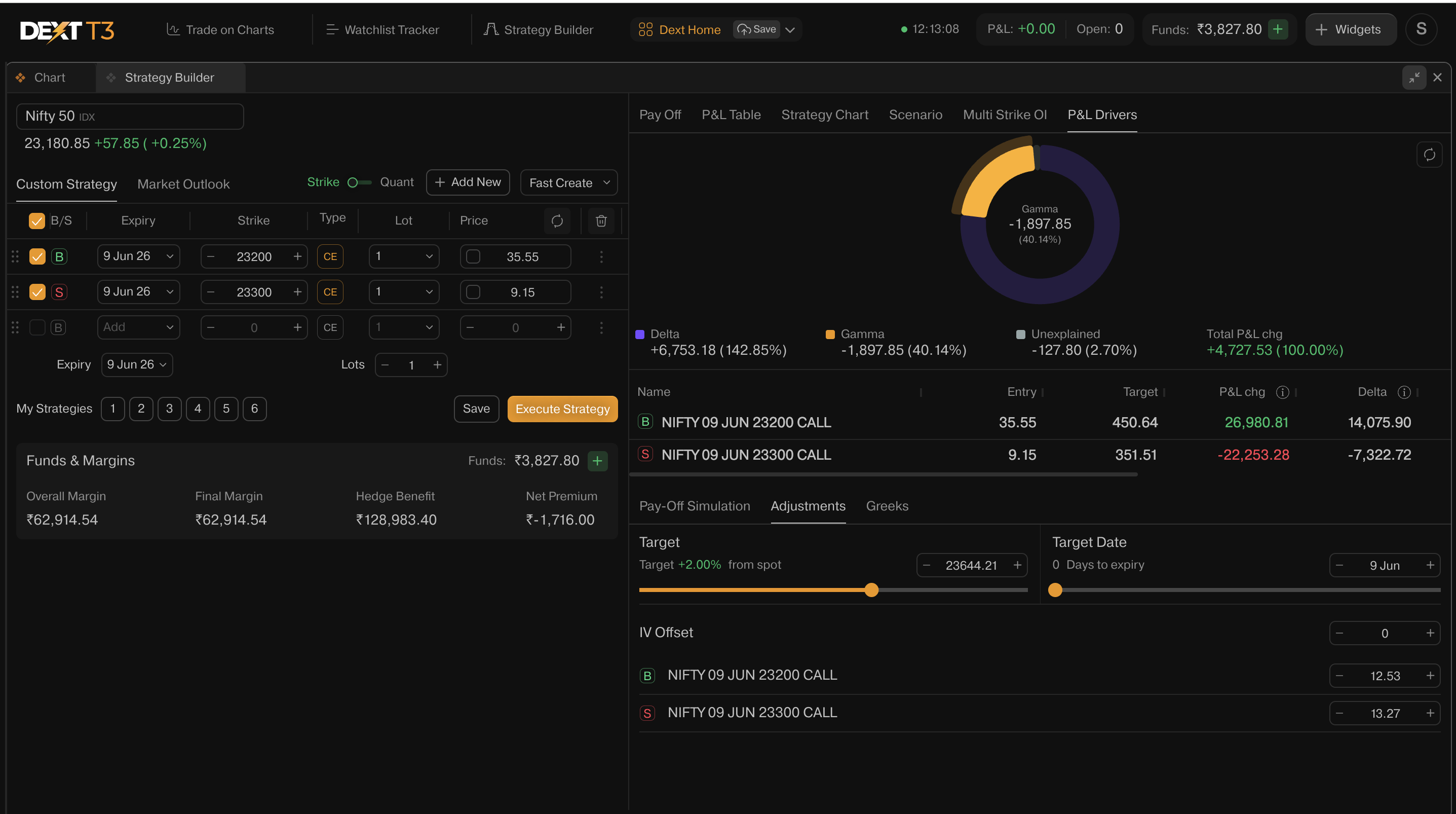
● Delta: how much you made or lost simply because the market moved up or down. If Nifty went from 22,500 to 22,800 and your position benefited - that’s Delta at work.
● Theta: Every day that passes, options lose a little value. Theta tells you how much of your P&L came from time passing - good news if you’re a seller, silent killer if you’re a buyer.
● Gamma: think of it as momentum. When the market starts moving fast, and your profits accelerate beyond what you expected, or losses pile up quicker than they should - that’s Gamma. It tells you how much your position’s sensitivity to the market changed as it moved.
● Vega: options get more expensive when markets are nervous and cheaper when things calm down. Vega tells you how much of your P&L came from that shift in market fear - independent of where the market actually went.
What made me money? Break it down. Now you know - before the trade, not after.
This is the difference between trading a strategy and truly understanding a strategy. P&L Breakdown makes you a sharper options trader - because when you know where your edge comes from, you can manage it better.
We hope you will like the new addition of Strategy Builder on DEXT T3, along with the P&L Breakdown capabilities included with it.
Keep using DEXT T3 for a better trading experience, and share what’s next you would like to see on DEXT.
Happy Trading!
Bhavya

