This one
Use this link,
Also we have upgraded from python 3.8 to python 3.12 files for which are in this link
Also do watch this video for the updated codebase usage
1 Like
Hello Imran,
I am currently at the same video. However, to learn Python I previously installed Python 3.13.7 and brackets to write code. And I tried to install the required libraries from the drive link as the post said “We have updated our codebase to align with the latest dhanhq library. To use this version, Python 3.10 or higher is required.”
However, the code is leading to the following error:
"Checking Python version: was
ERROR: Python version mismatch. This wheel requires Python 3.12.x
Waiting for 16 seconds, press a key to continue …"
How should I proceed from here? Can I use the current version and install libraries in a different way? Or should I uninstall and install accordingly to the drive links? I also tried to refer to the link “Dhan-Tradehull 3.2.1”, but dint know, how to proceed from here.
Also, so far, I have used brackets text editor for writing the python code for small projects, should I switch to Sublime Text?
Thank you.
Hi @vishnu_kolipaka ,
You can use Python 3.13.7 and install the required libraries accordingly.
Alternatively, refer to the provided link and install Python 3.12 using the .bat file available in the drive.
For writing Python code, you can use either Sublime Text or the Cursor app.
Thanks Imran,
I’m new to installing libraries. Could you share links/steps for required ones with Python 3.13.7?
Will it cause compatibility issues with the YouTube series code?
Better is to uninstall python 3.13.7 as this verison does not support talib library which is necessary for creating indicators. Thus the ERROR: Python version mismatch. This wheel requires Python 3.12.x
Step1 : Uninstall python 3.13.7
Step2: Install python 3.12 with its libraries , for detailed steps see this link
Step3: For IDE with first preference use Cursor it has good AI support.
Let me know if this fixes it
1 Like
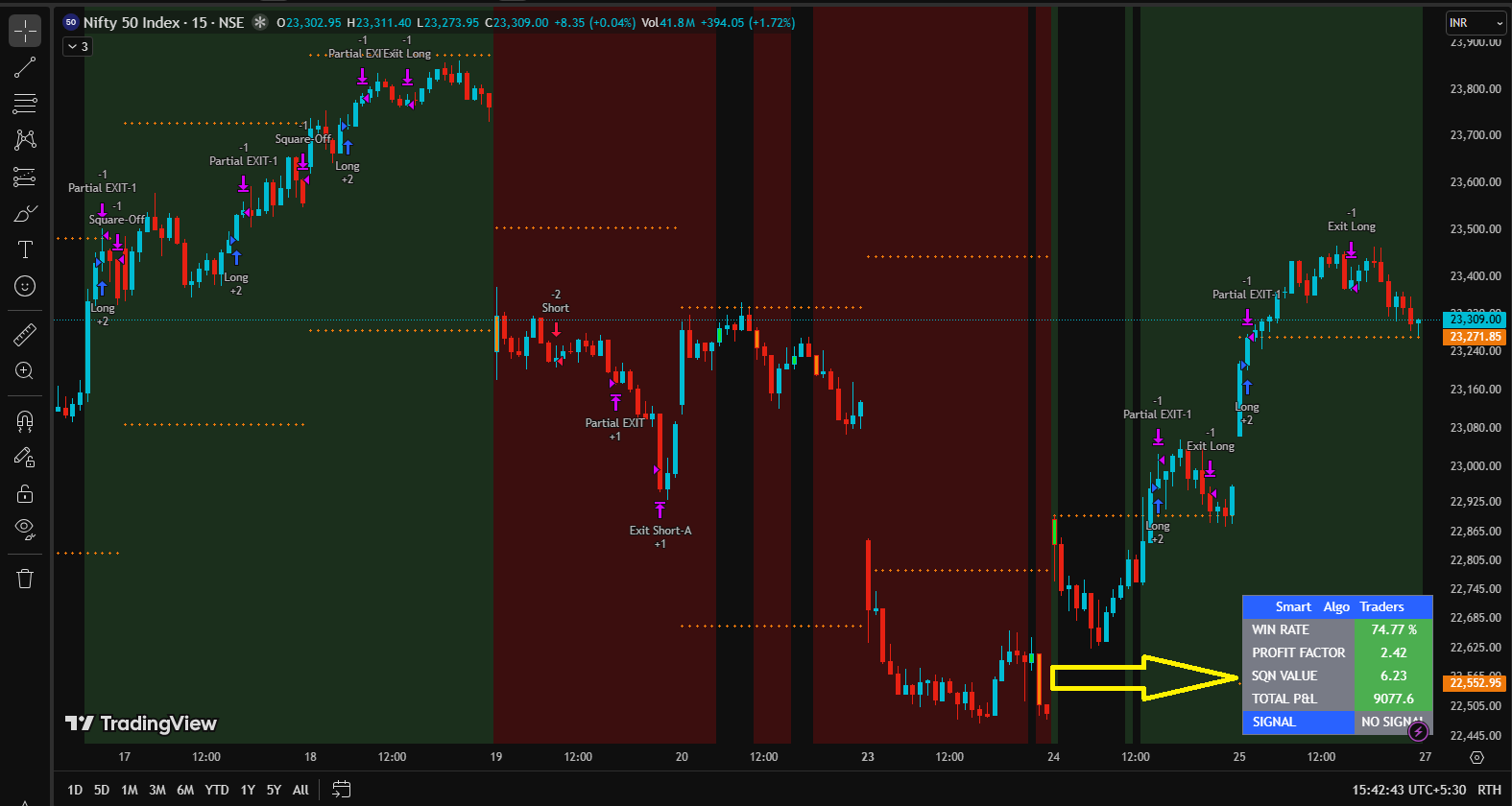
Nifty Midcap Select
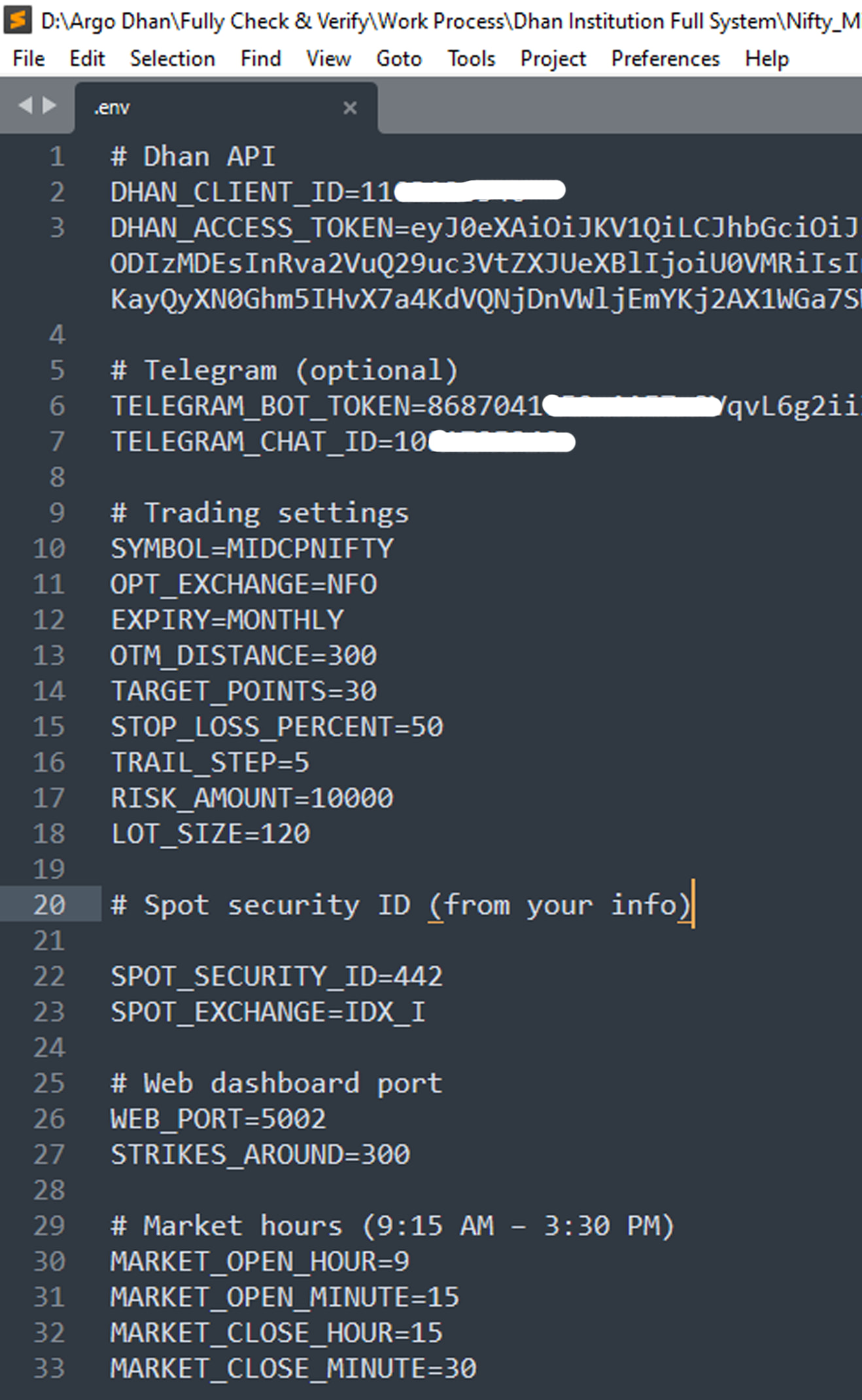
SYMBOL=MIDCPNIFTY
OPT_EXCHANGE=NFO
EXPIRY=MONTHLY
LOT_SIZE=120
SPOT_EXCHANGE=IDX_I
SPOT_SECURITY_ID= ?
MIDCPNIFTY SECURITY ID = ?
MIDCPNIFTY SECURITY ID = Not show
\Nifty_Midcap_v1>PY main.py2026-03-27 19:15:31,068 - TradingBot - ERROR - SPOT_SECURITY_ID not set in .env. Cannot fetch spot.2026-03-27 19:15:33,570 - TradingBot - INFO - Starting cycle
Serving Flask app ‘main’
Debug mode: offWARNING: This is a development server. Do not use it in a production deployment. Use a production WSGI server instead.
Running on all addresses (0.0.0.0)
Running on http://127.0.0.1:5002Press CTRL+C to quit2026-03-27 19:15:34,738 - TradingBot - INFO - Bot started. Waiting for market open
@dhanpy Find the “token” id from the csv file and update your .env file with that.
import os
from dotenv import load_dotenv
from dhanhq import dhanhq
from dotenv import load_dotenv
from dhanhq import dhanhq
load_dotenv()
client = dhanhq(os.getenv(“DHAN_CLIENT_ID”), os.getenv(“DHAN_ACCESS_TOKEN”))
Fetch security list for index segment
try:
securities = client.fetch_security_list(“IDX_I”)
Print the first few to see structure
print(“Number of securities:”, len(securities))
Find MIDCPNIFTY
for sec in securities:
if sec.get(“SEM_TRADING_SYMBOL”) == “MIDCPNIFTY”:
print(“Found spot index:”, sec)
print(“Security ID:”, sec.get(“SEM_SMST_SECURITY_ID”))
break
except Exception as e:
print(“Error:”, e)
out put : \Dhan Institution Full System\Nifty_Midcap_v1>py test_option_chain.py
Expiries: {‘status’: ‘failure’, ‘remarks’: {‘error_code’: None, ‘error_type’: None, ‘error_message’: None}, ‘data’: {‘data’: {‘814’: ‘Invalid Request’}, ‘status’: ‘failed’}}
How to view a continuous Gold chart on MCX?
MCX Gold trades in rolling 3-month contracts (Feb → Apr → Jun → Aug), each showing only ~3 months of data with price gaps at expiry — making long-term analysis and backtesting difficult.
Two questions:
1.Continuous chart — Individual contract charts end after 3 months with price gaps. How do I found a single continuous chart showing all historical data without interruptions?
2.Overlapping contracts — If a contract lasts only 3 months, how is the next expiry already visible and tradeable before the current one expires?
can someone help me with below error
(Pdb++) all_ltp_data   = tsl.get_ltp_data(names = ['NIFTY 19 DEC 24000 CALL', 'NIFTY 19 DEC 24000 PUT', "ACC", "CIPLA"])
Exception for instrument name NIFTY 19 DEC 24000 CALL as Check the Tradingsymbol
Exception for instrument name NIFTY 19 DEC 24000 PUT as Check the Tradingsymbol
Exception at calling ltp as {'status': 'failure', 'remarks': {'error_code': None, 'error_type': None, 'error_message': None}, 'data': ''}
(
@yat_2004 NIFTY 19 DEC is incorrect expiry.
i tried with ACC and CIPLA as well it was still failing . just to let you know i am not coding guys so there is a chance i may make silly mistake 
import pdb
import time
import datetime
import traceback
from Dhan_Tradehull import Tradehull
import pandas as pd
from pprint import pprint
import talib

client_code = “xxxxxxx” (removed for security reason )
token_id    = “xxxxxxxx” (removed for security reason)
tsl         = Tradehull(client_code,token_id)

pdb.set_trace()

all_ltp_data   = tsl.get_ltp_data(names = [“ACC”, “CIPLA”])
acc_ltp = all_ltp_data[‘ACC’]
#pe_ltp  = all_ltp_data[‘NIFTY 19 DEC 24000 PUT’]”
==============================================================================
F:\Algo trading Dhan\3.1 Codebase Upgrade\3.1 Codebase Upgrade>py “How to use updated codebase.py”
Codebase Version 3.1.2
-----Logged into Dhan-----
reading existing file all_instrument 2026-03-30.csv
Got the instrument file
[0] > ←[33;01mf:\algo trading dhan\3.1 codebase upgrade\3.1 codebase upgrade\how to use updated codebase.py←[00m(←[36;01m17←[00m)()
→ all_ltp_data   = tsl.get_ltp_data(names = [←[33m"←[39;49;00m←[33mACC←[39;49;00m←[33m"←[39;49;00m, ←[33m"←[39;49;00m←[33mCIPLA←[39;49;00m←[33m"←[39;49;00m])←[90m←[39;49;00m
(Pdb++) all_ltp_data   = tsl.get_ltp_data(names = [“ACC”, “CIPLA”])
Exception at calling ltp as {‘status’: ‘failure’, ‘remarks’: {‘error_code’: None, ‘error_type’: None, ‘error_message’: None}, ‘data’: ‘’}
(Pdb++)
Copy paste your code in “Google AI mode” for quick fixes. Alternatively try official Python sdk here and docs here.
does it require DATA API subscription to get the LTP data or is it only required when we need to get historical data?
Hey @Tradehull_Imran
All API orders must come from a whitelisted static IP. Can you please tell me how to get static IP for AWS and how to setup?