Now Enhanced: Power Scalper gets new additions for Options Traders

Hello Traders,

From interactions with over 40,000+ traders now, at Dhan we understand traders and their requirements to get their trades done.

We found their love for charts, and brought Trade from Charts very early on our journey. Much later, based on our interactions with Scalpers - we introduce, for the first time in India a simplified order execution mode - Scalper for our users, and that too on Charts. These, and many other innovations introduced by Dhan have become market & industry standards that are replicated by almost all players now.

Recently, when we introduced Power Scalper for Option Traders, the idea was simple — bring together speed, precision, and the right set of tools in a single trading view, so you can analyse, execute, and manage positions without breaking your flow. And the response from all of you has been incredible.

Many traders have loved how Power Scalper makes options trading more intuitive with multi-chart layouts, faster execution, built-in position management, and a focused trading interface. But as always, we kept listening closely to your feedback, suggestions, and the many ways in which you wanted to make this experience even better.

So today, we are adding more capabilities to Power Scalper, built directly from what we heard from our users.

Introducing: Power Scalper Enhancements for Option Traders

New OI Analytics right on top of Power Scalper

For options traders, Open Interest is one of the most important layers of market context.

We are now bringing OI Analytics directly on top of Power Scalper. This helps you stay closer to market participation trends and make faster trading decisions with more context in front of you. This includes a much more actionable options snapshot such as PCR, IV, total OI and change OI, strike-wise OI visualisation along with trending options in a single view.

Now you can quickly spot where OI is concentrated, how participation is shifting across strikes, and which contracts are seeing the strongest activity - all without moving away from your trading setup.

OI Analytics

Default Super Order Settings

Another important addition is default Super Order settings.

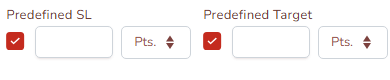
A lot of traders told us that when they enter trades frequently, repeatedly adding target and stop loss each time slows them down. With this update, you can keep your preferred Super Order settings defined by default, so the risk management structure stays ready while placing trades.

SO Preferences

Power Scalper has always been built for speed and faster execution, but speed works best when discipline is built into the flow. This addition helps you act faster while keeping protection and exit planning in place from the start.

Option to Sync Charts inside Layout

Option to Sync inside charts

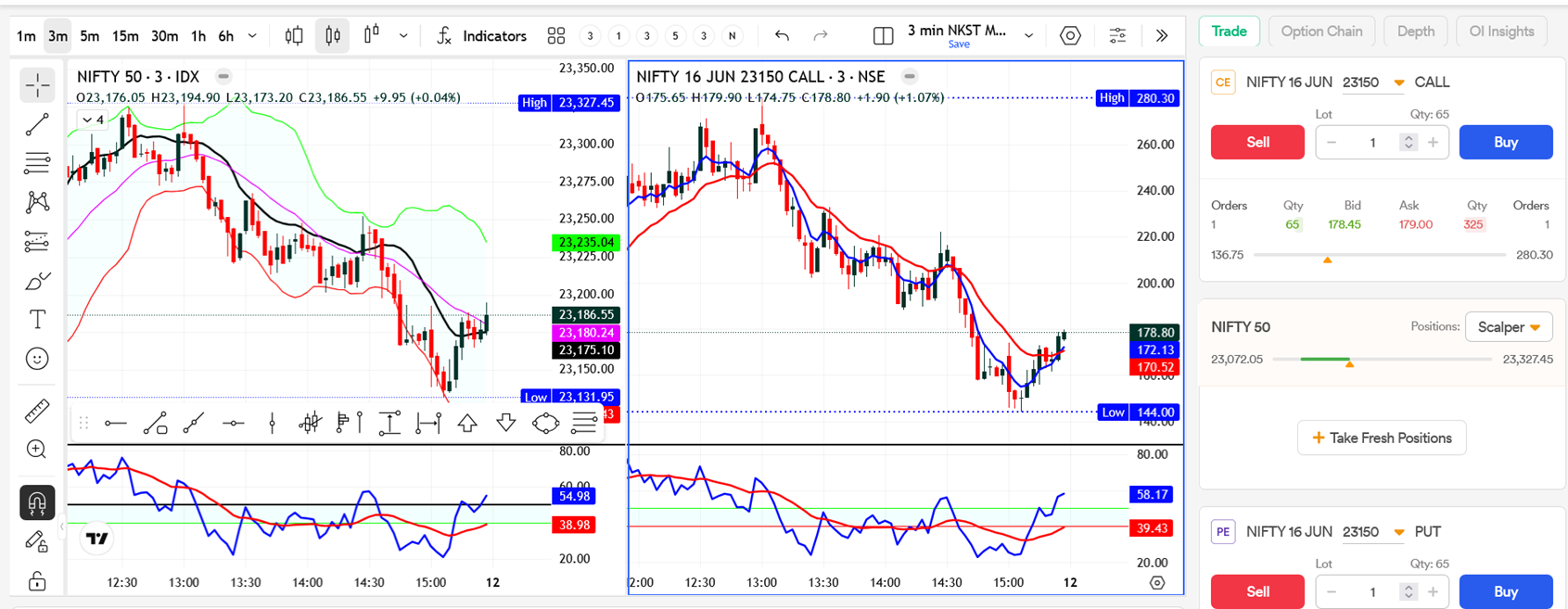
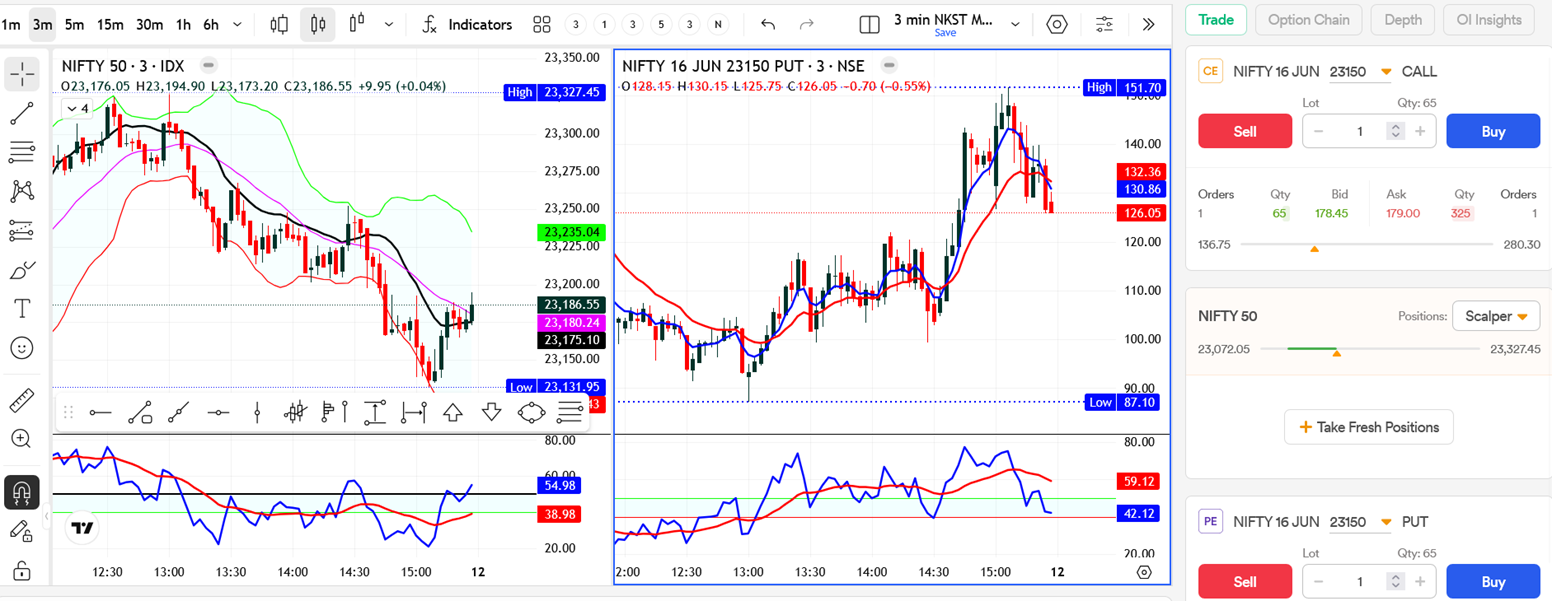
When you are tracking multiple charts together, switching timeframes and keeping the setup aligned should feel seamless. With chart sync inside layout, you can now keep your charts better coordinated while analysing instruments across the same setup. This makes it much easier to monitor price action, contracts, and related views without repeating the same actions on each chart separately.

New Option Chain View

We are also introducing a new Option Chain view inside Power Scalper.

New Option Chain

From the screenshots, you can see that this is not just a simple list of strikes. The new view is designed to make comparison easier with quick toggles for Greeks / Volume / OI, focused filters like High OI and control over how many strikes you want to view

This makes the option chain much more usable when you are actively scanning strikes and deciding which contract to trade. You can stay inside the same Power Scalper setup and move from chart analysis to strike selection much faster.

Along with this, we have added a whole new way to analyse positions right on the scalping view - to filter between Power Scalper positions and overall positions. We have tried to incorporate all the feedback that we received from our users, and ensured your scalping experience stays in your control.

We will keep improving it to make options scalping faster, sharper, and more complete for active traders. Do try these new additions on Power Scalper and tell us what you would like us to build next.

Happy Trading!
Hardik

9 Likes

Instead of profit booking in % wise, I would love to have a profit booking level on Option Strike chart as equal as putting SL level. Where my trade will close automatically (with entry and SL order) once my target is meeting.
Current profit booking system in web platform is not at all user friendly.

1 Like

oi insights are not updating regularly. there is a delay of more than 3 min

Whom so ever has designed that Option Chain’s Layout in Power Scalper Deserves a Proper Appreciation!!:clap:

I Mean, While i am using to having So much Dhan’s Web products having terrible Padding issue in their UI, leaving lot of unusable screen spaces, This Layout that too in that narrow space enables me to choose which Greek I want to track when i want to track it.

Its so refreshing to see such changes..Kudos to the development team, keep it up guys!!!

Why are you not bringing the OHLC columns in the option chain in the dhan platforms? Shared this feedback over a dozen times till now.

Hello @RashmiPrabha @geeta_rathore @sri1647 @Itradetriangles

Can you elaborate more on this. You can set profit/stop loss level on the chart directly.

OI is updated as soon as new OI data is updated from the exchange end. Do note, exchange does not update OI data in real-time and it is updated at random intervals.

Thank you for the kind words. We hope you like the upcoming changes as well on all Dhan platforms.

@sri1647 can you tell us more about how you view this data? Given we already show Open = High and Open = Low insights.

I need days high, days low, previous days close, today’s open values. They help to understand the market sentiment and sometimes to trade better. The tags won’t help much without the values.

For example, days high can act as resistance sometimes, low-high values can give the days range etc.,

The same purpose of OHLC values in the market snapshot.

  • Unit Selection: A simple toggle between [%] and [Points].

  • Global Defaults: Allow users to set a default “Points” value for specific segments (e.g., 10 points for Nifty, 20 points for Bank Nifty).

1 Like

Rather than feeding the quantity, it would be great if you bring a feature like Zerodha’s - Remember F & O feature where it automatically considers my last successful order quantity for that particular instrument.

Noted @sri1647

We already have this under Trader’s control to pre-define quantities and take profit/stop loss percentage under ‘Order Preferences’ section. The reason of not bringing the same here is to keep all things scalping in one single screen, where even managing preferences is super easy.

Noted @AYUSH, will check on this.

1 Like

Hi,

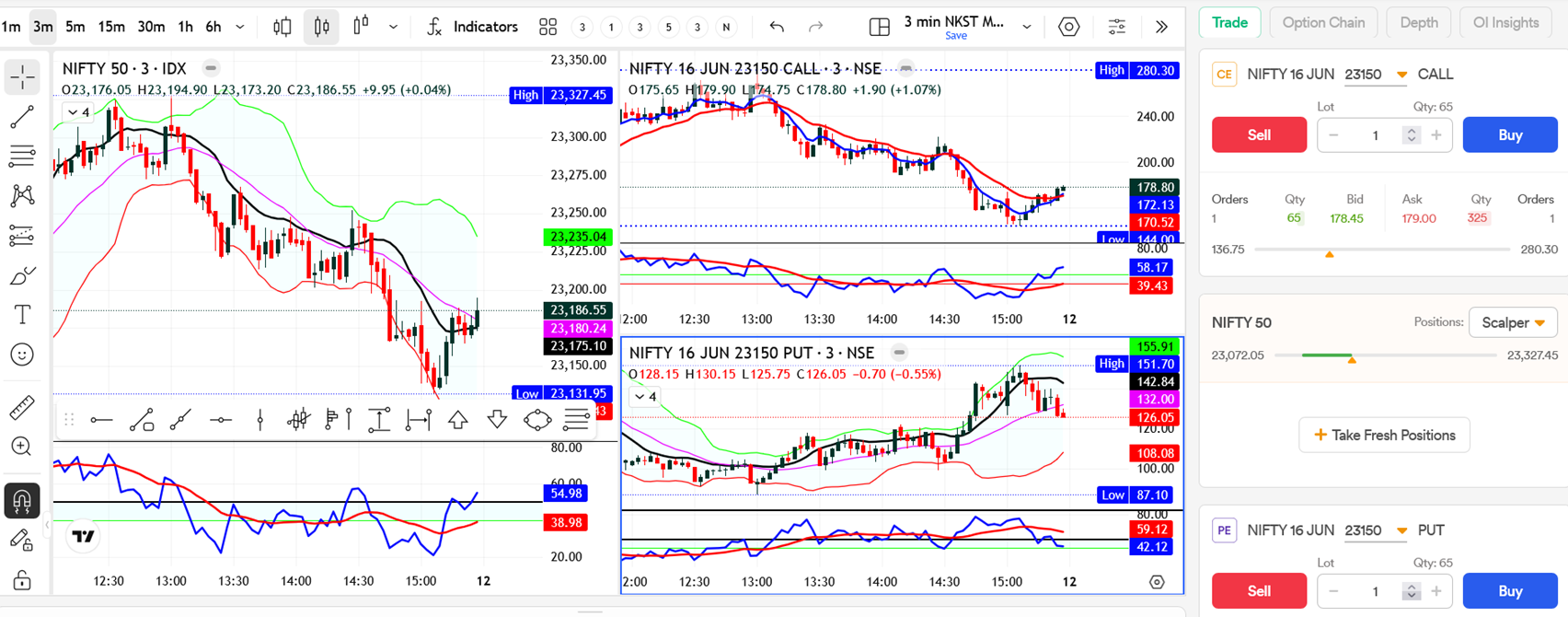
We need default settings for lot size also, for SL and Target please provide point wise along with percentage.

Thanks

Kindly understand the message Hardik.

Even the traders controls - orders preference requires manual setting of the quantity for each instrument. But Zerodha’s Remember f&o feature doesn’t need that. Once we enable the toggle, it automatically remember my previous quantity for that particular instrument and fills it next time. It is more useful than this pre defined quantity feature in cases when the capital changes frequently and thereby the tradeable quantity.

1 Like

@Hardik comments?

This is EPIC!! love this enhancements!

Thank you, @Hardik and the Dhan team! The ability to execute faster scalping trades is something most scalpers truly value. I was pleasantly surprised to see this update—especially since I’ve been requesting for years the option to set both stop loss (SL) and take profit (TP) simultaneously, instead of just one.

With this improvement, I feel much more confident in managing my trades. Going forward, I’d love to see an additional feature that displays risk and reward in actual monetary terms. While some may consider it unnecessary, serious traders would find it extremely useful. It could always be made optional for those who prefer not to use it. Many brokers already offer this, so it would be great to see it implemented here as well.

@sri1647 @thetribaltrader @Raghu_S

Thank you for the kind words and feedback. We will definitely look into improving the default settings - especially for lots, amount wise settings and auto saving of values.

1 Like

Thank you. I look forward to the day when we will be able to see the risk and rewards in actual monetary values. WIth this feature scalpers will know exactly how much they are risking against the reward.

image add like that predefined sl and predefined target in points
1 Like

1 hide order box too along with put or call chart, this is most important as order was placed for call while watching put chart

2 auto lot calculation for given amount will be more robust as in fyers scalper