Hello Traders,
At Dhan, we have always believed that the best tools are the ones that disappear when you’re in the zone - where the interface stops being something you think about and becomes an extension of how you trade.
Amongst one of the many innovations Dhan brought to the Stock Trading industry was the Scalper - designed, and built from the ground up for the first time for Scalpers and launched nearly two and a half years back on Dhan in Jan 2024. After that, it has been copied, replicated, or, as they say, inspired by Dhan, by almost every platform in the industry.
We love to innovate on Dhan across all the platforms. And that is the core belief on which DEXT T3 is built - let every trader create an experience that is personal to him or her, and we keep introducing multiple widgets & features that help them master their trading with their own personalised setups.
Since we launched DEXT T3, we have been building steadily to improve your experience - bringing in Position Analyser, Conditional Alerts, Floating Scalper, and more, each shaped by what you’ve shared with us here on this forum. We read every post, every thread, every comment. And today, we are adding something that many of you have been waiting for.
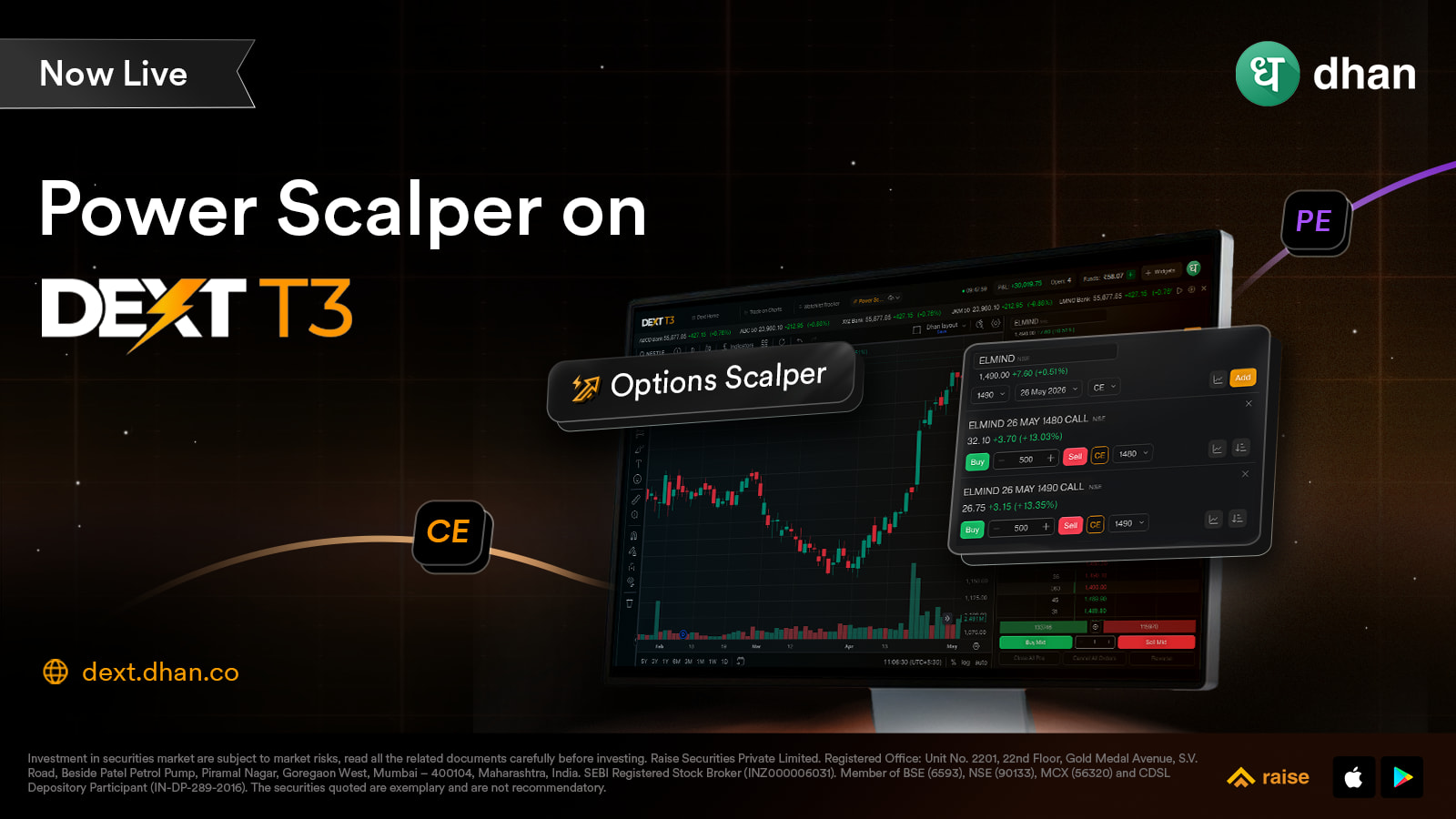
Power Scalper is now live on DEXT T3.
The Scalping Journey So Far
Scalping on Dhan started with one conviction - that execution speed should never be the reason a trade doesn’t go your way. We launched Scalper on Dhan Charts, and you used it, told us what was missing, and we kept building.
That conversation led us to introduce Power Scalper for option traders - a dedicated scalping terminal with the underlying, CE and PE charts together, option chain, market depth, and position management all in a single view. And then, based on everything you kept asking for, we enhanced it further.
Now that same experience - and everything it has grown into - is part of DEXT T3.
What Is Power Scalper?
Power Scalper is built for one kind of trader - the one who trades options fast, and needs everything in one place to do it well.
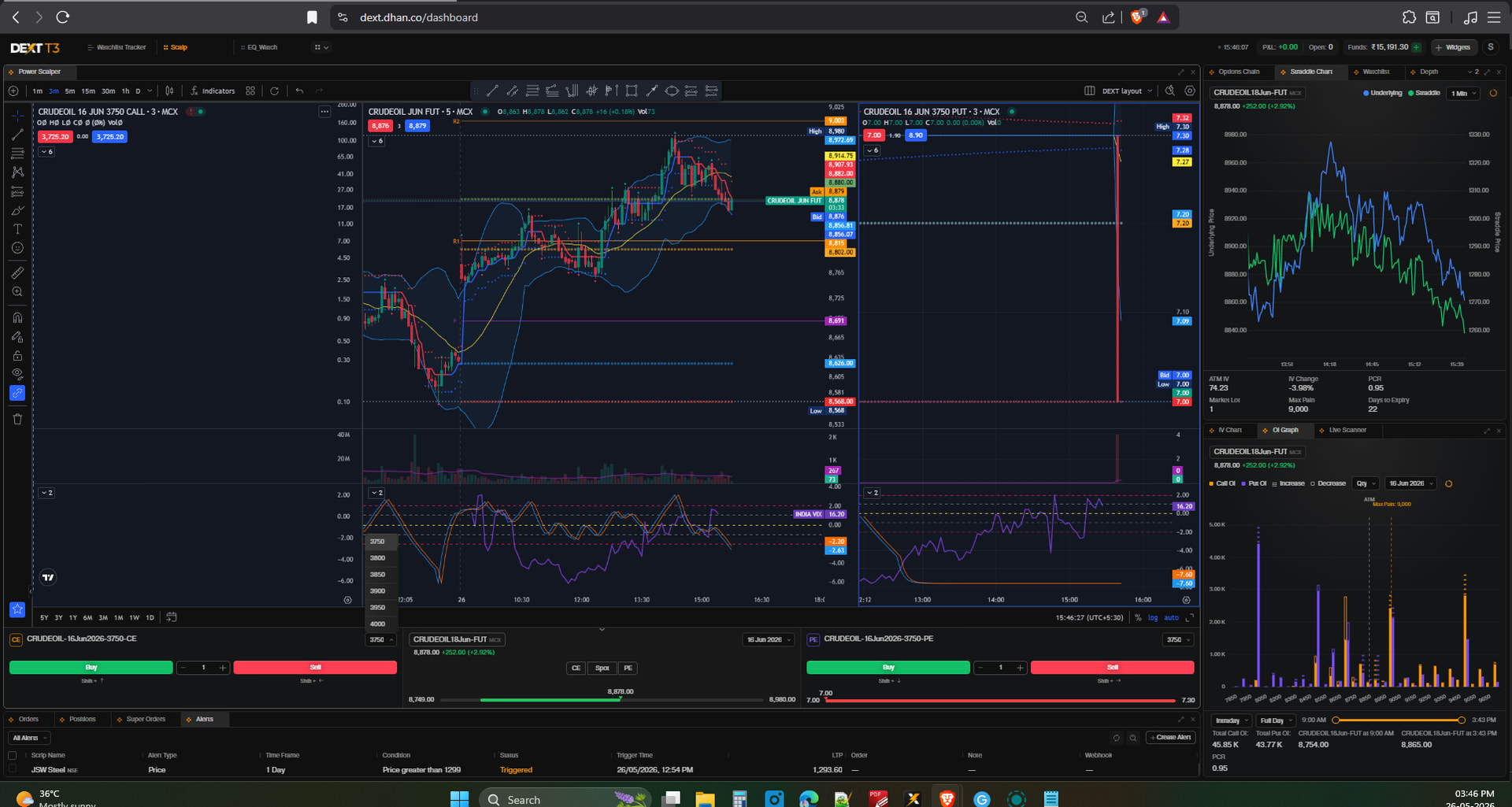
Most scalpers carry the same problem: your charts are in one place, your order window is somewhere else, and by the time you’ve looked at the option chain and come back, the moment is gone. Power Scalper solves this by bringing the spot chart, CE chart, and PE chart together in a single widget — with order placement built directly into the same view.
You’re not switching between panels to check the underlying and then executing on the option. You’re looking at all three at once and placing the order from the same screen. That’s the core idea — less friction between what you see and what you do.
On DEXT T3, this widget lives inside your workspace. Add it to any layout, and it becomes part of how your terminal is set up — backed by the DEXT engine’s execution speed on every order that goes out.
What Power Scalper Gives You on DEXT T3
-
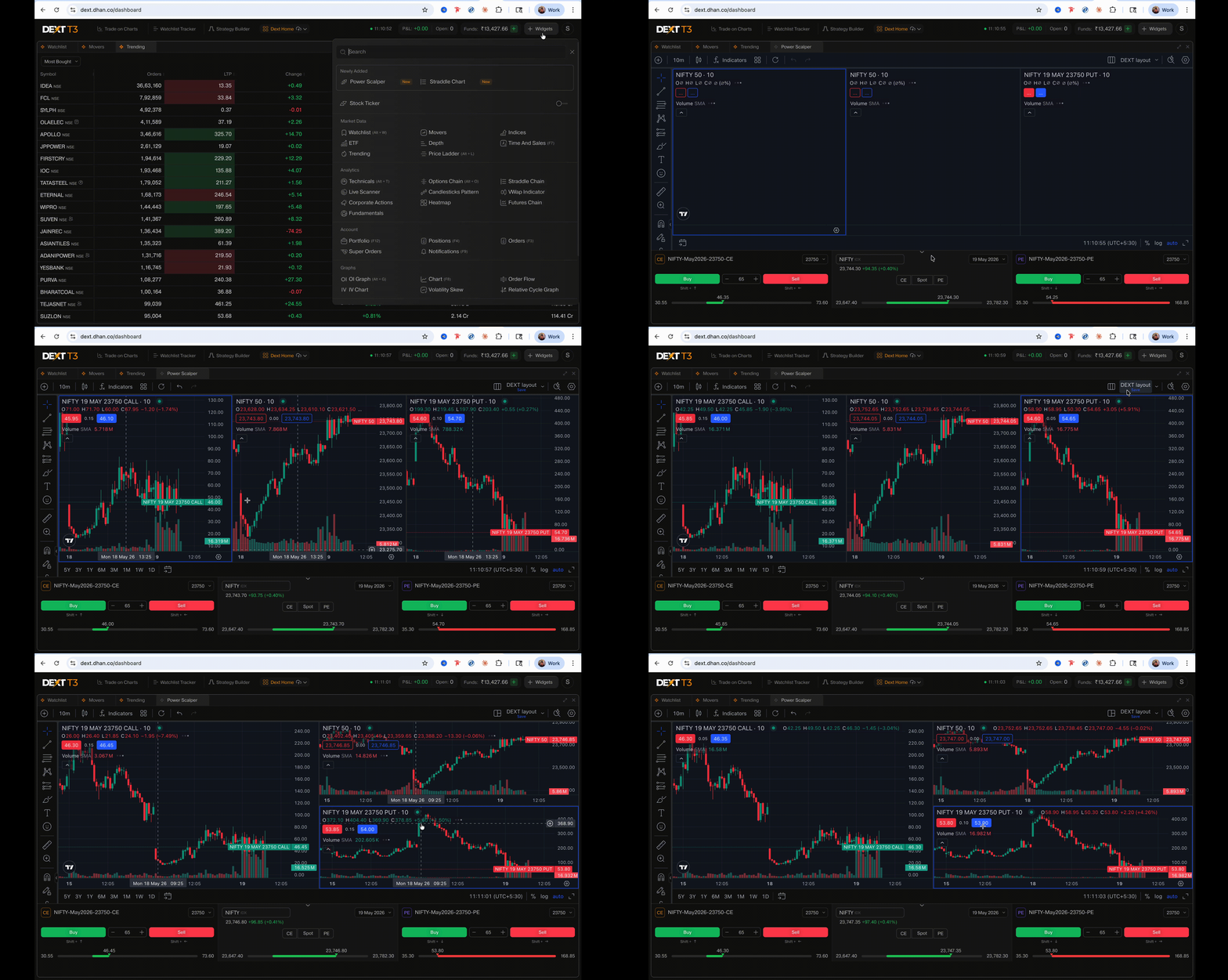
Three charts. One widget. Spot, Call, and Put — all three in the same view. Read the underlying and both legs simultaneously, without switching tabs or losing context mid-trade.
-
Order placement built right in Place your CE or PE orders directly from inside the widget. Your view doesn’t change when you execute — the analysis and the action happen in the same space.
-
Vertical and horizontal modes Choose the layout that fits your screen and how you prefer to read the market. Switch between them without losing your configuration.

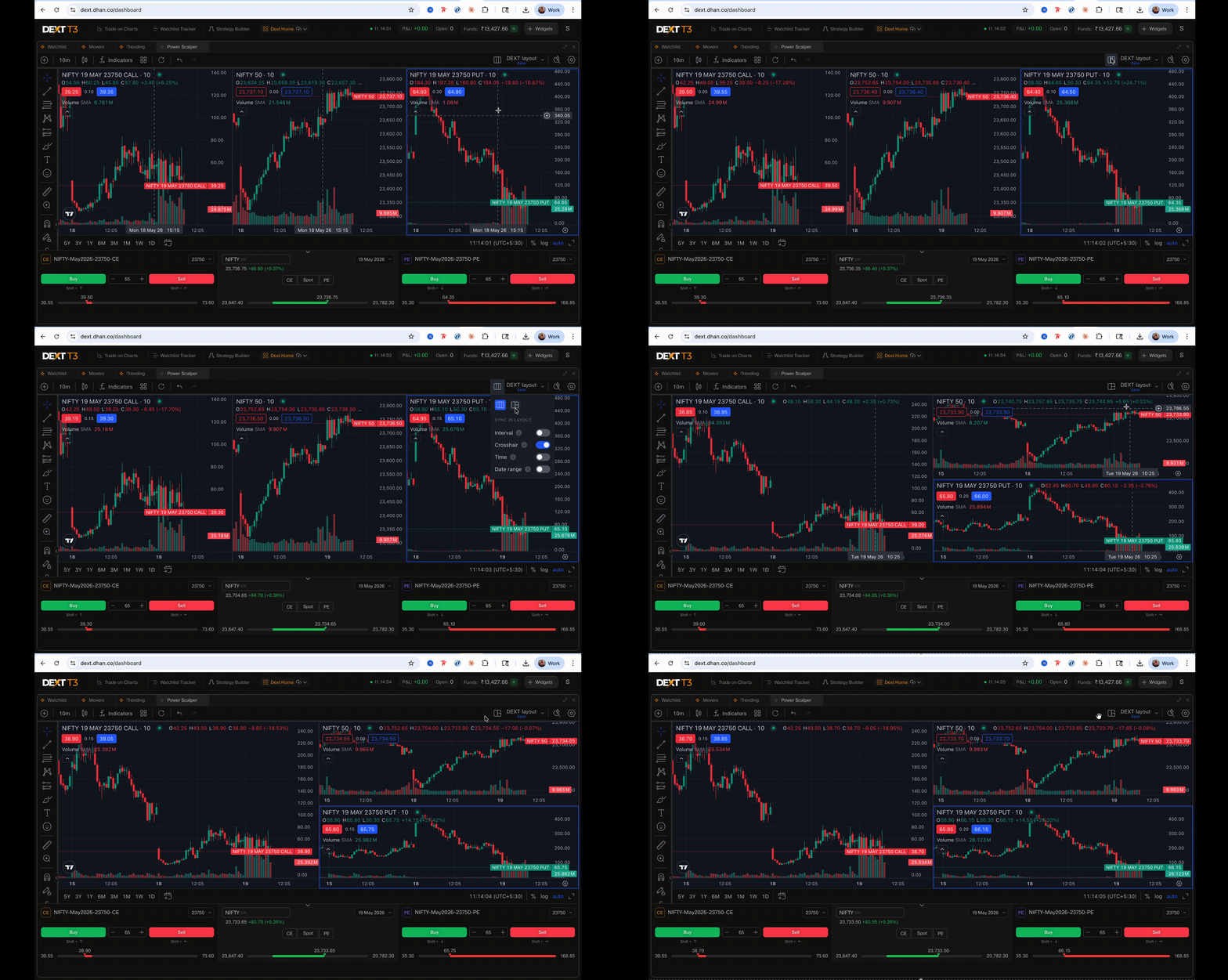
- Trade CE and PE simultaneously Toggle between the underlying future or spot in a single click. Trade both legs at the same time — contra positions, hedging, or managing two opportunities together.
The Ready-Made Power Scalper Layout
For traders who want the full setup without building it from scratch — we’ve put together a pre-configured DEXT T3 layout with Power Scalper, Option Chain, and OI Graph already arranged as one complete workspace.
Open it, and you’re ready. No configuration needed.
Built for Indian Markets. Built for Indian Traders. Built Inside a Terminal Where Analysis and Execution Are One.
How to Get Started
- Open DEXT T3 — Download for Mac | Download for Windows | or use dext.dhan.co
- Add the Power Scalper widget to your existing workspace — or load the pre-built Power Scalper layout directly
- Select your underlying, choose your mode, and you’re in
Power Scalper on DEXT T3 is live now. Try it, and let us know how it fits the way you trade. Your feedback has always shaped where we take this next — and this is no different.
Happy Trading!
Bhavya.


 Features