Hello Traders! 
At Dhan, every feature we build for DEXT T3 starts with one thing - your feedback. And when it comes to scalping, one ask has come up consistently. You told us the Scalper widget works — but you didn’t want it eating into the workspace you’ve carefully built. You needed your Scalper accessible without giving up a single slot.
We heard you. Here it is.
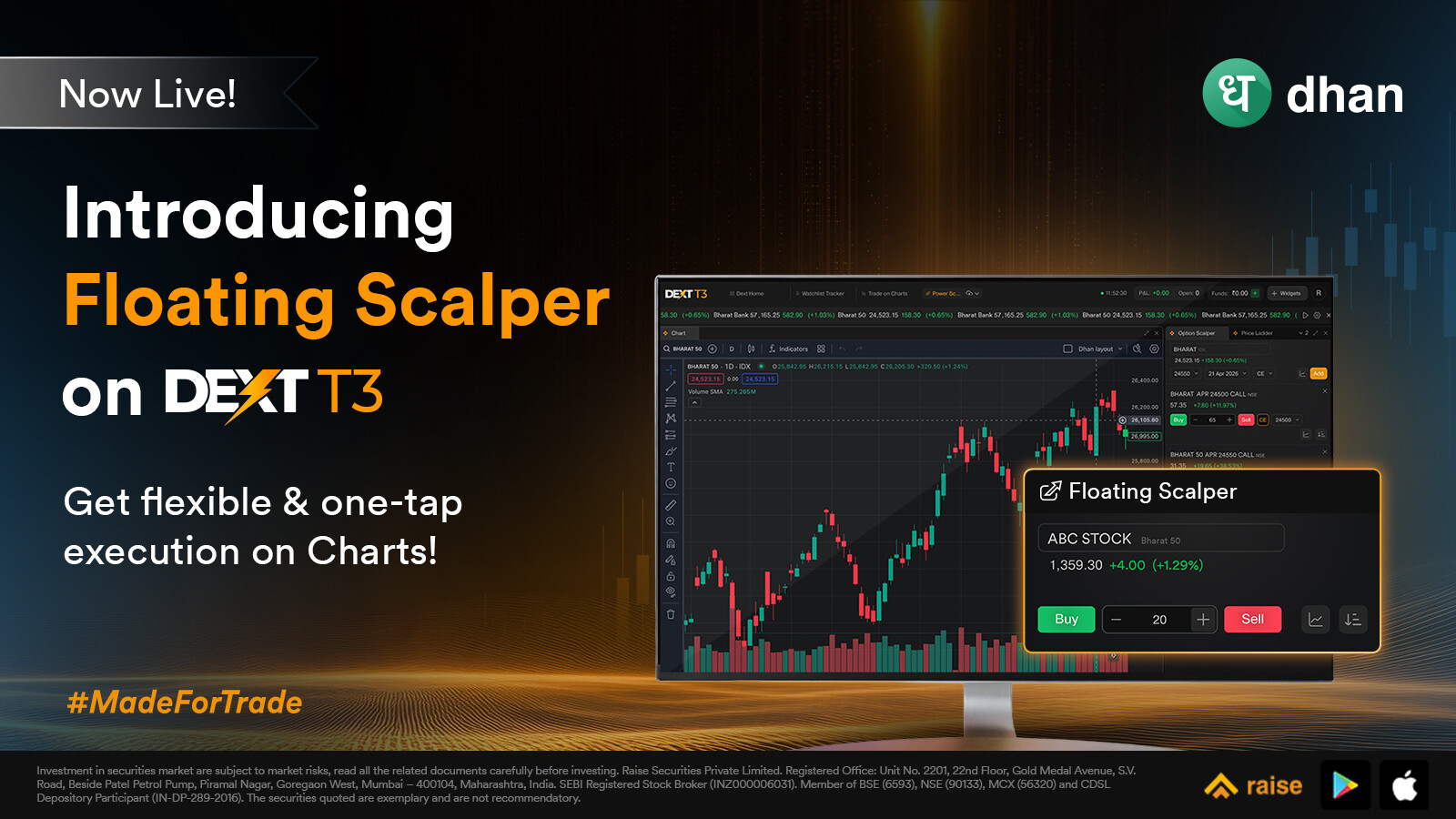
Introducing: Floating Scalper on DEXT T3.
Scalping is the most time-sensitive form of trading. Every second between spotting an opportunity and executing it matters. But that speed gets compromised the moment your tools slow you down.
If you want to place a quick scalp trade right now, you either need to have the Scalper widget already in your layout — taking up space you may have allocated to something else — or you navigate away from what you’re watching to get to it. Neither is ideal when the market is moving fast and you need to act faster.
For traders who have spent time building the perfect DEXT T3 workspace, that trade-off has always been a friction point. Floating Scalper removes it entirely.
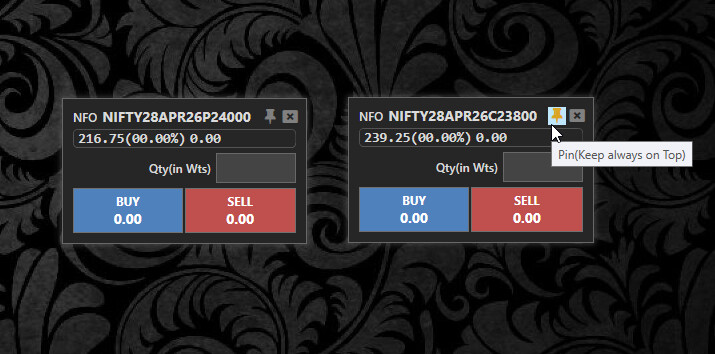
Floating Scalper is a new widget on DEXT T3 - but unlike a regular widget, it doesn’t occupy a slot in your workspace layout. It appears as a lightweight pop-up that floats on top of your workspace, sits wherever you drag it on screen, and stays open for as long as you need it - closing only when you choose to close it.
The existing Scalper widget on DEXT T3 stays exactly where it is. Floating Scalper sits alongside it as fresh addition - giving you a new way to scalp that works around your workspace, not inside it.
How To Get Started on DEXT T3
- Open DEXT T3 — Download for Mac | Download for Windows | or use dext.dhan.co
- For Floating Scalper — find it in your widget library, launch the pop-up, and drag it wherever you need it on screen
- Need another one? Launch again - a second Floating Scalper opens alongside the first
Floating Scalper joins a growing line-up of products built into DEXT T3, each adding a specific capability for active traders. If the floating widget format works for how you trade, here’s the rest of what DEXT T3 offers, in case any of these fit alongside:
- DEXT T3 — The Trading Terminal — the main post explaining what DEXT T3 is and why we built it. Worth a read if you want the full picture of how the terminal is designed for active traders — execution speed, workspace customisation, and how every piece fits together.
- Power Scalper on DEXT T3 — a dedicated scalping terminal with the underlying, CE and PE charts, option chain, market depth, and position management all in one view. Where Floating Scalper is a lightweight pop-up, Power Scalper is the full-screen counterpart for traders who need every signal in front of them simultaneously.
- Position Analyzer on DEXT T3 — see the risk and exposure profile of your live DEXT T3 positions in one consolidated view. Useful when you’re scalping fast and want to keep an eye on your aggregate exposure without breaking flow.
- Conditional Alerts on DEXT T3 — set alerts on DEXT T3 that auto-execute your trade when the condition is met. Useful for the times you can’t be at the screen but still want a setup taken when it triggers.
- Order Flow Coming in DEXT T3 — the sneak preview of order flow and footprint charts arriving on DEXT T3. Worth knowing about if reading the inside of the candle is part of how you scalp.
Scalping on DEXT T3 has always been fast. Now your workspace doesn’t have to pay the price for it.
Try it and drop your feedback in the comments below.