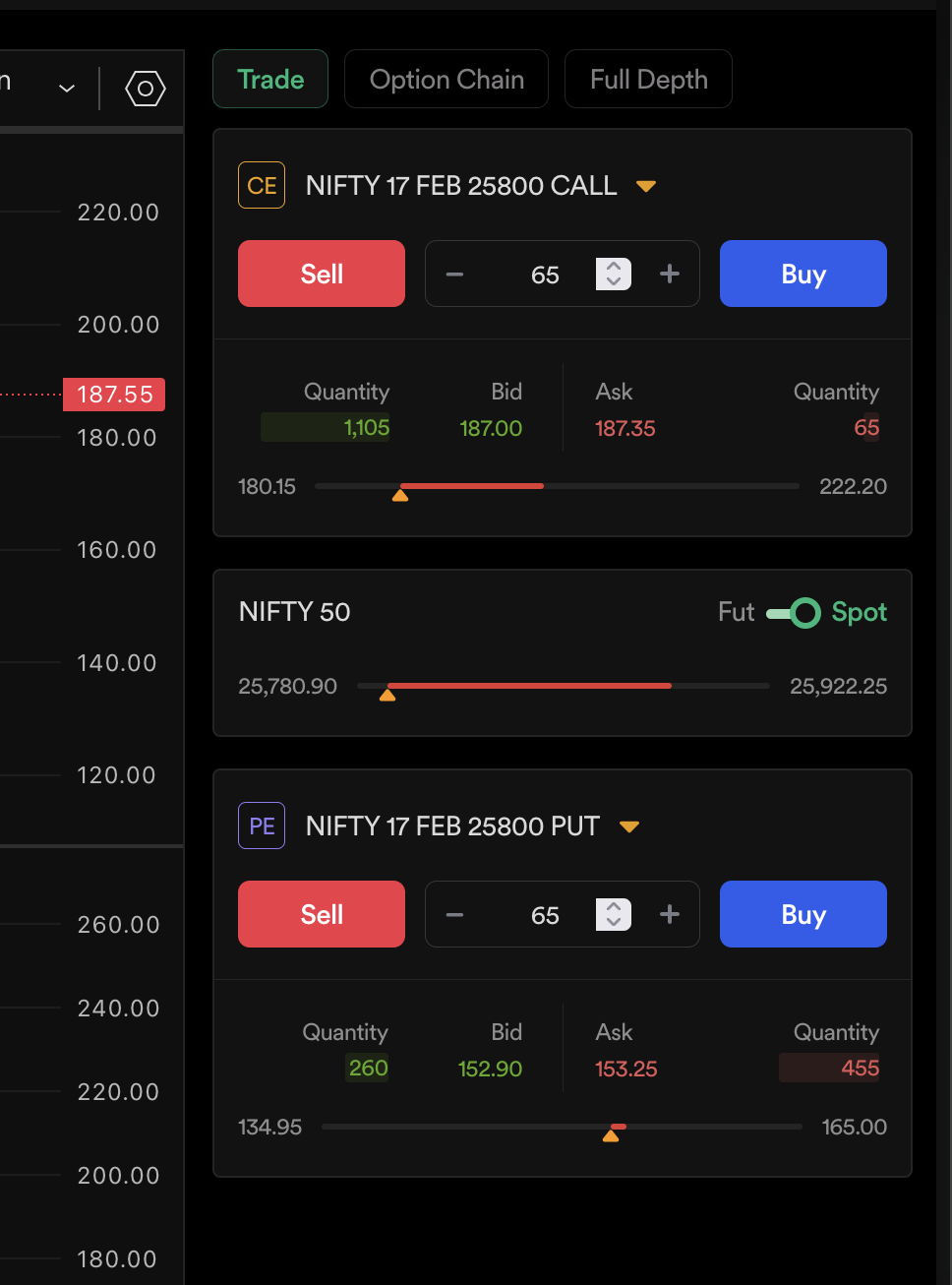
Hello Traders,
Dhan has always committed to being madefortrade, which reflects in our products, our
approach to markets, and most importantly, in our users. For the last 4 years, we have been
building and iterating products for the Indian Trader, ensuring everything that a trader ever
needs is available under one roof.
Trading is focused on a common outcome, but the ways to achieve it are different and
personal to each and every trader. And we have been trying to build this experience with the
power of the best trading tools for all Indian traders.
Let’s look at Dhan Charts - we’ve always aimed to provide the gold standard of charting for
Indian Traders. On top of this, we have curated features particular to Indian traders - both to
help in analysis and trade execution right on charts.
For analysis, we started working backwards - from attempting to build all Popular Indicators,
Option Chain, Alerts, Seconds Timeframes and many more things which can help a user
analyse during markets and even post-market hours. The key differentiator has been trade
execution features on Dhan Charts via our trading engine DEXT.
Starting from placing orders with a simple click on charts to building the Trade Plan - one of
the most comprehensive risk-controlled trading tools - we have focused on different types of
traders and their trading patterns. There are dozens of different ways in which traders can
place orders on charts - including Basket Orders, Order window, keyboard shortcuts and
many more.
In all these different order execution systems, one of the most used features has been
Scalper - something that we introduced exactly a year back in Jan 2024. We have seen
traders loving this simple way to trade markets - powered by DEXT execution speed -
delivers the execution scalpers require. Over the entire year, across the market cycle, we
have seen traders consistently scalping in markets.
This is what pushed us to build scalping right on the underlying charts - especially for index,
wherein you can trade the options while being on the index chart. If you haven’t tried it out
yet, all you need to do is open any underlying index chart on Dhan Charts and click on
Scalper. It is built for traders who look at indices and then take positions accordingly.
Today, we are taking another step in this direction - for all the traders on Dhan - something
that will make scalping even more seamless with a better market view and Dhan’s tested
execution speed.
Introducing: Power Scalper for Option Traders
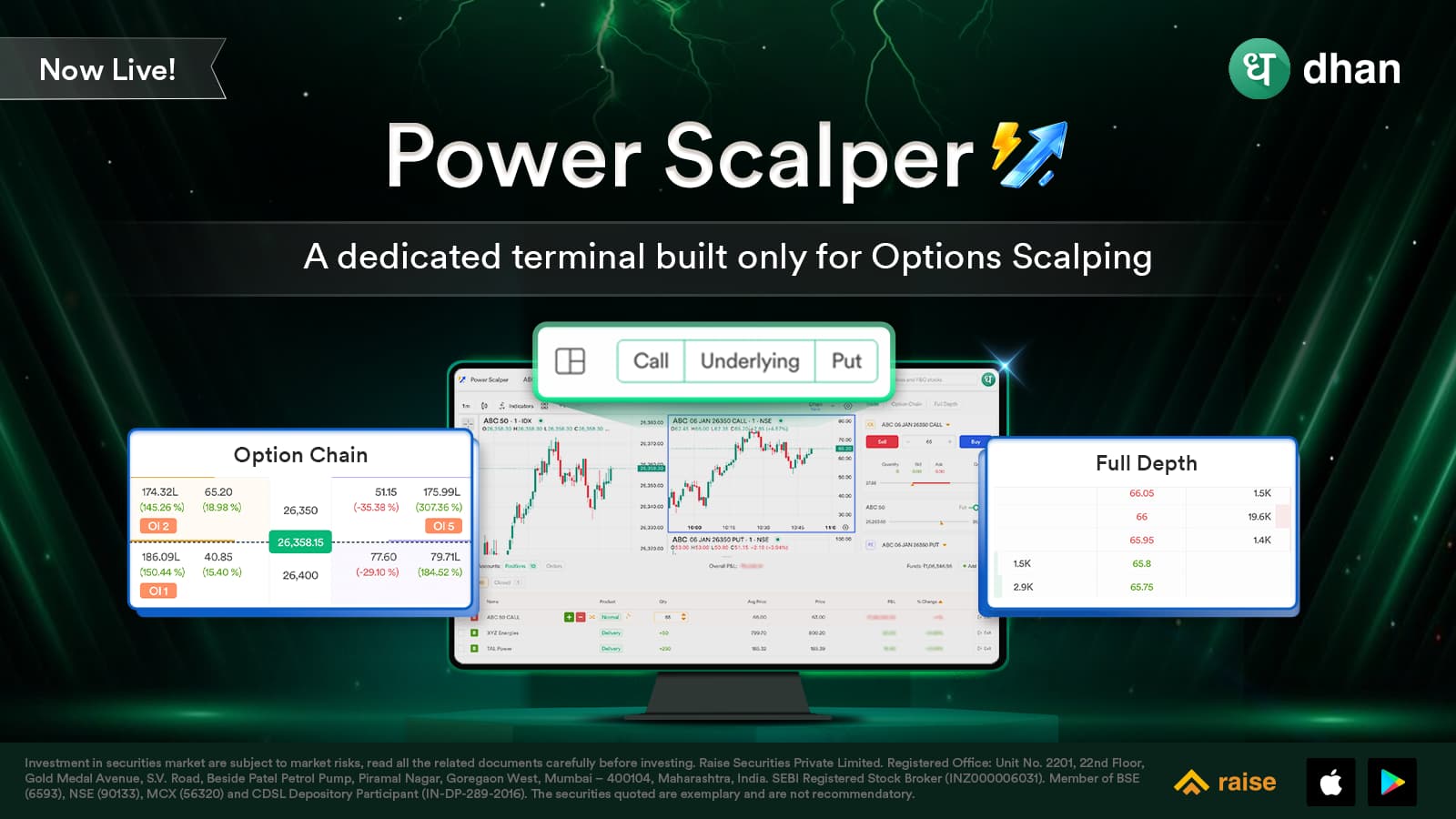
With our user interactions across last year, we understood that scalpers want more - a
unified interface to track all that matters most to them. And this is why we built a dedicated
scalping terminal for all our traders.
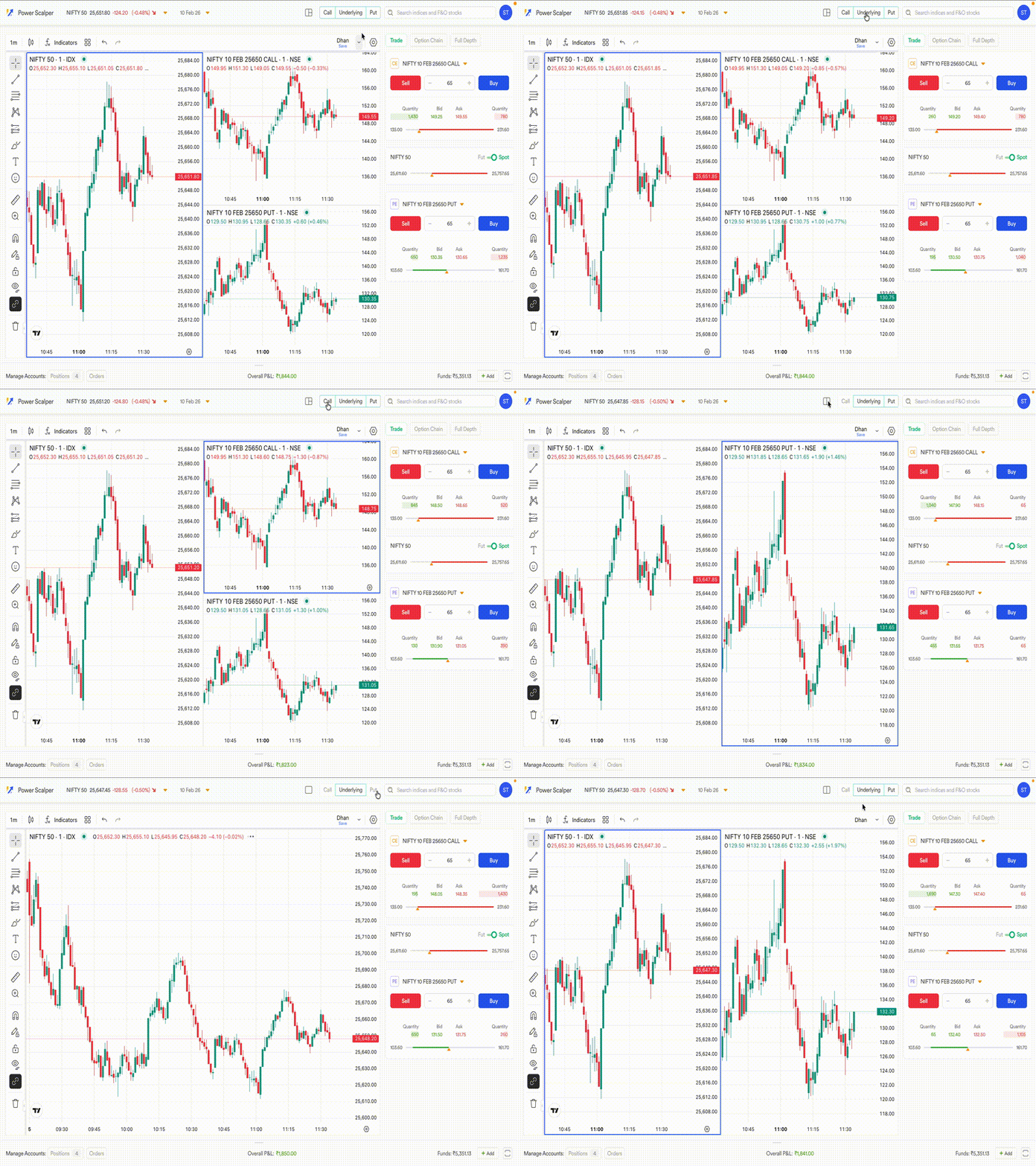
Let’s look at how Power Scalper is built. To begin with, there are two modes - vertical and
horizontal - so that you can choose which mode works best for your scalping. This is to
ensure you don’t lose the comfort of your chart layout.
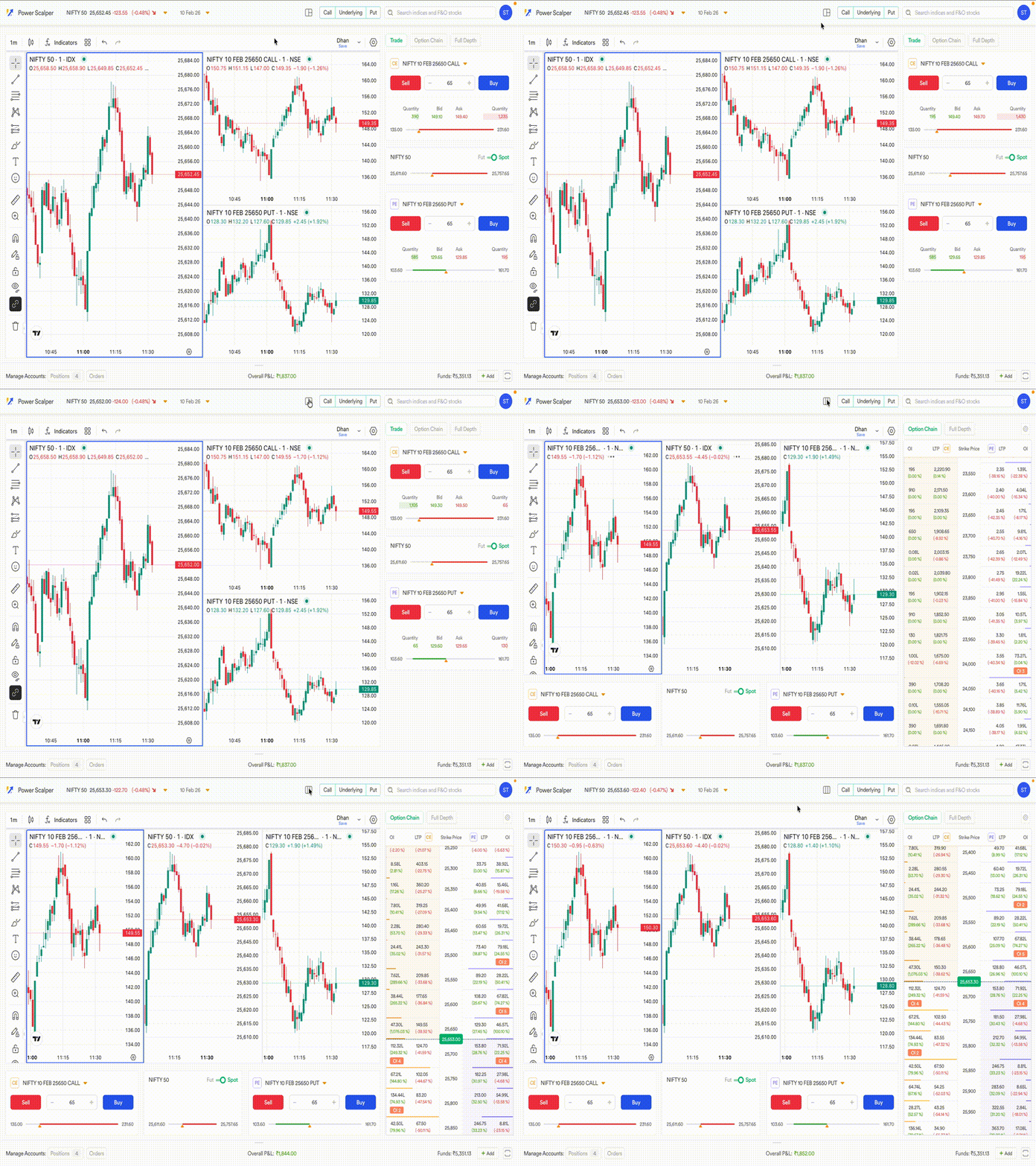
You can quickly toggle between the underlying future or the spot - depending on how you
prefer to trade. And you can trade both the call and put options at once - maybe taking
contra positions or hedging or to trade multiple opportunities together.
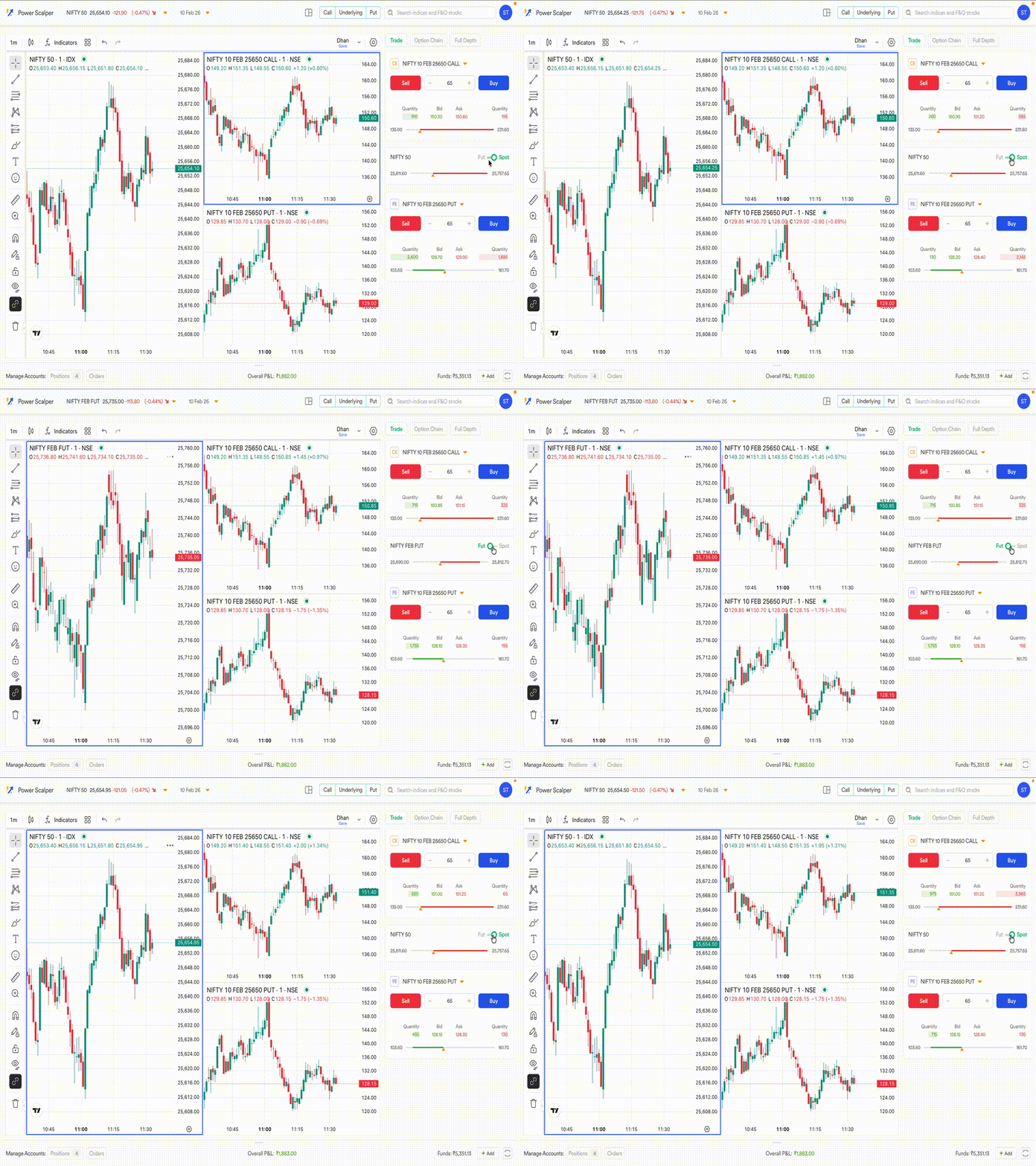
We have kept personalisation in mind - you can view charts as you want - remove call, put or
underlying from your view. You can also set your own settings and everything is saved
especially for your scalping setup.
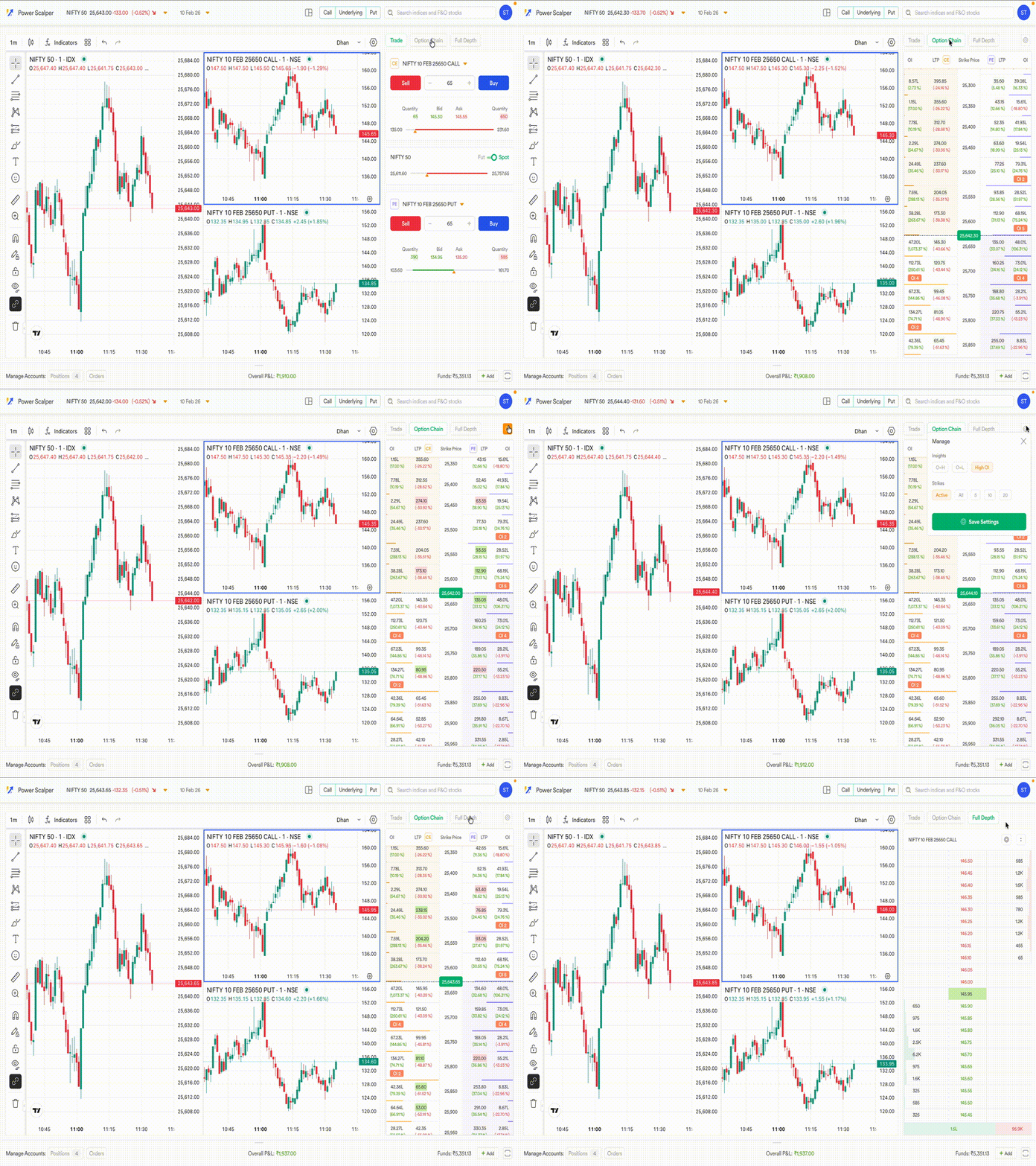
We have added options chain and the full market depth - right on the scalping terminal. This
is for you to get the market overview directly while trading - including the entire order book of
the market.
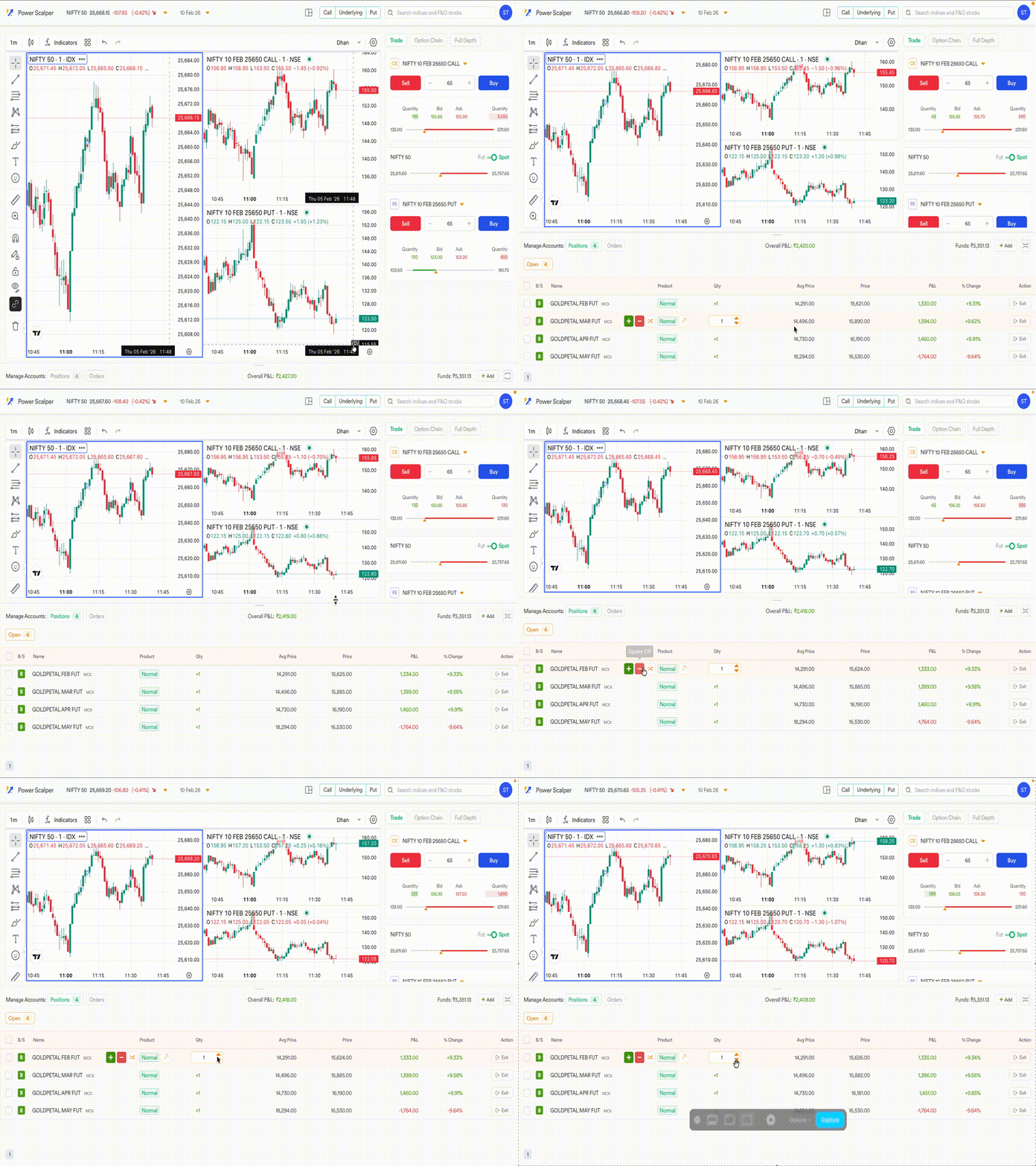
Let’s look at position management - we have brought power positions right on the positions
and orders tab. This means you can add, remove or exit positions with single clicks making
management simple and on a single interface. And not just this, with a single click, you can
exit all your positions or just selected underlying positions.
And there’s a lot more like selecting strikes directly from the option chain, keeping a check
on margin, converting positions in single click and more. Right now, you can open Power
Scalper from Dhan Web or from Dhan Charts - just look for the Power Scalper button.
Power Scalper is built as a dedicated terminal, just for scalping. We know there’s a lot more
to build and make the scalping experience even better. We would love to hear your thoughts
and feedback - to make this your preferred scalping platform.
Further, to help you understand how to use the Power Scalper terminal, we recommend that you watch this video!

Happy Trading!