Hi @Raj_Detroja ,
We have your feedback on this.
Hi @Raj_Detroja ,
We have your feedback on this.
Thank you for putting this to us directly, and questions like this deserve a straight answer.
Indian exchanges don’t tag which side initiated a trade. Every platform building order flow here, including us, works out the aggressor side from tick data rather than reading it directly off the tape the way you could on a market like CME. We explained exactly how that works, and why two platforms can show a different delta on the same candle without either one being wrong, in this post. Please go through it, and if anything’s still unclear, happy to clarify.
On why that video draws the conclusion it does, we’re not going to guess at anyone’s reasoning. That’s not a conversation we can have honestly from outside their head.
Thanks for the clarification. I don’t know how I missed the post. Will point people to that post as well.
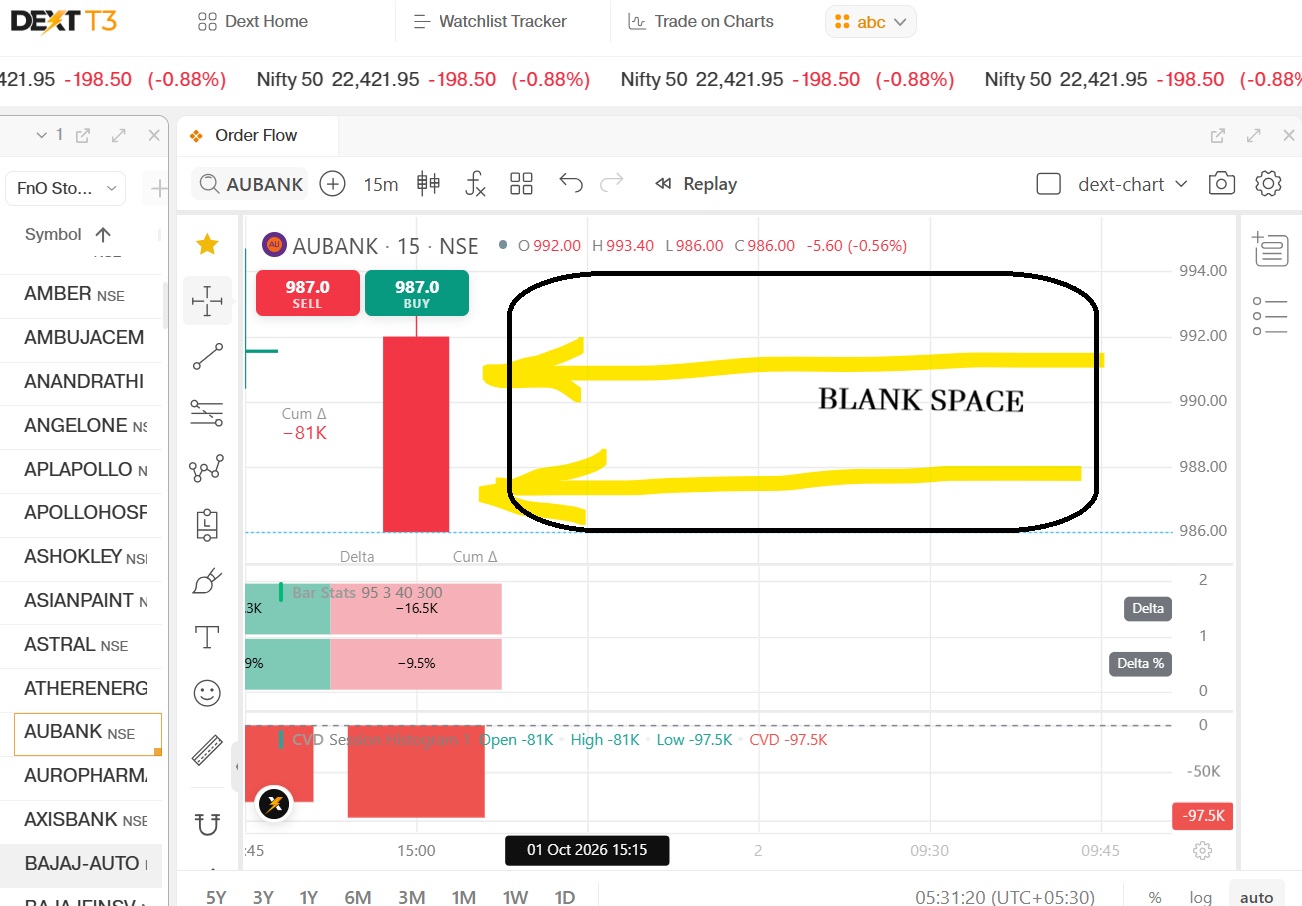
Hi Team @PravinJ @Bhavya_Jain , On DEXT T3, whenever we change script, chart is dragged to left side. Consequently, we need to adjust layout every time we change script. No such issue on tv.dhan. please look into it and help. thanks!!
@banerjee Agreed, and you’re being generous. “Zen trading” is a marketing line. The platform is neither zen nor useful.
Culture comes from the top. One founder is like you mentioned. The other cheated in a mere exhibition match against Vishwanathan Anand, then apologized reluctantly, as a joke. It’s like knocking out Tyson or McGregor in an exhibition match and saying sorry while joking about it.
Their edge was the first mover’s advantage, nothing more. In my view, they’re the Yahoo of the Internet era, and Dhan is Google.
hello bhavya ji …i need a tool …like bar by volume profile …any update on this …
ek 15 min ki candle ho or uska individual horizontal volume profile ho …
@Naveen We have noted this feedback of showing volume profile of each bar. we will share an update once this is released
Hi,
Really happy with all the improvements that have been made. The fixed volume profile indicator still has a few issues.
2.Developing POC and POC showing different levels at current point, while I understand that developing POC will keep changing and will different from current POC in the past, at the current time, they should be the same.
@Aadi_Jain Thank you for sharing this, and glad to hear the recent improvements have been helpful.
On Ticks per Row, could you help us understand the behaviour you are expecting a little better? Currently, for example, if the tick size of a scrip is ₹0.10 and you select 10 Ticks per Row, each row represents a ₹1 price range. While zooming in or out, the rows may also visually group or ungroup to provide a more granular or compact view.
On Developing POC vs POC, we understand the distinction you’ve highlighted. Your observation around both levels at the current point is something we’d like to look at more closely on the exact chart and range you’re referring to.
Would be great to get on a quick call with you and go through both the Ticks per Row behaviour and the POC/Developing POC case together. Please share a convenient time and we’ll connect.
@Bhavya_Jain Custom indicators on Dext charts, using orderflow data part of your product roadmap? Would love to know if this is being planned.
Yes, custom indicators on DEXT Charts, including the ability to work with Order Flow data, are part of our planned roadmap.
If you have a specific indicator or Order Flow-based use case in mind, do share it with us. It would help us understand what you’d like to build and how you expect to use it.
Would love to build a Whale Indicator : large orders filtered from the T&S feed and plotted directly on the chart.
More broadly, the ability to compare different orderflow data points, their thresholds and confluences and plot the inferred result as a visual signal on the chart, rather than having to read raw numbers and infer the meaning continuously, manually.
That’s a very relevant use case, and the Large Order indicator is already under development.
The idea is along similar lines — identify unusually large executions and surface them visually on the chart so traders don’t have to continuously scan raw prints.
Your broader point around combining multiple Order Flow data points, thresholds and confluences into a derived visual signal is also aligned with the direction we’re exploring for custom Order Flow indicators.
It would be great if orderflow indicators and their inferences could also be plotted directly on the standard Dext candlestick chart, rather than being limited to footprint charts.
The reason I think this matters is that many traders want to understand what the orderflow data implies, rather than analyse granular data point themselves. Footprint charts can be visually dense, which makes it harder to interpret these insights alongside price action.
Overlaying these inferences on a clean candlestick chart would make orderflow insights more accessible and actionable, without locking traders to work with the dense footprint chart and the data itself.
@Bhavya_Jain @PravinJ I did not hear any acknowledgement on above issue. Do you plan to fix it? thanks!
@Kothal This has now been resolved. Could you please have a look and let us know if it’s working as expected for you?
Now, whenever you change the scrip, the chart will retain the same candle positioning/view as the previous scrip, so you shouldn’t need to readjust the chart each time.
@Bhavya_Jain I am still facing same issue on DEXT T3 windows terminal (Version 1.0.19). Additionally, Page up/Down keys are not working on DEXT T3 to change scripts. No such issue on tv.dhan.
@Kothal Thank you for taking the time to connect with us and explain your feedback in detail. It was helpful to understand your expectations and use cases better.
As discussed, the chart navigation using Up/Down arrow keys has been resolved by enabling Sync Widgets Using Arrow Keys in DEXT T3 Settings.
We’ve also taken your inputs on the following charting enhancements:
Bar Statistics: Colour representation based on the CVD sign rather than the individual candle’s Delta sign.
Chart View: Retaining the number of visible candles when switching between symbols.
Indicator Names: Displaying the complete indicator name & cursor reference only on mouse hover for better readability.
We appreciate the detailed feedback. These inputs will help us refine the charting experience further on Dhan.
Hi Team, can you guys please consider adding a single column option for Bid X Ask visualization, would be helpful for color coding the delta change.
Thanks.