August’s updates on DEXT T3 came straight from how traders actually sit down to trade - the rigs you’ve built, the layouts you’ve perfected, and the small frictions you flagged along the way. Here’s everything that shipped this month.
The desk finally moves with you, on DEXT T3
Multi-monitor trading on DEXT T3 just got a serious upgrade. Pop-out has always let you push a widget to a second screen - this month, that idea goes a lot further.
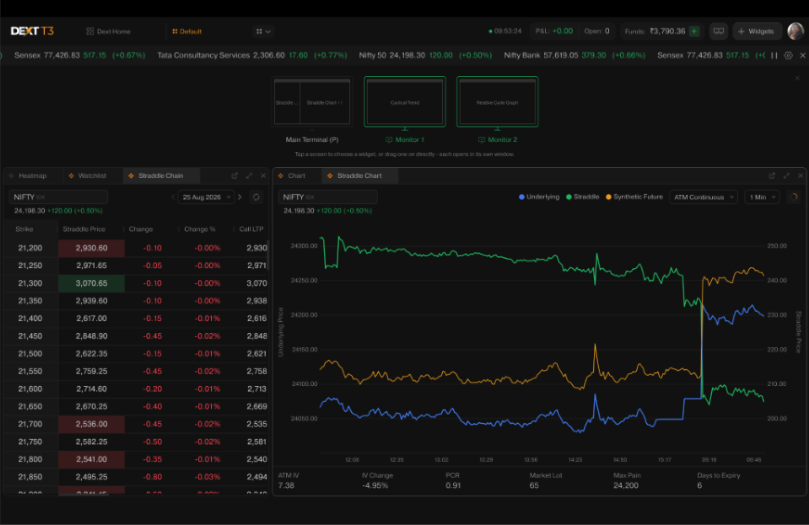
DEXT T3 now auto-detects every monitor connected to your system, and placing widgets across them is no longer limited to pop-out - you can now drag and drop any widget straight onto any screen. Charts on one, option chain on another, execution tools exactly where you want them. Once you’ve built it, DEXT T3 remembers it. Log in tomorrow and every widget is exactly where you left it. If a monitor gets disconnected mid-session, its widgets simply move over to the Main Terminal instead of disappearing - reconnect, and they return to where they were.
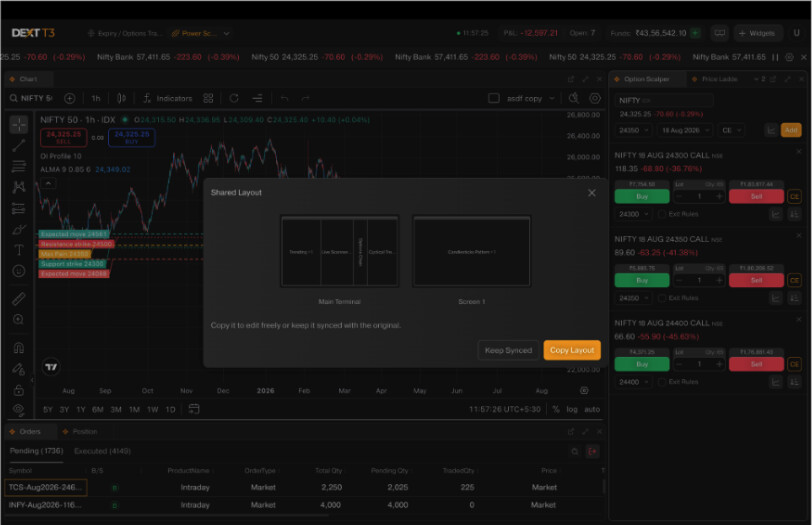
Built a layout you’re genuinely happy with? Now you can share it with your community with a single link. They gets to decide what happens next - stick with Keep Synced and your changes keep flowing through to their version, until they’re ready to save their own. Or go with Copy Layout and make a copy that starts exactly like yours, which they can then edit, rearrange, and save as their own. Even if they’re running fewer monitors than you, the layout still works for them - it just adapts what it can to the Main Terminal.
Watchlists just got organised, on DEXT T3
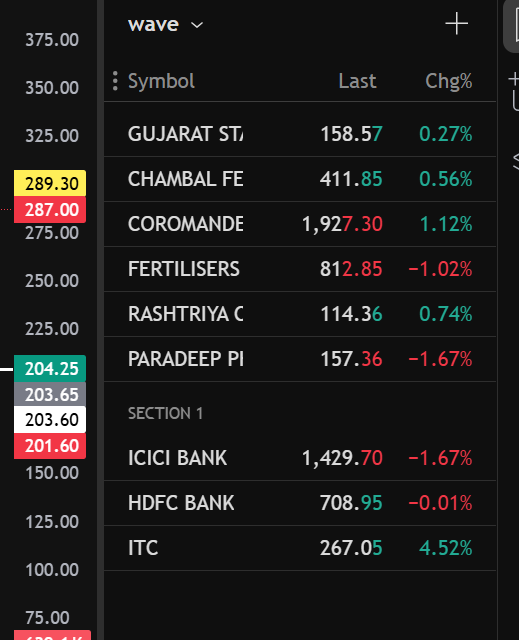
Sections in Watchlist landed on the community last month, and it’s already one of the most-used requests we’ve shipped - group your stocks by sector, strategy, or however you think about the market, reorder sections as your focus shifts, and deleting a section never touches the stocks inside it. Full details on how it works are in the full post here.
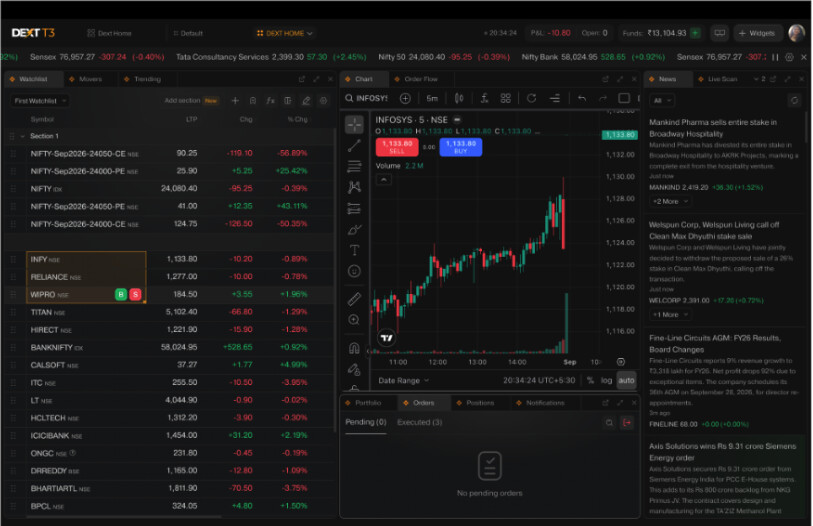
The DEXT T3 spin on it: you barely need the mouse. Select a bunch of stocks together using ↑ / ↓ and hit Space to turn them straight into a section, add or remove a stock with +/ Insert key or -/ Delete key, jump between sections with Alt + ↑ / ↓, and collapse or expand with Enter. If you live on the keyboard while building your watchlist, this is built for exactly that.
Straddle Chain just got a lot more powerful, on DEXT T3
Straddle Chain has always been a great place to watch the market - but that’s all it was. You could see it, not act on it. And the Straddle Chart sitting alongside it only ever showed you the ATM strike, whichever way the market moved.
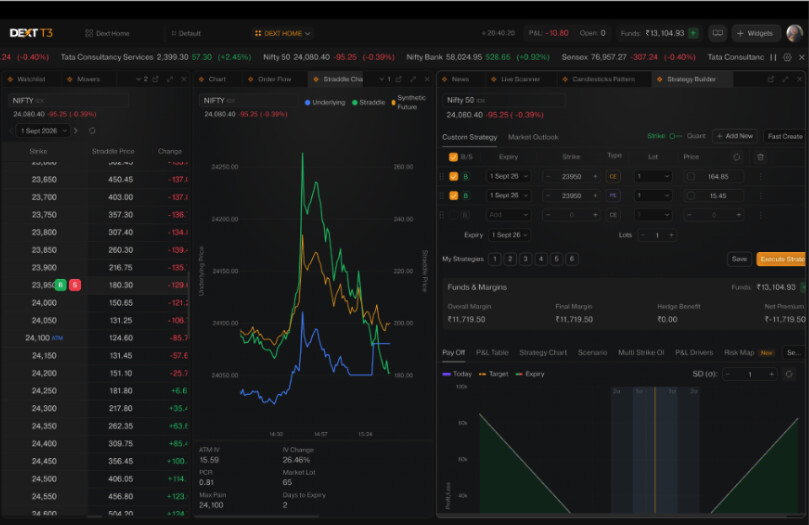
Both of those limits are gone this month. Buy/Sell actions for Strategy Builder now show up directly on hover in Straddle Chain, so the moment you spot something worth acting on, you can act on it right there - no jumping across widgets. Straddle Chart is no longer tied to ATM either - open it for any strike in the chain, not just the one sitting at the money. Navigate contracts with the ↑ / ↓ arrow keys and the Straddle Chart moves with you, strike for strike. And with Color Sync now working across both, keeping track of which instrument you’re looking at is a lot easier when your layout has more than one widget open.
More August updates on DEXT T3
Multi-Widget Setup
One of the most requested changes finally lands - the cap on multiple widget instances is doubled, from 3 to 6. More charts, more tools, open side by side, and it pairs perfectly with Multi-Monitor to give you all the room you need to spread them out.
Charts
This setting has come up a lot, so here’s exactly how it works:

-
Sync with tv.dhan - any chart layout or indicator template you’ve built on tv.dhan carries over to DEXT T3, and vice versa.
-
Sync Within DEXT Layout - indicators applied on one DEXT T3 layout now show up on your other DEXT T3 layouts too.
-
Both off - each layout stays independent, so you’ll need to set up chart indicators separately for every layout if you want them to differ from one to the next.
Options
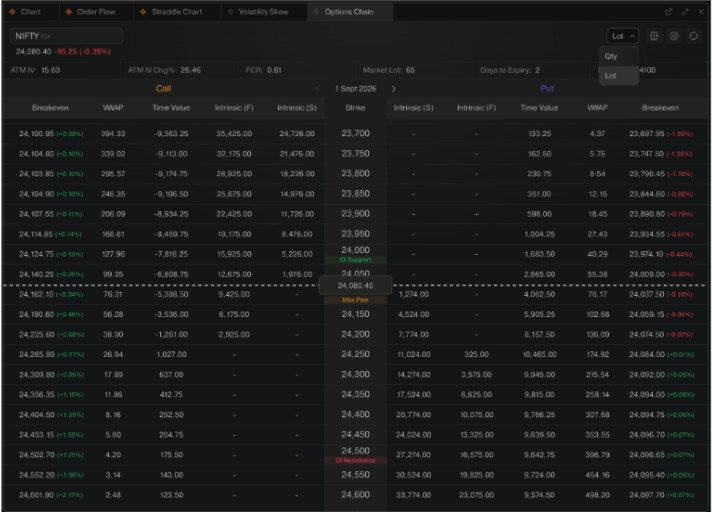
- The option chain now lets you switch between viewing Lots and Qty - and the moment you do, every corresponding value on the chain, from LTP to Greeks, updates instantly to match.
-
More analysis now sits right in the chain, with a set of new columns:
-
VWAP - the volume-weighted average price for that contract,
-
Breakeven - the underlying level a position needs to reach to break even,
-
POP - Probability of profit,
-
Time Value - the extrinsic portion of the premium,
-
Int Value (F) and Int Value (S) - intrinsic value computed off futures and spot respectively.
-
Volatility Skew
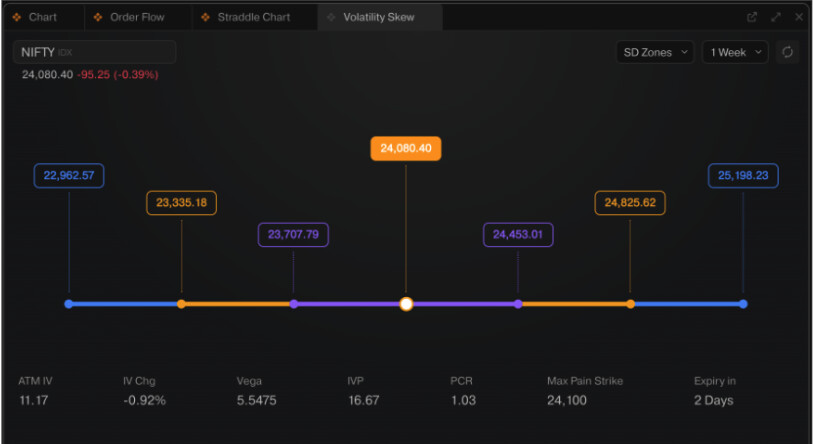
SD Zones are now part of Volatility Skew - plotted as tiered price bands (1SD, 2SD, 3SD) on either side of the current price, giving you a quick visual read on the statistical range price is expected to move within. Full breakdown of Advanced Volatility Analysis is here.
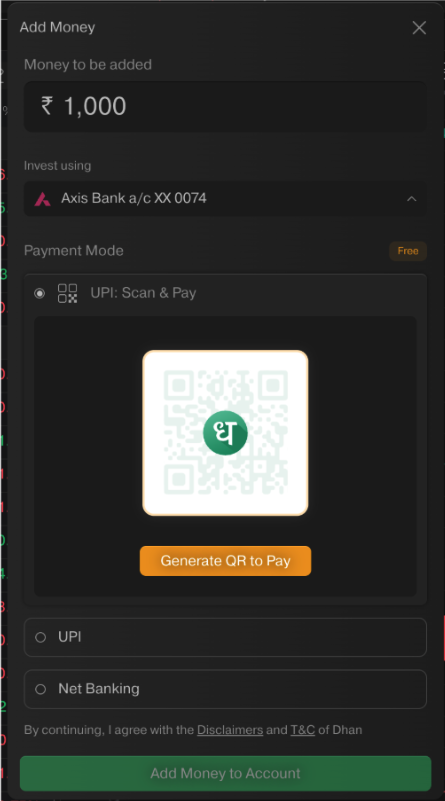
Add Money
Adding funds now supports QR code payments, making the flow easier across devices.
Bug fixes on DEXT T3
Keyboard Shortcuts: Typing capital letters with Shift + alphabet while naming a layout or writing Alert notes no longer misfires shortcuts like Shift + P or Shift + K.
Charts: Chart symbol syncing is working correctly again following the recent TV Charts update.
Strategy Builder: Deleted strategy snapshots now stay deleted even after the terminal reloads.
Happy Trading!
Bhavya.