Dear All,
Many investors and traders track stocks & scrips days ahead before taking trades, which is why watchlists have always been an integral part of the Dhan experience from our earliest days.
Over the past few years, we’ve rolled out several enhancements, including the FnO Stocks Watchlist, an increase in Watchlist capacity from 10 x 100 stocks to 20 x 250 stocks, and overall simplification of the feature, introduction of Invested Watchlist, Color Watchlists, adding analytics like Open = High / Low, and more of this, all aimed at making market tracking easier and more intuitive for you.
Building on this, we’ve made two small updates to further simplify and enhance your interactions with watchlists.
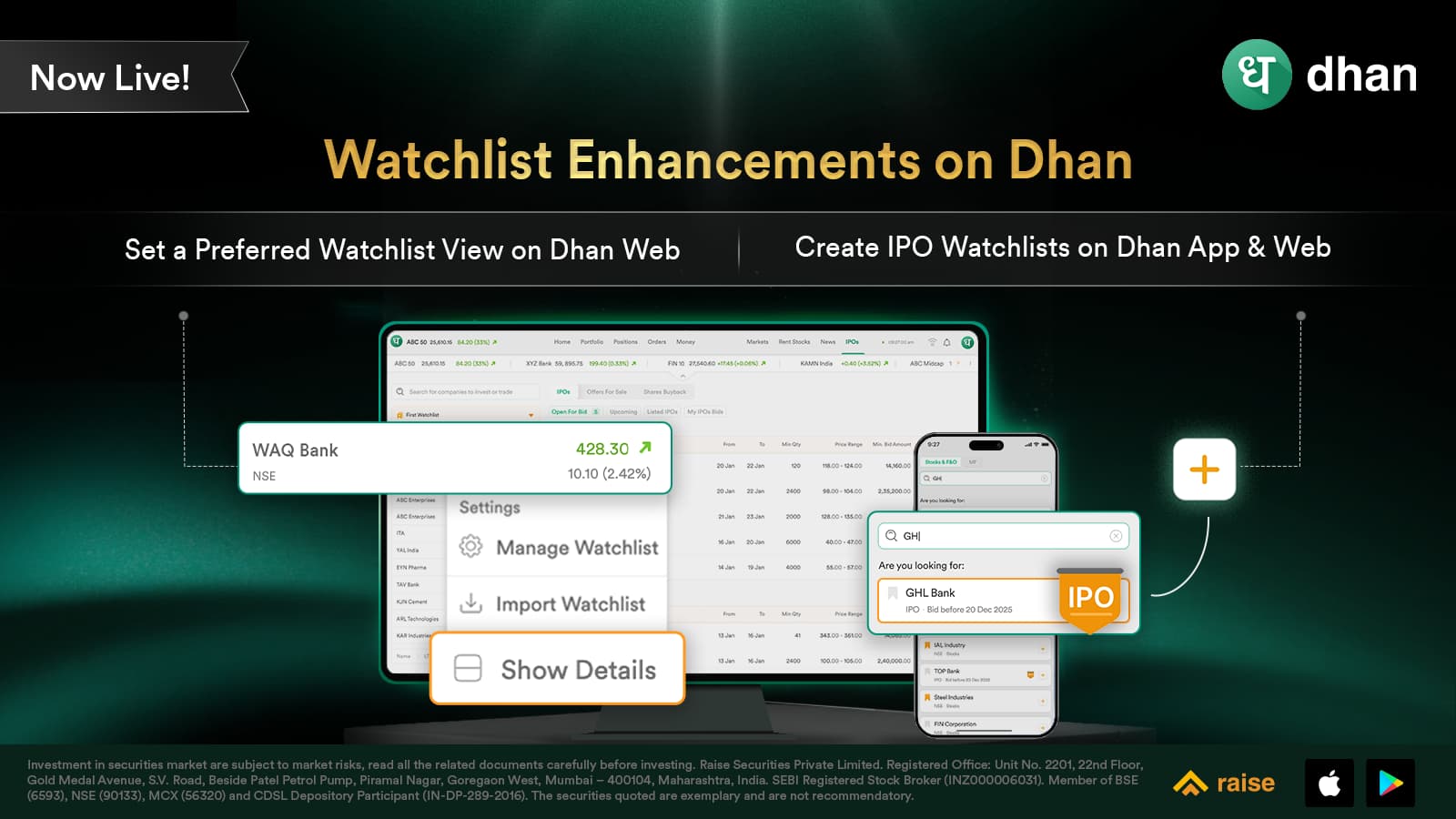
1. Mini-View of Watchlist on Dhan Web
We moved to make each individual watchlist to track 250 stocks, from 100 earlier. As a result, many of our users are now tracking more stocks in their watchlist than earlier. To facilitate this, we are introducing Mini-View of Watchlist on Dhan web.
Unlike the earlier watchlist view on Web, which showed all stock details such as average purchase price and quantity for stocks you hold upfront, we have now moved to an optional setting to give you control over your preferred view. Details such as average purchase price, quantity for stocks you hold, and the Exchange name are now available under Watchlist Settings → Show details.
You can show details when you need and hide them when you don’t, without losing access to important information.
This Mini-view watchlist is optional, and settings can be accessed via the three-dot icon at the bottom-right corner of the Watchlist on Dhan Web.
2. Track IPOs via Watchlist on App and Web
Simply search for any open, pre-open or recently closed IPO and add it to your Watchlist. Track subscription data, along with closing and listing dates*, directly from the Watchlist.
*Listing dates may be subject to change. Information provided is on an approximate basis.
We’re excited for you to try out these updates. As always, your feedback helps us improve. Do let us know what you think and what you’d like to see next.
Thank you,
Soha